Introdução
This guide will show you how to replace the LCD screen for the phone.
O que você precisa
-
-
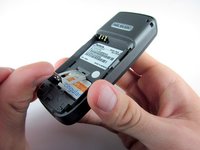
Place your thumb on the middle of the back cover and push it toward the bottom of the phone to slide the cover off.
 Pergunte ao FixBot
-
-
-
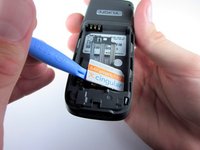
Use a plastic opening tool (or your finger) to gently pry the battery out of the battery slot on the back of the phone.
-
-
-
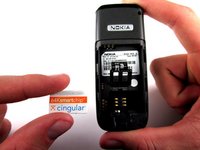
Lift the metal sim card holder (at the bottom of the battery slot) up and carefully pry the sim card out of its slot with a plastic opening tool or your finger.
-
After removal, lower the metal sim card holder into its original position.
-
-
-
-
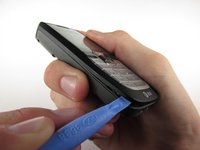
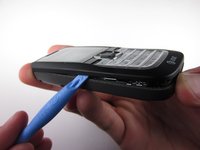
Insert the plastic opening tool into the crack between the front and back panels.
-
Gently pry the front cover away from the back cover while sliding the plastic opening tool towards the top of the phone.
-
-
-
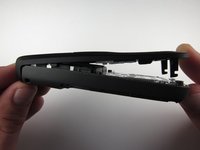
Lift the bottom of the front cover away from the phone.
-
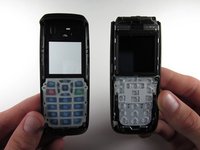
Continue lifting until the top of the front cover is fully removed from the phone.
-
-
-
Remove the 4 screws surrounding the screen using the precision T6 screwdriver.
-








To reassemble your device, follow these instructions in reverse order.
Cancelar: não concluí este guia.
2 outras pessoas executaram este guia.

Equipe

Cal Poly, Team 7-52, Amido Fall 2010 Membro de Cal Poly, Team 7-52, Amido Fall 2010
CPSU-AMIDO-F10S7G52
4 Membros
Autoria de 12 guias
1Comentário do guia
My Nokia 2610 dates from 2005 (or2006) and its screen was very scratched.
I bought a complete front cover replacement from vmobile.pl who were very efficient.
Andrew Wood’s instructions are crystal clear. The phone is as new now.
Many thanks. Andrew Boxall
