Introdução
If you are looking to add more memory to your Nokia 1010 this guide will show you how to access your SIM Card slot to add a SIM Card. This guide can also help you to find out where your SIM Card slot is if you want to take the SIM card out to transport your data on your SIM card somewhere else.
O que você precisa
-
-
Using your thumbs, press and slide down the back cover of the Nokia 1010.
 Pergunte ao FixBot
-
-
-
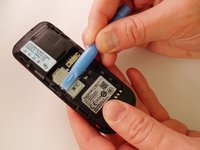
Insert the prying tool in the notch above the battery.
-
Once the prying tool is inserted, lift up the battery.
-
-
-
-
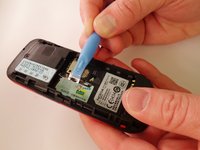
Using the prying tool, pull back the latch of the SIM Card holder.
-
-
-
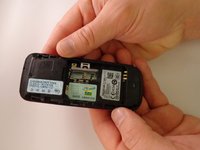
With your finger, remove the SIM card.
-
At this point the SIM card has nothing holding it in and the phone can be turned over allowing the SIM card to fall out.]
-



To reassemble your device, follow these instructions in reverse order.
Cancelar: não concluí este guia.
10 outras pessoas executaram este guia.

Equipe

Eastern Washington University, Team 1-1, Plummer Spring 2015 Membro de Eastern Washington University, Team 1-1, Plummer Spring 2015
EWU-PLUMMER-S15S1G1
4 Membros
Autoria de 12 guias
3Comentários do guia
contact@davidmarsh.org.uk
what is the name or model or size of the SIM card please?
J’ai un problème avec mon téléphone
J’ai un problème avec téléphone
