Ir para o conteúdo principal
Participe da comunidade de reparos - Criar conta

Nokero SunRay Pro Power Panel Capacitor Replacement

O que você precisa

  1. Nokero SunRay Pro Power Panel Capacitor Replacement, Front and Back Case: passo 1, imagem 1 %32
    • Turn over the device so that the back of the device is facing up.

    Pergunte ao FixBot

    Comentar

  2. Nokero SunRay Pro Power Panel Capacitor Replacement: passo 2, imagem 1 %32 Nokero SunRay Pro Power Panel Capacitor Replacement: passo 2, imagem 2 %32 Nokero SunRay Pro Power Panel Capacitor Replacement: passo 2, imagem 3 %32
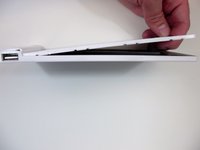
    • Insert the first plastic opening tool along the side to pry open the case.

    • Sliding the plastic opening tool, while inserted, along the seam may help the removal process.

    • Use a second plastic opening tool to help separate the remaining seams.

    Pergunte ao FixBot

    Comentar

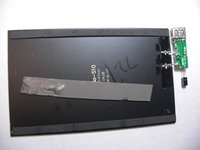
  3. Nokero SunRay Pro Power Panel Capacitor Replacement: passo 3, imagem 1 %32 Nokero SunRay Pro Power Panel Capacitor Replacement: passo 3, imagem 2 %32
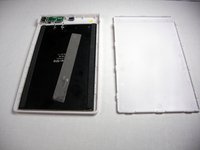
    • There is a long strip of double sided adhesive foam tape that prevents the back case from easily being removed.

    • Pull the back case off by applying steady pressure to remove it from the adhesive foam tape.

    Pergunte ao FixBot

    Comentar

  4. Nokero SunRay Pro Power Panel Capacitor Replacement: passo 4, imagem 1 %32 Nokero SunRay Pro Power Panel Capacitor Replacement: passo 4, imagem 2 %32
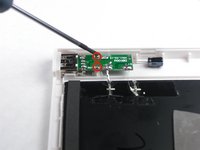
    • Use the Phillips precision screwdriver to unscrew the two 5.0 mm Phillips screws from the circuit board.

    • Remove the solar panel and circuit board from the front case.

    Pergunte ao FixBot

    Comentar

  5. Nokero SunRay Pro Power Panel Capacitor Replacement, Capacitor: passo 5, imagem 1 %32
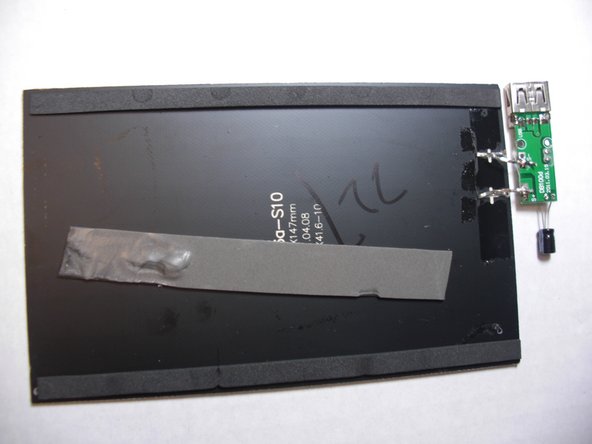
    • Use the soldering station to desolder the two contact points around the connections of the capacitor to loosen the metal.

    Pergunte ao FixBot

    Comentar

  6. Nokero SunRay Pro Power Panel Capacitor Replacement: passo 6, imagem 1 %32
    • Pull the capacitor through the circuit board to remove it.

    Pergunte ao FixBot

    Comentar

Conclusão

To reassemble your device, follow these instructions in reverse order.

Cancelar: não concluí este guia.

Nicholas Orr

Membro desde: 01/20/15

229 Reputação

Autoria de 2 guias

Equipe

USF Tampa, Team 9-3, Blackwell Winter 2015 Membro de USF Tampa, Team 9-3, Blackwell Winter 2015

USFT-BLACKWELL-W15S9G3

3 Membros

Autoria de 3 guias

0Comentários do guia

Comentar

Visualizações:

Últimas 24 horas: 0

Últimos 7 dias: 10

Últimos 30 dias: 31

Ao todo: 517