Essa tradução foi gerada por um programa e ainda não foi revisada por uma pessoa. Falas essa língua? Dá uma olhada.
Introdução
Utilize este guia para instalar um novo painel frontal no Nintendo Wii U.
O que você precisa
-
-
-
Com a parte inferior do console virada para cima, remova os 6 parafusos a seguir, ocultos sob os adesivos quadrados brancos:
-
Três parafusos Phillips #000 de 5,1 mm
-
Dois parafusos tri-wing Y0 de 6,1 mm
-
Um parafuso tri-wing Y1 de 13,2 mm
 Pergunte ao FixBot
-
-
-
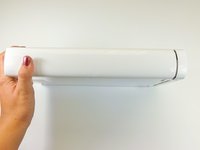
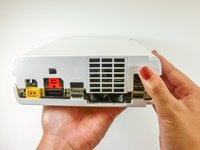
Gire o console em 180 graus de modo que as saídas de exaustão fiquem voltadas para você.
-
Remova os dois parafusos Phillips de 7,1 mm.
-
-
-
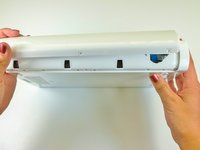
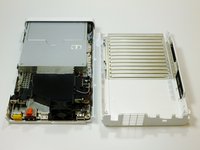
No lado oposto às saídas de ventilação, deslize a capa traseira em direção à parte de trás do console e puxe para cima para soltá-la.
-
-
-
-
Na parte inferior do console, abaixo da faceplate removida anteriormente, retire os três parafusos Tri-wing Y1 de 13,2 mm.
-
-
-
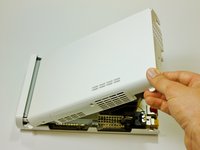
Na parte traseira do console, levante e solte a tampa superior principal.
-
-
-
-
-
Gire o dispositivo de forma que a placa frontal esteja virada para você.
-
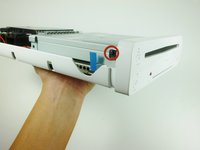
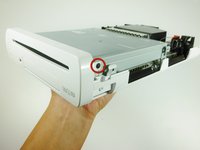
Em cada lado do console, remova o parafuso Phillips de 3,5 mm que conecta o leitor de DVD à placa frontal.
-
-
-
Gire o dispositivo de modo que a placa frontal fique no lado direito e o cabo plano esteja visível.
-
O cabo plano é conectado ao sistema por uma trava que segura a aba azul. Levante essa trava para destravá-la.
-
Levante a aba azul para soltar o cabo plano.
-
-








Para a remontagem de seu dispositivo, siga estas instruções na ordem inversa.
Cancelar: não concluí este guia.
11 outras pessoas executaram este guia.

Equipe

Cal Poly, Team 17-20, Forte Winter 2013 Membro de Cal Poly, Team 17-20, Forte Winter 2013
CPSU-FORTE-W13S17G20
5 Membros
Autoria de 88 guias
4Comentários do guia
Great guide. I was able to fix the front USB door on my Wii u! Thanks guys!
My ribbon seems to work but the little connection it plugs into on the circuit board in the console broke off. Not just the black clip but the whole little circuit. Seems like a clean break. Can I solder it back on? If I push it back on and hold the ribbon in the red light comes on and blinks. Occasionally I can get the white light to come on for like a second but I never hear fans spinning/more of the unit coming to life before it shuts itself off.
Thoughts on how to fix it?
My daughter shoved change into my disc slot of my Wii I. I thought I got out all pulling through the faceplate dvd slot but now when I put in a game disc it won’t catcalls accept it. It pulls in, sounds like it turns a little bit and then ejects the disc. Could change still be stuck in the reader or do I need to replace it now?
Bit sad that it doesn't show how to re-insert the little ribbon cable. The tiny black latch came off, and there's no way to refix the latch back to the connector.
Regards,
Adrie
