Ir para o conteúdo principal

Nikon D5100 LCD Replacement

O que você precisa

  1. Nikon D5100 LCD Replacement, LCD: passo 1, imagem 1 %32 Nikon D5100 LCD Replacement, LCD: passo 1, imagem 2 %32
    • Use a Phillips #000 screwdriver to remove the four screws around the perimeter of the LCD panel.

  2. Nikon D5100 LCD Replacement: passo 2, imagem 1 %32
    • Using a fingernail or the flat edge of a spudger inserted into the seam, separate the LCD bevel from the main panel body.

  3. Nikon D5100 LCD Replacement: passo 3, imagem 1 %32 Nikon D5100 LCD Replacement: passo 3, imagem 2 %32
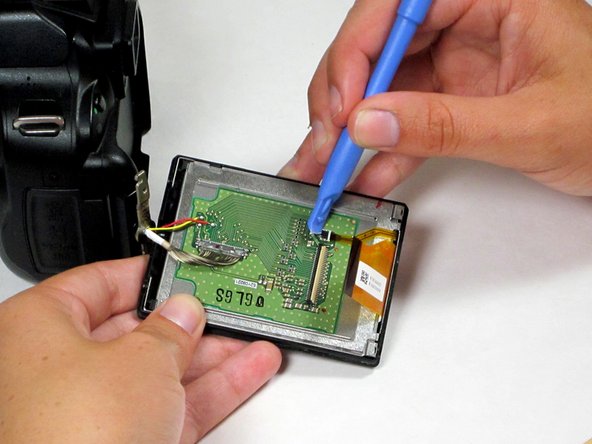
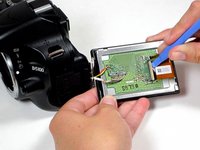
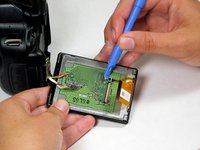
    • Use a spudger to remove the ribbon cables on the LCD's circuit board by flipping up their plastic lock-bars and removing gently pulling them out of their ports.

  4. Nikon D5100 LCD Replacement: passo 4, imagem 1 %32
    • Use a spudger to disconnect the 16-pin cable by gently pulling it upward, away from the circuit board, until it is removed from its port.

  5. Nikon D5100 LCD Replacement: passo 5, imagem 1 %32
    • Desolder the 3 wires (red, yellow, and black) connecting the LCD board to the main camera body.

    • Soldering/desoldering presents potential for device damage and burns. Take all necessary precautions, and always solder/desolder in a well-ventilated workspace.

  6. Nikon D5100 LCD Replacement: passo 6, imagem 1 %32 Nikon D5100 LCD Replacement: passo 6, imagem 2 %32
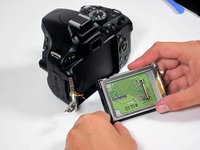
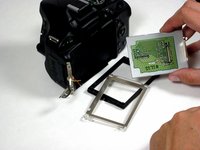
    • The LCD assembly can now be fully separated from the main camera body.

    • Remove the plastic bezel and metal bracket from the LCD itself to complete the removal process.

Conclusão

To reassemble your device, follow these instructions in reverse order.

10 outras pessoas executaram este guia.

Liz

Membro desde: 04/25/14

1.428 Reputação

Autoria de 5 guias

Equipe

Cal Poly, Team 10-54, Amido Spring 2014 Membro de Cal Poly, Team 10-54, Amido Spring 2014

CPSU-AMIDO-S14S10G54

4 Membros

Autoria de 7 guias

7Comentários do guia

Thank you so much! My camera was dropped . And yelow and black wires came off. Now i will try to fix it.

What is the functions of these wires?

Ilia - Responder

Thanks for this Liz.

Removing the broken LCD from my Nikon D5100 seems like something I can do now!

I am unsure ?how to do the soldering bit to attach the new LCD, ?where to attach the wires...

Any help is welcome

Felipe Castro - Responder

I was able to fix it, thanks to you guys. But the colors that came on the, LCD are weird. At least I can see the image.

Arline Osuna - Responder

It’s very possible that applying the soldering iron to the board, while still attached to the back, caused the LCD to lose its color alignment and darken the display. I made the same mistake.

Franky -

I am having trouble reconnecting the 16-pin cable to the circuit board. Do you have any tips?

Lyle Ralston - Responder

Comentar

Visualizações:

Últimas 24 horas: 3

Últimos 7 dias: 24

Últimos 30 dias: 114

Ao todo: 13,586