Ir para o conteúdo principal
Participe da comunidade de reparos - Criar conta

Nikon Coolpix P530 LCD Replacement

O que você precisa

    1. Nikon Coolpix P530 LCD  Replacement, Battery: passo 1, imagem 1 %32
      • Identify the battery chamber found at the bottom of the device.

      • Ensure the camera is turned off before conducting any maintenance on the device.

      Pergunte ao FixBot

      Comentar

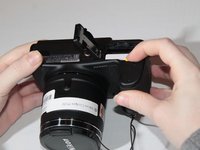
    2. Nikon Coolpix P530 LCD  Replacement: passo 2, imagem 1 %32 Nikon Coolpix P530 LCD  Replacement: passo 2, imagem 2 %32 Nikon Coolpix P530 LCD  Replacement: passo 2, imagem 3 %32
      • Slide the switch to the left to open the battery chamber using your fingertip or plastic opening tools.

      • The spring loaded battery chamber door will swing open after the switch is moved.

      Pergunte ao FixBot

      Comentar

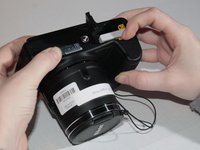
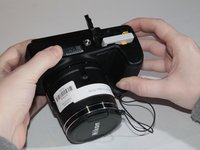
    3. Nikon Coolpix P530 LCD  Replacement: passo 3, imagem 1 %32 Nikon Coolpix P530 LCD  Replacement: passo 3, imagem 2 %32 Nikon Coolpix P530 LCD  Replacement: passo 3, imagem 3 %32
      • Depress the yellow spring loaded tab holding the battery in place using your fingertip or plastic opening tools.

      • After the yellow tab is depressed, the battery should partially eject from the camera.

      Pergunte ao FixBot

      Comentar

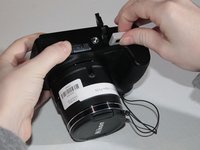
    4. Nikon Coolpix P530 LCD  Replacement: passo 4, imagem 1 %32 Nikon Coolpix P530 LCD  Replacement: passo 4, imagem 2 %32
      • Gently remove the battery from the chamber.

      Pergunte ao FixBot

      Comentar

    1. Nikon Coolpix P530 LCD  Replacement, Back Cover: passo 5, imagem 1 %32 Nikon Coolpix P530 LCD  Replacement, Back Cover: passo 5, imagem 2 %32 Nikon Coolpix P530 LCD  Replacement, Back Cover: passo 5, imagem 3 %32
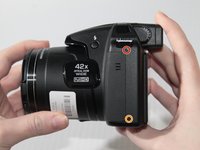
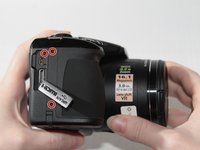
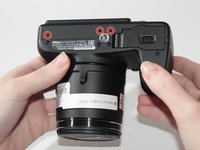
      • Remove the six 4mm screws highlighted in red with the Phillips #000 screwdriver.

      • Remove the 5mm screw highlighted in orange with the Phillips #000 screwdriver.

      Pergunte ao FixBot

      Comentar

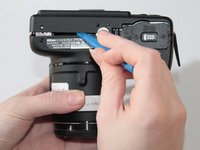
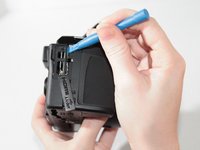
    2. Nikon Coolpix P530 LCD  Replacement: passo 6, imagem 1 %32 Nikon Coolpix P530 LCD  Replacement: passo 6, imagem 2 %32 Nikon Coolpix P530 LCD  Replacement: passo 6, imagem 3 %32
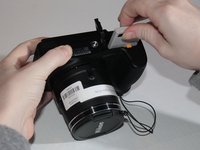
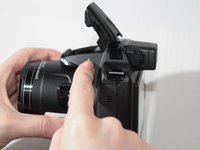
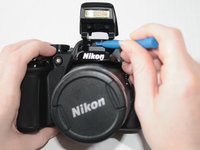
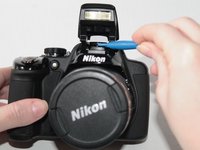
      • Pop up the camera flash using the button below the lightning bolt on the left side of the camera.

      • Identify the small notch below the camera flash where the body of the camera and the back cover join.

      • Use plastic opening tools to pry the darker plastic piece under the camera flash from the lighter plastic camera body.

      Pergunte ao FixBot

      Comentar

    3. Nikon Coolpix P530 LCD  Replacement: passo 7, imagem 1 %32 Nikon Coolpix P530 LCD  Replacement: passo 7, imagem 2 %32 Nikon Coolpix P530 LCD  Replacement: passo 7, imagem 3 %32
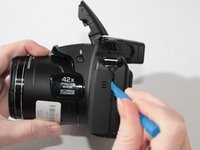
      • Gently pry with a plastic opening tool around the perimeter of the camera.

      • The plastic HDMI cover can become loose and fall off during this step. Once the back cover is free from the camera you may remove this piece to store in a safe place.

      Pergunte ao FixBot

      Comentar

    4. Nikon Coolpix P530 LCD  Replacement: passo 8, imagem 1 %32 Nikon Coolpix P530 LCD  Replacement: passo 8, imagem 2 %32 Nikon Coolpix P530 LCD  Replacement: passo 8, imagem 3 %32
      Ferramenta utilizada neste passo:
      Tweezers
      $4.99
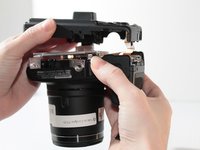
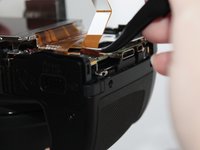
      • Gently lift the back cover away from the camera body.

      • A gold ribbon cable will join the back cover of the camera to the internal electronic components. Be careful not to remove the back cover without removing the cable since this part can easily break.

      • To remove the ribbon cable, gently pull the connector from the camera's internal electronic components using a pair of tweezers.

      • Flip the orange bar securing the ribbon cable upwards to allow for safe removal.

      Pergunte ao FixBot

      Comentar

    5. Nikon Coolpix P530 LCD  Replacement: passo 9, imagem 1 %32
      • After the ribbon cable is removed from the camera body, the cover can be completely removed.

      Pergunte ao FixBot

      Comentar

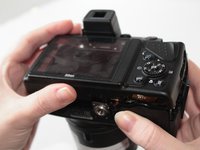
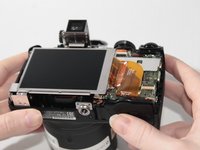
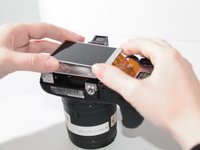
    1. Nikon Coolpix P530 LCD  Replacement, LCD: passo 10, imagem 1 %32 Nikon Coolpix P530 LCD  Replacement, LCD: passo 10, imagem 2 %32
      • Lift the LCD screen upwards.

      Pergunte ao FixBot

      Comentar

    2. Nikon Coolpix P530 LCD  Replacement: passo 11, imagem 1 %32 Nikon Coolpix P530 LCD  Replacement: passo 11, imagem 2 %32
      Ferramenta utilizada neste passo:
      Tweezers
      $4.99
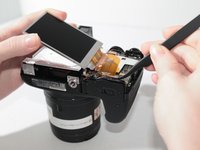
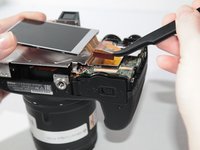
      • Tilt the screen towards the ribbon cable.

      • Remove the ribbon cable by gently pulling the cable away from the motherboard using tweezers.

      • Flip the orange bar securing the ribbon cable upwards to allow for safe removal.

      Pergunte ao FixBot

      Comentar

Conclusão

To reassemble your device, follow these instructions in reverse order.

Cancelar: não concluí este guia.

2 outras pessoas executaram este guia.

0Comentários do guia

Comentar

Visualizações:

Últimas 24 horas: 1

Últimos 7 dias: 11

Últimos 30 dias: 37

Ao todo: 2,601