Ir para o conteúdo principal
Participe da comunidade de reparos - Criar conta

Nexus 10 Front Facing Camera Replacement

O que você precisa

  1. Nexus 10 Front Facing Camera Replacement, Front-Facing Camera: passo 1, imagem 1 %32 Nexus 10 Front Facing Camera Replacement, Front-Facing Camera: passo 1, imagem 2 %32 Nexus 10 Front Facing Camera Replacement, Front-Facing Camera: passo 1, imagem 3 %32
    • Remove the plastic cover located on the back of the device by prying off one side of the cover with a plastic opening device and peeling it back.

    Pergunte ao FixBot

    Comentar

  2. Nexus 10 Front Facing Camera Replacement: passo 2, imagem 1 %32 Nexus 10 Front Facing Camera Replacement: passo 2, imagem 2 %32 Nexus 10 Front Facing Camera Replacement: passo 2, imagem 3 %32
    • Pry the device apart by inserting a plastic opening tool in the seam between the plastic backing and display assembly. Use the tool to unclip the plastic tabs in between the backing and the display.

    • Pull the the plastic backing off the display assembly using your hands.

    • Do not do this step with only your hands. You will require a significant amount of force to separate the device.

    Pergunte ao FixBot

    Comentar

  3. Nexus 10 Front Facing Camera Replacement: passo 3, imagem 1 %32 Nexus 10 Front Facing Camera Replacement: passo 3, imagem 2 %32 Nexus 10 Front Facing Camera Replacement: passo 3, imagem 3 %32
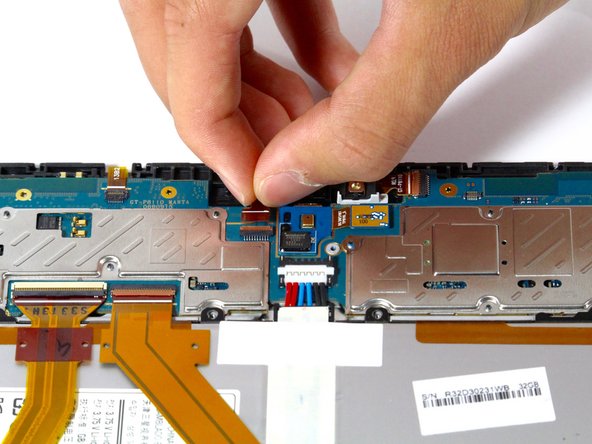
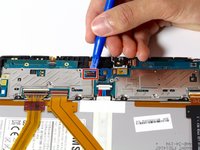
    • Lift latch on front-facing camera connector.

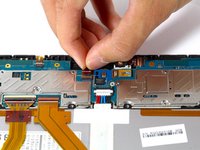
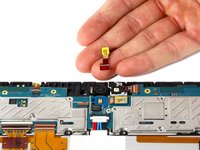
    • Pull the connector toward the top of the device and remove the front-facing camera.

    Pergunte ao FixBot

    Comentar

Conclusão

To reassemble your device, follow these instructions in reverse order.

Cancelar: não concluí este guia.

Equipe

Cal Poly, Team 34-18, Maness Spring 2016 Membro de Cal Poly, Team 34-18, Maness Spring 2016

CPSU-MANESS-S16S34G18

4 Membros

Autoria de 5 guias

0Comentários do guia

Comentar

Visualizações:

Últimas 24 horas: 3

Últimos 7 dias: 8

Últimos 30 dias: 31

Ao todo: 919