Ir para o conteúdo principal
Participe da comunidade de reparos - Criar conta

Munchkinz LCD Assembly

O que você precisa

  1. Munchkinz LCD Assembly, Opening Device: passo 1, imagem 1 %32
    • Insert spudger into the USB Micro slot and pry the case apart.

    • Be careful not to go too deep and bend the prong inside the Micro USB port.

    Pergunte ao FixBot
  2. Munchkinz LCD Assembly, Pry Device Apart: passo 2, imagem 1 %32 Munchkinz LCD Assembly, Pry Device Apart: passo 2, imagem 2 %32
    • Slide the wide plastic opening tool across the seem, separating it if you can't pry the device open using just the spudger.

    • Gently separate the case so none of the cords inside are disconnected

    Pergunte ao FixBot
  3. Munchkinz LCD Assembly, Separated Device: passo 3, imagem 1 %32
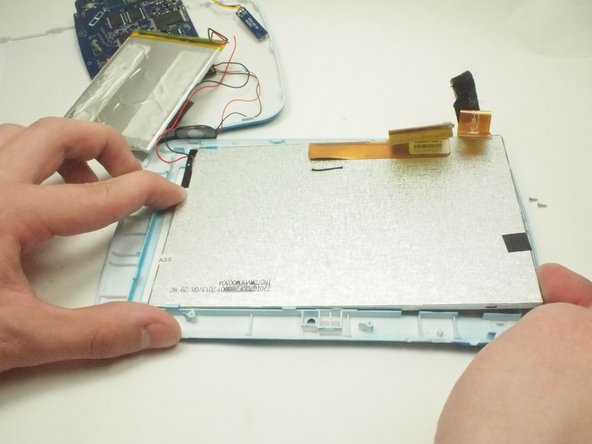
    • After prying the device apart, it should look like this.

    Pergunte ao FixBot
  4. Munchkinz LCD Assembly, Remove Speaker: passo 4, imagem 1 %32
    • Use the plastic opening tool to remove the speaker from the casing.

    Pergunte ao FixBot
  5. Munchkinz LCD Assembly, Pry Camera: passo 5, imagem 1 %32
    • Use the slim plastic opening tool to pry the camera from its position.

    Pergunte ao FixBot
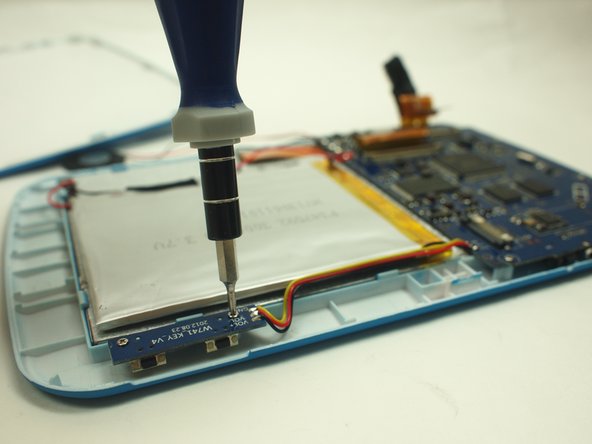
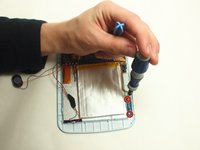
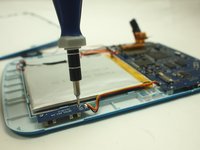
  6. Munchkinz LCD Assembly, Unscrew Volume Module: passo 6, imagem 1 %32 Munchkinz LCD Assembly, Unscrew Volume Module: passo 6, imagem 2 %32
    • Unscrew the two screws that hold the volume module to the casing.

    Pergunte ao FixBot
  7. Munchkinz LCD Assembly, Pry Battery: passo 7, imagem 1 %32
    • Use the plastic opening tool to slowly pry each side of the battery up.

    • Be careful not to bend the battery too much.

    Pergunte ao FixBot
  8. Munchkinz LCD Assembly, Remove Ribbons: passo 8, imagem 1 %32
    • Remove the two highlighted ribbons from the motherboard.

    Pergunte ao FixBot
  9. Munchkinz LCD Assembly, Remove Screws: passo 9, imagem 1 %32
    • Use the screw driver to remove the highlighted screws.

    Pergunte ao FixBot
  10. Munchkinz LCD Assembly, Remove Hidden Screw: passo 10, imagem 1 %32
    • Use the plastic opening tool to hold the camera ribbon back.

    • Unscrew the screw under ribbon with the screw driver.

    Pergunte ao FixBot
  11. Munchkinz LCD Assembly, Remove Motherboard: passo 11, imagem 1 %32
    • Remove the motherboard from the casing.

    Pergunte ao FixBot
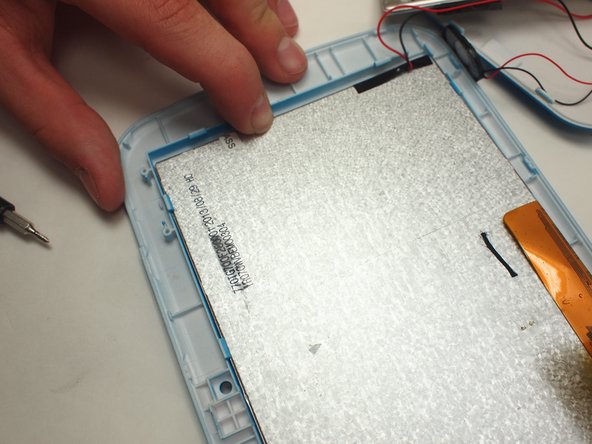
  12. Munchkinz LCD Assembly, Pry Up Screen: passo 12, imagem 1 %32 Munchkinz LCD Assembly, Pry Up Screen: passo 12, imagem 2 %32 Munchkinz LCD Assembly, Pry Up Screen: passo 12, imagem 3 %32
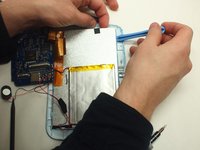
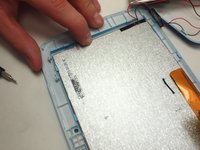
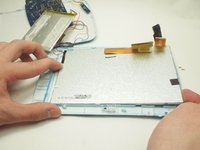
    • Oriented the device so the battery is closest to the user.

    • Use the plastic opening tool to pry the clips up to release LCD screen.

    • Gently lift the northern end of the screen and slide it out horizontally.

    Pergunte ao FixBot
  13. Munchkinz LCD Assembly, Solder LCD Wires: passo 13, imagem 1 %32
    • Unsolder the black and red LCD wires.

    Pergunte ao FixBot
Conclusão

To reassemble your device, follow these instructions in reverse order.

Uma outra pessoa concluiu este guia.

David Wood

Membro desde: 02/05/15

440 Reputação

Autoria de 4 guias

Equipe

UW Tacoma, Team 3-6, Rose Winter 2015 Membro de UW Tacoma, Team 3-6, Rose Winter 2015

UWT-ROSE-W15S3G6

3 Membros

Autoria de 14 guias

0Comentários do guia

Comentar

Visualizações:

Últimas 24 horas: 1

Últimos 7 dias: 9

Últimos 30 dias: 56

Ao todo: 576