Introdução
The Battery Replacement Guide provides a list of the tools and parts that you need to replace the battery on the Motorola SLVR L9. As you begin the replacement process, look for the pictures provided with each step to better guide you.
O que você precisa
-
-
Turn the phone over so that the back of the phone is facing up.
 Pergunte ao FixBot
-
-
-
-
Press down on the silver battery cover latch located at the top of the phone.
-
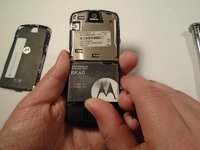
Pull the battery cover down and away from the latch; then lift it up to remove the battery cover.
-
-
-
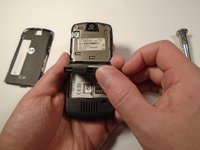
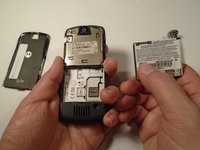
To remove the battery, pull the battery up from the bottom center.
-


To reassemble your device, follow these instructions in reverse order.
Cancelar: não concluí este guia.
Uma outra pessoa concluiu este guia.

Equipe

Sam Houston State, Team 1-5, Blackburne Fall 2015 Membro de Sam Houston State, Team 1-5, Blackburne Fall 2015
SHSU-BLACKBURNE-F15S1G5
3 Membros
Autoria de 5 guias
