Ir para o conteúdo principal
Participe da comunidade de reparos - Criar conta

Microsoft Surface 3 Kickstand Replacement

O que você precisa

  1. Microsoft Surface 3 Kickstand Replacement, Casing: passo 1, imagem 1 %32 Microsoft Surface 3 Kickstand Replacement, Casing: passo 1, imagem 2 %32
    • Warm up an iOpener following the instructions found in the iOpener guide.

    • Place the warm iOpener on top of the edges of the screen. This heat will weaken the strength of the adhesive between the display and body.

    Pergunte ao FixBot
  2. Microsoft Surface 3 Kickstand Replacement: passo 2, imagem 1 %32 Microsoft Surface 3 Kickstand Replacement: passo 2, imagem 2 %32
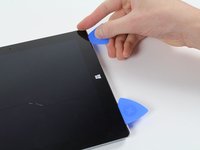
    • Use iFixit opening picks to wedge under the edge of the screen at the speaker port.

    • This may take significant force. A fingernail might work better for the initial lift

    • If you push straight down near the edge you will go through the speaker mesh and possibly end up damaging your speaker; try to push the pick in at a shallow angle.

    Pergunte ao FixBot
  3. Microsoft Surface 3 Kickstand Replacement: passo 3, imagem 1 %32 Microsoft Surface 3 Kickstand Replacement: passo 3, imagem 2 %32
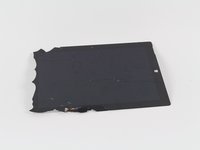
    • Carefully try to work your way around the device using the picks, reapplications of the heated iOpener, and luck.

    • If you break the glass on one side you might want to try again starting from the other side so that you have a clean, unbroken, edge on that side.

    • While the glass on this display is not particularly sharp when broken, it is still broken glass and you should be careful with it.

    Pergunte ao FixBot
  4. Microsoft Surface 3 Kickstand Replacement: passo 4, imagem 1 %32
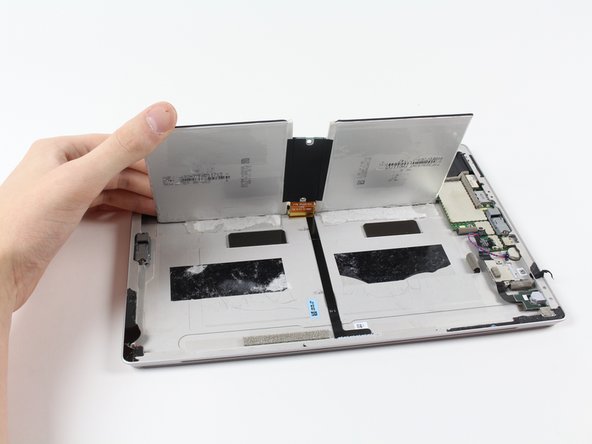
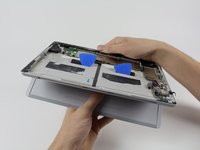
    • Flip the display over so that parts underneath it are easily accessible.

    • Do not pull out the display as it is still attached to the motherboard.

    • If you are replacing the display, or want it out of the way, continue with the display replacement guide steps.

    Pergunte ao FixBot
  5. Microsoft Surface 3 Kickstand Replacement, Battery: passo 5, imagem 1 %32
    • Now that you've gotten the casing off of the Surface 3, you can start removing the battery pack.

    Pergunte ao FixBot
  6. Microsoft Surface 3 Kickstand Replacement: passo 6, imagem 1 %32 Microsoft Surface 3 Kickstand Replacement: passo 6, imagem 2 %32 Microsoft Surface 3 Kickstand Replacement: passo 6, imagem 3 %32
    Ferramenta utilizada neste passo:
    Plastic Cards
    $2.99
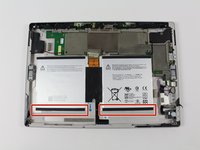
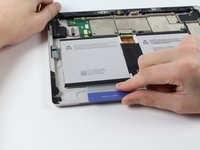
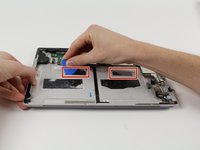
    • Slide the iFixit plastic cards under the compartments of the battery pack.

    • Slide the card around to undo the adhesive under the battery pack

    Pergunte ao FixBot
  7. Microsoft Surface 3 Kickstand Replacement: passo 7, imagem 1 %32 Microsoft Surface 3 Kickstand Replacement: passo 7, imagem 2 %32 Microsoft Surface 3 Kickstand Replacement: passo 7, imagem 3 %32
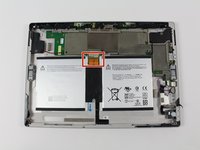
    • Carefully slide the battery's flat power and data connector from its insert.

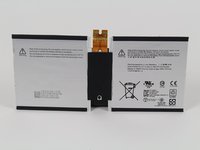
    • You may now switch out the battery pack for a new one.

    Pergunte ao FixBot
  8. Microsoft Surface 3 Kickstand Replacement, Kickstand: passo 8, imagem 1 %32 Microsoft Surface 3 Kickstand Replacement, Kickstand: passo 8, imagem 2 %32
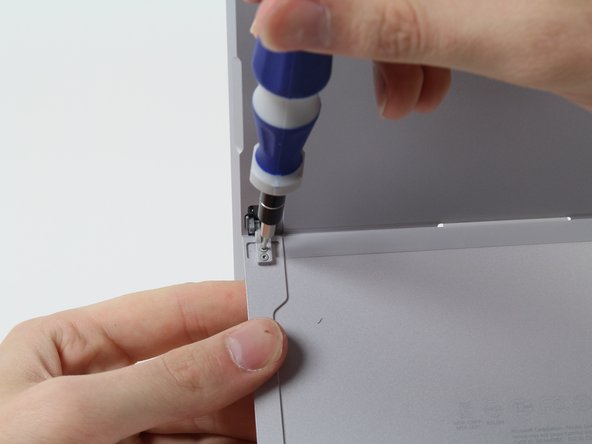
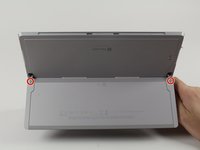
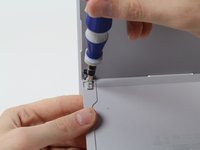
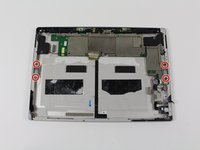
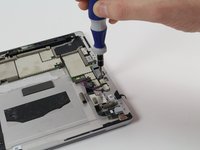
    • Remove these four 3/32" Torx #3 screws.

    • If you do not need to remove the hinges, skip to the step that handles the retaining tabs.

    Pergunte ao FixBot
  9. Microsoft Surface 3 Kickstand Replacement: passo 9, imagem 1 %32 Microsoft Surface 3 Kickstand Replacement: passo 9, imagem 2 %32
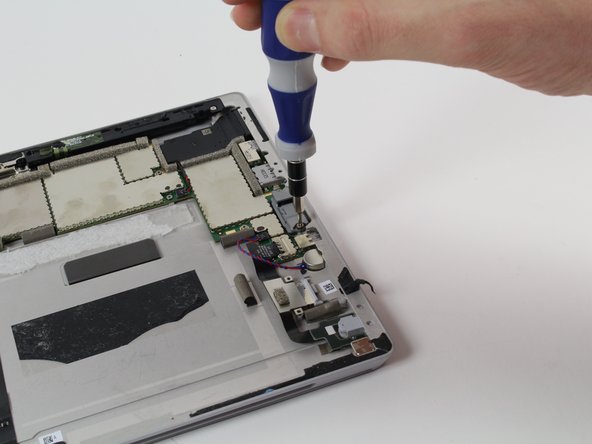
    • Remove these four 3/16" Torx #5 screws that hold in the hinges to replace the hinges.

    Pergunte ao FixBot
  10. Microsoft Surface 3 Kickstand Replacement: passo 10, imagem 1 %32 Microsoft Surface 3 Kickstand Replacement: passo 10, imagem 2 %32 Microsoft Surface 3 Kickstand Replacement: passo 10, imagem 3 %32
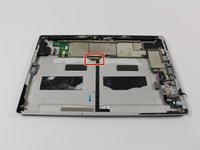
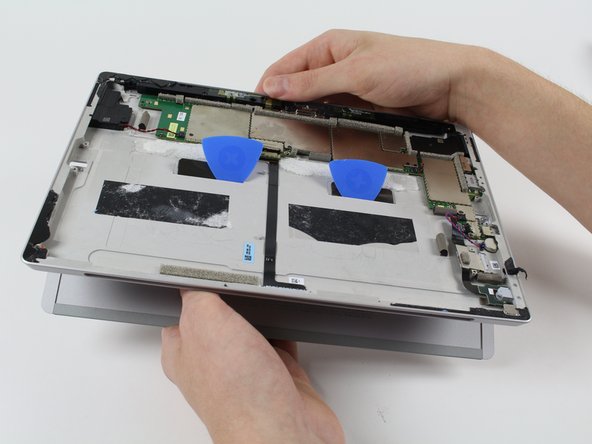
    • These two retaining tabs need to be fed through the slots in the case to release the kickstand.

    • Use picks to make the tab slide through the slot then simply pull out the kickstand,

    Pergunte ao FixBot
Conclusão

To reassemble your device, follow these instructions in reverse order.

4 outras pessoas executaram este guia.

Harold Hall

Membro desde: 10/08/15

1.332 Reputação

Autoria de 3 guias

Equipe

Cal Poly, Team 5-12, Maness Fall 2015 Membro de Cal Poly, Team 5-12, Maness Fall 2015

CPSU-MANESS-F15S5G12

4 Membros

Autoria de 22 guias

2Comentários do guia

I think I will NOT be trying to do this. To many potentials for something to go wrong beyond your control, even when being extra careful. I do not feel like replacing someone’s device if that happens.

QuickTech - Responder Compartilhar

Please can you tell me which kickstand the surface pro 3 64 GB (2013) needs? Is it the same as the surface pro 4 ? I have broken the stand and am trying yo source a replacement.

Tilly Mortimore - Responder Compartilhar
Comentar

Visualizações:

Últimas 24 horas: 1

Últimos 7 dias: 9

Últimos 30 dias: 64

Ao todo: 9,976