Essa tradução foi gerada por um programa e ainda não foi revisada por uma pessoa. Falas essa língua? Dá uma olhada.
Introdução
Use este guia para substituir a placa de antena de metal do seu Mac mini final de 2014.
O que você precisa
-
-
-
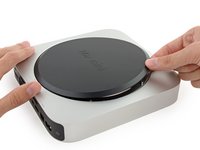
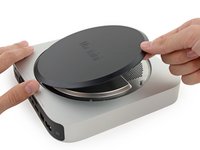
A tampa inferior é presa por clipes em três suportes de parafuso.
-
Force a alavanca perto, mas não diretamente sobre os suportes de parafuso.
 Pergunte ao FixBot
-
-
-
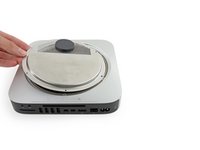
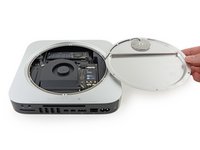
Use a Ferramenta de abertura para erguer a tampa inferior e removê-la do Mac mini.
-
-
-
-
-
-
Remova os seguintes parafusos TR6 da placa da antena:
-
Três parafusos de 4,1 mm
-
Três parafusos de 1,9 mm
-
-
-
Com as portas de E/S voltadas para você, vire a placa da antena para a direita para permitir o acesso ao conector do cabo da antena.
-
-
-
Remova o único parafuso T6 de 3,4 mm e a arruela do cabo da antena.
-
-
-
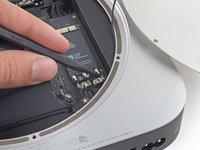
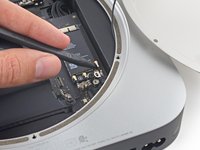
Use a ponta de uma espátula para levantar o conector da antena para fora do soquete na placa AirPort.
-
-
-
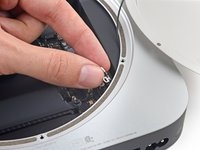
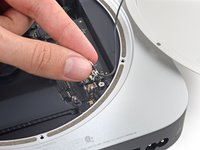
Puxe cuidadosamente o cabo da antena para fora da abertura entre a fonte de alimentação e a carcaça.
-
-
-
Remova a placa da antena do Mac mini.
-
-









Para a remontagem de seu dispositivo, siga estas instruções na ordem inversa.
Cancelar: não concluí este guia.
11 outras pessoas executaram este guia.


1Comentário do guia
Hello
I had really a problem with this instructions! The T6H Screw-Driver in the fixit-kit doesn’t fit in the holes of the 6 screws who hold the cover? Has Apple changes the screws of the macmini 2014, or has the T6H Screw-Driver has to much tolerance while produced!
I need to replace the HDD of the fusion drive! I will need to buy, HighEnd Tools to open my Cover ?!?
