Introdução
A hard drive disk is non-volatile storage device. This means it retains stored data even when the power is not being supplied. It stores everything in the form of data such as videos and pictures.
O que você precisa
-
-
Before beginning, disconnect the DVR from power and unplug all peripheries.
-
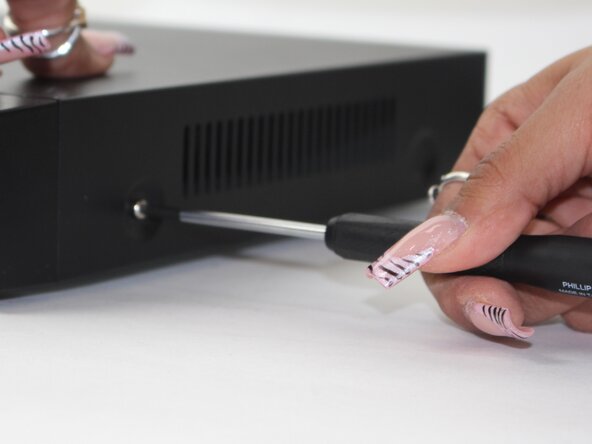
Remove each of the two 1 cm screws on the right and left sides of the DVR with a Phillips screwdriver.
-
-




To reassemble your device, follow the above steps in reverse order.
Take your e-waste to an R2 or e-Stewards certified recycler.
Repair didn’t go as planned? Try some basic troubleshooting or ask our Answers community for help.



Equipe

Sam Houston State, Team 17-1, Thornton Spring 2025 Membro de Sam Houston State, Team 17-1, Thornton Spring 2025
SHSU-THORNTON-S25S17G1
3 Membros
Autoria de 5 guias
