Introdução
This guide will shop you how to open the logitech G700s, this is necessary for cleaning, replacing the scroll wheel and replacing the left and right click switches.
O que você precisa
-
-
Remove the batteries from the mouse.
-
Use a plastic opening tool to peel up the four mouse feet.
 Pergunte ao FixBot
-
-
-
-
Remove the five 5.5mm Phillips #00 screws found underneath the mouse feet.
-
-
-
Pull the top of the mouse off of the bottom half.
-
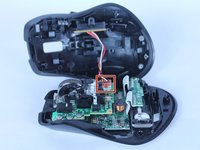
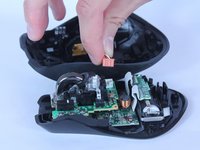
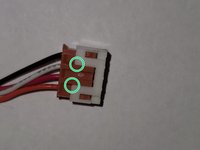
Unplug the programmable buttons from the motherboard.
-


To reassemble your device, follow these instructions in reverse order.
Cancelar: não concluí este guia.
Uma outra pessoa concluiu este guia.

Equipe

USF Tampa, Team S2-G3, Nance Spring 2018 Membro de USF Tampa, Team S2-G3, Nance Spring 2018
USFT-NANCE-S18S2G3
4 Membros
Autoria de 15 guias
