Introdução
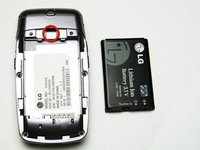
This is a guide to remove the battery in order to install a replacement battery.
-
-
-
Hold the phone case in your palm and slide the back cover towards yourself using your thumb
-
-
-
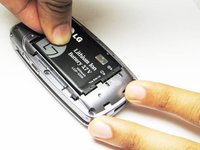
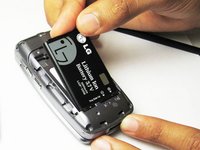
Slide a tool or finger into the notch at the top of the battery to carefully remove it.
-

 Pergunte ao FixBot


To reassemble your device, follow these instructions in reverse order.
Cancelar: não concluí este guia.
Uma outra pessoa concluiu este guia.

Equipe

Cal Poly, Team 26-26, Regan Spring 2010 Membro de Cal Poly, Team 26-26, Regan Spring 2010
CPSU-REGAN-S10S26G26
4 Membros
Autoria de 16 guias
