Essa tradução foi gerada por um programa e ainda não foi revisada por uma pessoa. Falas essa língua? Dá uma olhada.
Introdução
Este guia mostrará os passos para substituir uma câmera traseira danificada.
O que você precisa
-
-
-
Enquanto segura o botão de liberação da bateria, puxe a extremidade inferior do celular para fora do corpo.
 Pergunte ao FixBot
-
-
-
Insira a ferramenta de ejeção de cartão SIM (ponta de ejeção de 0,8 mm) no pequeno orifício da bandeja do cartão SIM.
-
Pressione com um pouco de força para ejetar a bandeja.
-
Puxe a bandeja do cartão SIM para fora do celular.
-
-
-
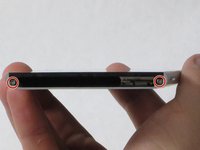
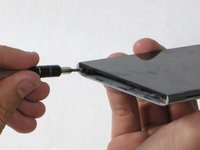
Remova os dois parafusos Phillips #00 de 5,5 mm da base do celular.
-
-
-
-
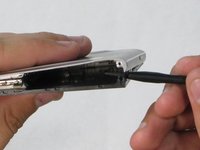
Insira a ferramenta de abertura de plástico na fresta entre a tela de vidro e a estrutura de metal.
-
Force o vidro para fora da estrutura apenas um pouco.
-
-
-
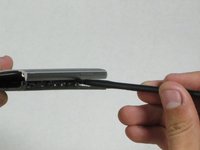
Insira a espátula no espaço que agora está aberto entre o corpo e a tela.
-
Empurre para dentro para separar a tela ainda mais.
-
Deslize lentamente a espátula pela borda do celular até que a tela se solte do corpo.
-
-
-
Descole a tela do corpo do aparelho. As duas partes devem estar completamente separadas.
-
-
-
-
-
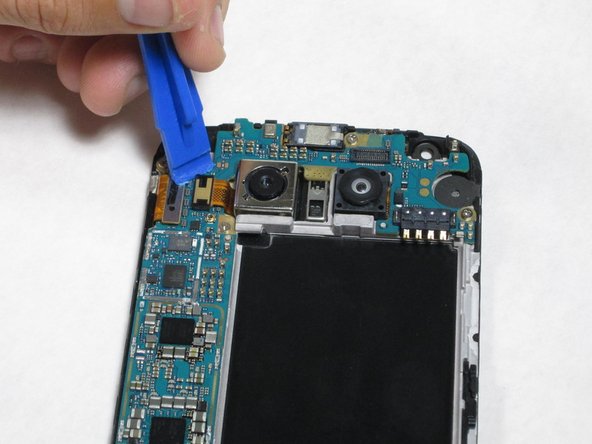
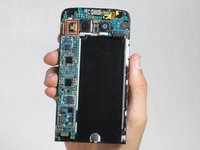
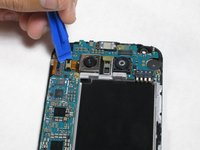
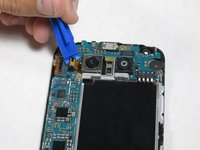
Insira a Ferramenta de abertura entre o conector do cabo flexível da câmera e a placa-mãe e, em seguida, puxe para cima. Ele deve soltar facilmente.
-
-
Ferramenta utilizada neste passo:Tweezers$4.99
-
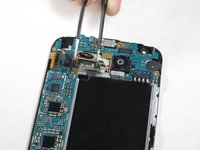
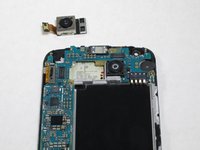
Após desconectar o cabo flat, remova cuidadosamente a câmera usando uma pinça
-
-






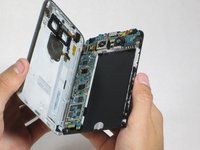
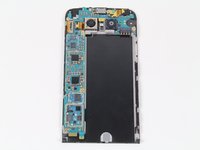




Para a remontagem de seu dispositivo, siga estas instruções na ordem inversa.
Cancelar: não concluí este guia.
34 outras pessoas executaram este guia.

Equipe

Cal Poly, Team 18-2, Forte Fall 2016 Membro de Cal Poly, Team 18-2, Forte Fall 2016
CPSU-FORTE-F16S18G2
4 Membros
Autoria de 72 guias
6Comentários do guia
This worked great and took me about 10 minutes!
Great instructions. This was my first time taking apart any phone. Everything went smoothly and my camera now works! thank you
the camera is held down with sticky tape and I wasn’t comfortable pulling hard under the processing board, so I pulled the six screws holding that down and removed it first. Unfortunately for me the new camera still doesn’t focus…
This worked great for me. I was a little nervous prying on my phone, especially when I heard the first POP. But after that, it was not hard at all. The new camera focuses great for me now and I can get back to taking great pictures with my G5!
Thanks for the detailed instructions, tools and affordable part!
You may want to mention that the original camera is glued in. It takes a bit of prying to pop it out.
