Introdução
This guide will teach you how to replace the motherboard on the LG CF360. Completing this task will allow you to replace the number pad, SIM card port, power connector, LCD connector, and camera all in one.
O que você precisa
-
-
On the back of the phone, place your thumb on the three raised bumps and slide the back cover upward.
 Pergunte ao FixBot
-
-
Ferramenta utilizada neste passo:Tweezers$4.99
-
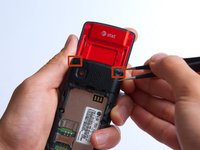
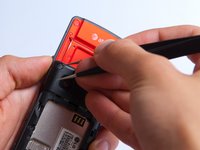
Remove the two screw covers at the top of phone with tweezers.
-
-
-
-
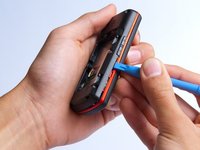
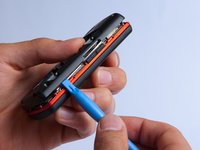
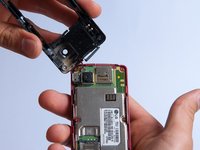
Use the plastic opening tool to pry the back cover off. Insert the tool between the back cover and red mid section and go around the entire phone.
-
-
-
Use the tweezers to remove the red and black wires connecting the speaker to the green motherboard by pinching the sides of the plastic base near the motherboard.
-
Set the back cover with the speaker aside.
-
-
-
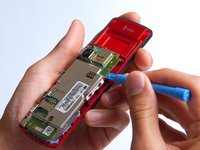
Use the plastic opening tool to gently lift the snapped-in motherboard from the front panel.
-
-
-
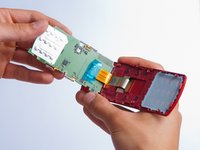
With the plastic opening tool, gently pry the LCD connector from the motherboard.
-
Set the motherboard aside.
-








To reassemble your device, follow these instructions in reverse order.
Cancelar: não concluí este guia.
3 outras pessoas executaram este guia.

Equipe

Cal Poly, Team 4-27, Amido Fall 2013 Membro de Cal Poly, Team 4-27, Amido Fall 2013
CPSU-AMIDO-F13S4G27
4 Membros
Autoria de 19 guias
