Introdução
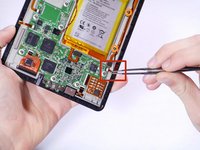
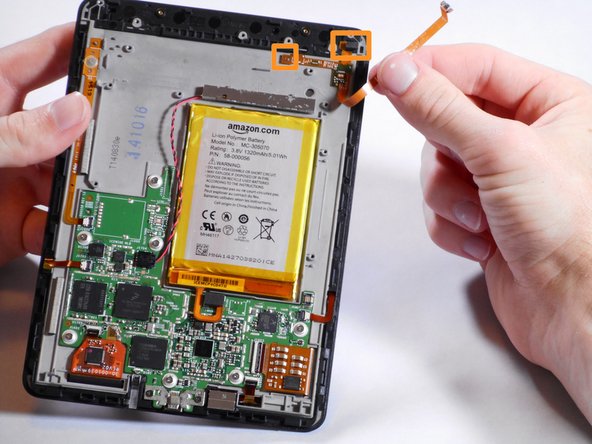
The ambient light sensor is what lets you read in less-than-ideal lighting situations. It is attached to the motherboard near the battery and again at the top where it actually can get light from outside of the device.
O que você precisa
-
-
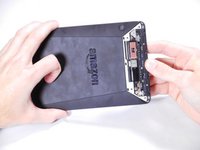
Insert a plastic opening tool between the plastic panel shown on the device.
-
Use the tool to pry the plastic away from the device.
 Pergunte ao FixBot
-
-
-
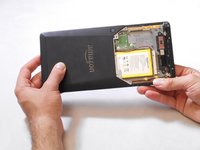
Use an aluminum driver attached with a Phillips head size #00 to remove the four 3mm screws shown in the picture. For reassembly, note that the top two and bottom two screws are different sizes.
-
-
-
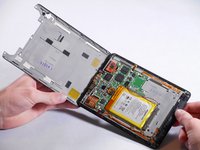
Once the screws are removed, the back panel can slide off the device.
-
-
-
-
Remove the magnetic component with the magnetic head of the aluminum driver.
-
-
-
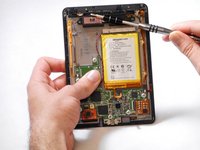
Use an aluminum driver with Phillips head #00 to remove the four 3 mm screws shown in the picture.
-
Use the same driver to remove the two 2.5 mm screws.
-
-
Ferramenta utilizada neste passo:Tweezers$4.99
-
Using the tweezers, undo the attached clip.
-
Remove the three 3 mm screws holding down the rest of the antenna with an aluminum driver and the Phillips #00 head.
-
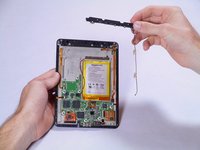
You should now be able to simply take the WiFi bar off of the device.
-
-
Ferramenta utilizada neste passo:Tweezers$4.99
-
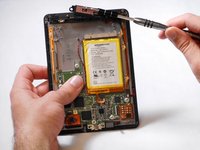
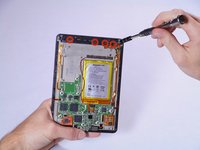
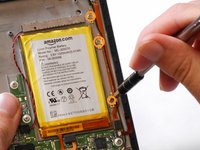
Gently remove the connector to the motherboard using tweezers.
-
Continue to carefully pull the rest of the connector from the adhesive connecting it to the Voyage.
-
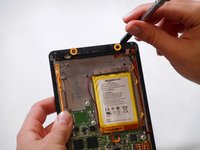
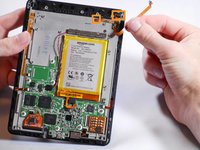
Detach sensor from the top using fingers
-










To reassemble your device, follow these instructions in reverse order.
Cancelar: não concluí este guia.
Uma outra pessoa concluiu este guia.

Equipe

Cal Poly, Team 19-12, Maness Winter 2015 Membro de Cal Poly, Team 19-12, Maness Winter 2015
CPSU-MANESS-W15S19G12
5 Membros
Autoria de 13 guias
1Comentário do guia
If i do this wiithout putting the lightsensor back on, can i then use the kindle without light ?
Best regards
Lasse
