Essa tradução foi gerada por um programa e ainda não foi revisada por uma pessoa. Falas essa língua? Dá uma olhada.

Desmontagem do Kindle Paperwhite 11ª Geração

mcvtech e um outro colaborador
Última atualização em 16 de ago de 2026
Visualizações: 18 mil
Visualizar Estatísticas:
- Últimas 24 horas:
- 29
- Últimos 7 dias:
- 217
- Últimos 30 dias:
- 852
- Ao todo:
- 17.731
Comentários: 15
6 comments on steps, 9 guide comments.
Go to guide commentsConcluído: 16 17
16 pessoas marcaram este guia como "concluído". Será você o próximo?
17· pessoas marcaram este guia como "concluído". Incluindo você — ótimo trabalho!
Favorites: 1 2
1 pessoa favoritou (e se inscreveu) neste guia. Você será o próximo?
2 pessoas marcaram como favorito (e assinaram) este guia - incluindo você!
Guia colaborativo
Foi um incrível membro de nossa comunidade quem criou este guia. Não foi ninguém da equipe iFixit, não.
Introdução
Ir para o passo 1 ↓Surpreendentemente, é fácil de abrir — basta usar clipes! Viva! Quis apenas começar, lançando o primeiro guia de reparo para que outras pessoas possam continuar com os guias de reparo. A primeira parte é sempre a mais difícil quando você não sabe no que está se metendo, mas tente, devagar e com calma, e você o abrirá num instante!
O que você precisa
Ferramentas


-
-
-
Usando uma espátula de abertura tipo palheta e/ou uma espátula de nylon, comece por um dos cantos para soltar a capa traseira da tela. Assim que o canto estiver solto, você notará que pode afastar a parte traseira e deslizar a palheta para o próximo canto.
 Pergunte ao FixBot
-
-
-
Neste ponto, com um ou mais cantos soltos, você quase pode fazer a alavanca com as mãos, mas é melhor jogar com segurança e não quebrar o plástico continuando a passar a Ferramenta de abertura por cada canto (veja a foto da carcaça aberta para identificar o tipo de clipe)
-
-
-
Ah, doce Kindle aberto... é uma sensação boa. Mais fácil do que pensávamos. Sem adesivos bagunçados. E sem cabos na carcaça traseira, basta desencaixar, desencaixar... clique, clique, clique.
-
-
-
Qualquer que seja o reparo que você pretende fazer em seguida, comece sempre desconectando a bateria. Para isso, a ferramenta de reparo preta é sua aliada. Boa sorte.
-
-
-
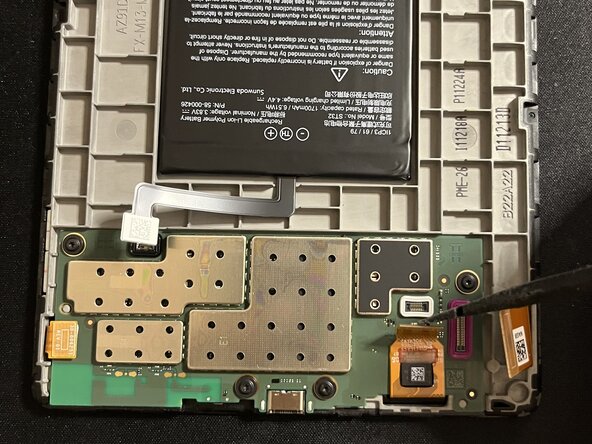
Levante cuidadosamente todos os cabos planos da placa. Uma espátula de plástico ou metal funciona melhor. Use ferramentas antiestáticas.
-
-
-
Ao levantar o cabo plano a seguir, observe que a parte inferior parece estar com cabos de contato adesivo; tenha cautela.
-
-
-
-
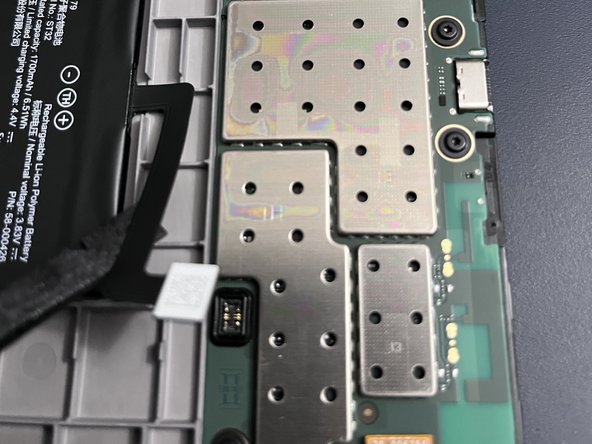
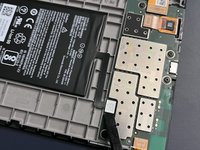
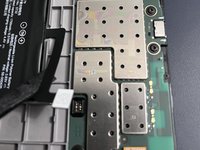
Use uma pistola de ar quente ao redor das bordas da placa, pois ela está colada. Preste atenção especial ao canto inferior esquerdo, já que existe uma fita de cola preta mais forte lá, e é onde você concentrará os esforços de alavanca após aquecer a cola. Use um tapete resistente ao calor e, como sempre, não superaqueça. Vá com calma.
-
-
-
Após aquecer as bordas e a cola, comece a alavancar o canto inferior com a placa em uma posição estável. Tenha paciência e aqueça novamente conforme necessário. Use espátulas finas, as mais finas que tiver, para soltar gradualmente as bordas, tomando cuidado para não danificar a placa. Observe que você deve levantar a placa a partir da parte superior, pois ainda há um cabo conectado a ela.
-
-






Para a remontagem de seu dispositivo, siga estas instruções na ordem inversa.
Cancelar: não concluí este guia.
16 outras pessoas executaram este guia.


9Comentários do guia
Amazing. Thank you! I see my screen data ribbon is missing a pin (it snapped off) but I still have it. Not sure i can fix it but perhaps can get a new ribbon. Do you know the part number?
sorry I cannot locate that, but perhaps another contributor can. best source is likely ebay...
La placa esta pegada al marco? No sale facilmente. Te has quedado en como abrirlo pero luego habria que explicar como quitar la bateria o la placa para cambiar la pantalla
I'm curious, could you upgrade the kindle so that it also has colour for book covers? I unfortunately live in Canada or id be getting the colorsoft plus it's expensive price tag doesn't help either. But could this be a possible thing to do for the kindle paperwhite?
looks like the battery is stuck. Did you manage to remove it (I need to change the eink screen) ?
