Essa tradução foi gerada por um programa e ainda não foi revisada por uma pessoa. Falas essa língua? Dá uma olhada.
Introdução
A autonomia da bateria do seu dispositivo tornou-se inutilizável? A bateria parece não carregar? Uma bateria com defeito é possivelmente a causa desses problemas de energia. À medida que a bateria passa por mais ciclos, ela retém menos carga.
O que você precisa
-
-
-
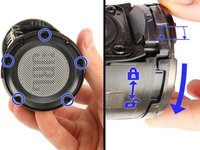
Insira a ferramenta de abertura de plástico na fenda entre a tampa e a estrutura de borracha com o botão LIGA/DESLIGA.
-
Force a tampa para fora, começando pelo lado sem os botões de volume e Bluetooth.
-
Puxe a tampa com os polegares.
 Pergunte ao FixBot
-
-
-
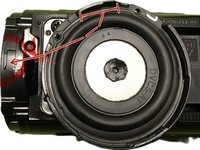
Remova quatro parafusos JIS #0 de 13 mm que prendem a espinha de borracha ao alto-falante, localizados em ambos os lados da parte interna do alto-falante.
-
Use a Ferramenta de abertura para soltar os clipes que prendem a parte central da espinha de borracha.
-
Force uma das extremidades da espinha de borracha com os polegares e ela deverá sair.
-
-
-
-
-
-
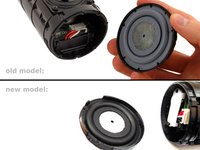
A tampa da extremidade oposta à porta USB: Gire - ou - remova os parafusos da tampa. (depende da versão do seu modelo: apenas a versão mais antiga possui parafusos Phillips #1 de 9 mm)
-
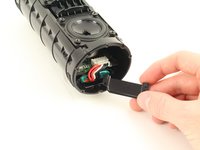
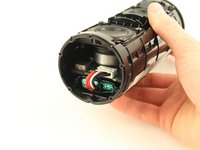
Puxe a tampa da extremidade com as mãos.
-
-
-
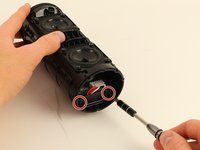
Remova dois parafusos Phillips #1 de 11 mm na tampa da bateria.
-
Puxe a tampa da bateria com as mãos para removê-la.
-
-
-
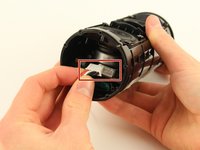
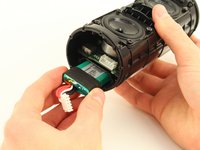
Remova o conector branco grande que liga a fiação da bateria à placa principal com as mãos.
-
Puxe a bateria para fora com as mãos.
-
Nesse caso: Você pode empurrar a bateria para fora, o que documentamos em um guia extra.
-
Uma pequena prévia: Você pode remover o outro dissipador de calor, desparafusar a porta de carregamento e puxá-la levemente para fora, apenas o suficiente para que um lápis (pela ponta chata) possa entrar e empurrar a bateria desse lado.
-
Mais detalhes e fotos no guia extra separado.
-
-






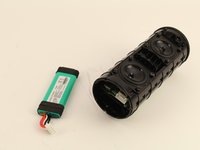
Para a remontagem de seu dispositivo, siga estas instruções na ordem inversa.
Cancelar: não concluí este guia.
201 outras pessoas executaram este guia.

Equipe

Cal Poly, Team S4-G3, White Fall 2018 Membro de Cal Poly, Team S4-G3, White Fall 2018
CPSU-WHITE-F18S4G3
4 Membros
Autoria de 60 guias
80Comentários do guia
Is the battery glued into the socket like the Flip 3?
No it isn’t. but the black rubber around it makes it really hard to get out. try to push it from the otherside by removing the charging-port.
Be careful not to pierce the battery
Yes with me the battery was glued
Be careful and don’t do like me: my old battery was bloated, so I had to push from the other side, but when doing so, I ripped the ribbon cable from the power button… now trying to find a replacement cable
Did you find the cable of the power button?
