Introdução
A laptop battery should last for about 2 to 4 years. Eventually your battery will need replacing. This process is very simple and can be achieved by following this guide.
-
-
Ensure the laptop has been properly shut down and unplugged.
-
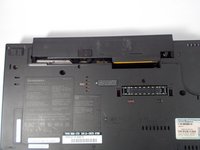
Turn the computer over so that you can see the battery release tab located near the top of the Thinkpad.
 Pergunte ao FixBot
-
-
-
-
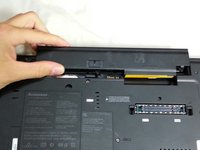
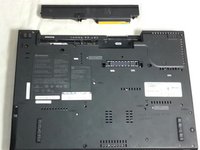
Hold the tab in the unlocked position and push the battery away from the computer to remove it.
-
-
-
Slide the new battery in until it clicks.
-
Ensure that the release tab is in the locked position.
-



Cancelar: não concluí este guia.
5 outras pessoas executaram este guia.

Equipe

Cal Poly, Team 8-58, Johann Spring 2013 Membro de Cal Poly, Team 8-58, Johann Spring 2013
CPSU-JOHANN-S13S8G58
4 Membros
Autoria de 10 guias
