Introdução
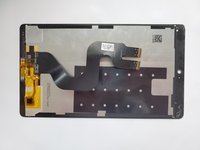
This guide is about how to replace the Display assembly of Huawei MediaPad M3. Removing the display is a prerequisite of removing or displacing many other parts such as the front camera, the motherboard, and the rear camera. It is an 8.40 inch touchscreen with a resolution of 2560*1600 pixels at a pixel density of 359 pixels per inch. The display itself is thin and fragile; therefore all steps should be followed carefully.
O que você precisa
-
-
-
Use a heat gun to heat the display. It may take up to 30 seconds.
-
Slide in the opening picks to the four corners of the tablet and peel off the display carefully.
 Pergunte ao FixBot
-
-
-
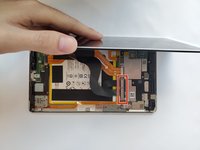
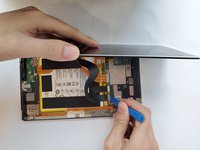
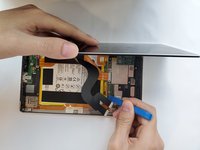
Open the display carefully.
-
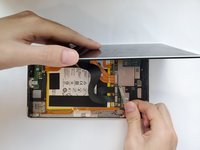
Use a Phillips #00 screwdriver to remove the two 3.0mm screws.
-
-
-
-
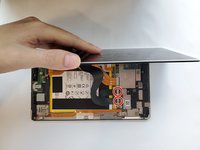
After removing the two screws, use your hand to take out the silver metal bracket.
-
-
-
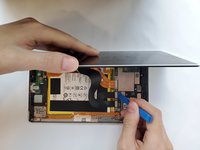
Use the plastic opening tool to disconnect the two ribbon cable connectors.
-
-






To reassemble your device, follow these instructions in reverse order.
Cancelar: não concluí este guia.
3 outras pessoas executaram este guia.

Equipe

Duke University Pratt School of Engineering, Team S5-G2, Matos-Garner Fall 2019 Membro de Duke University Pratt School of Engineering, Team S5-G2, Matos-Garner Fall 2019
DUKEPSE-MATOS-GARNER-F19S5G2
5 Membros
Autoria de 4 guias
