Ir para o conteúdo principal
Participe da comunidade de reparos - Criar conta

Huawei Honor 6x Front Camera Replacement

O que você precisa

  1. Huawei Honor 6x Front Camera  Replacement, SIM Card: passo 1, imagem 1 %32
    • Turn off the device.

    Pergunte ao FixBot
  2. Huawei Honor 6x Front Camera  Replacement: passo 2, imagem 1 %32 Huawei Honor 6x Front Camera  Replacement: passo 2, imagem 2 %32
    • Insert the SIM Card Eject Tool into the SIM card tray hole.

    • Press the eject tool into the hole until the tray clicks open.

    Pergunte ao FixBot
  3. Huawei Honor 6x Front Camera  Replacement: passo 3, imagem 1 %32
    • Remove the SIM tray from the device using two fingers.

    • When reinserting the SIM card, be sure it is properly aligned with the SIM tray.

    Pergunte ao FixBot
  4. Huawei Honor 6x Front Camera  Replacement: passo 4, imagem 1 %32
    • Remove the SIM card from the compartment using two fingers.

    Pergunte ao FixBot
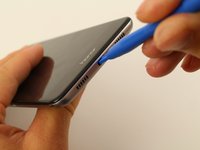
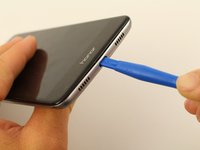
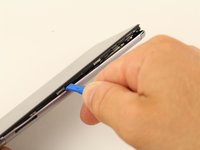
  5. Huawei Honor 6x Front Camera  Replacement, Back Cover: passo 5, imagem 1 %32 Huawei Honor 6x Front Camera  Replacement, Back Cover: passo 5, imagem 2 %32
    • Insert a plastic opening tool into the Micro USB charging port with the the angled side of the tool facing the screen.

    • Pry the screen off the back of the phone by pushing down on the opening tool.

    Pergunte ao FixBot
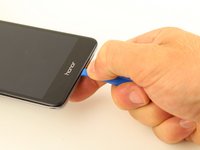
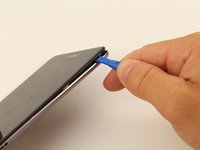
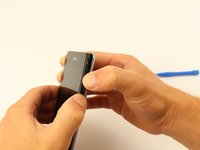
  6. Huawei Honor 6x Front Camera  Replacement: passo 6, imagem 1 %32 Huawei Honor 6x Front Camera  Replacement: passo 6, imagem 2 %32 Huawei Honor 6x Front Camera  Replacement: passo 6, imagem 3 %32
    • Slide the opening tool or spudger along the bottom of the phone and around the edge.

    Pergunte ao FixBot
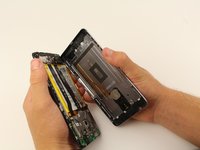
  7. Huawei Honor 6x Front Camera  Replacement: passo 7, imagem 1 %32 Huawei Honor 6x Front Camera  Replacement: passo 7, imagem 2 %32
    • Once three sides of the screen are detached, pry the phone apart using two hands.

    • When separating the back panel from the screen, do not pull them too far apart. There is an interconnect that is attached to both sides that could break, or tear, if pulled too far.

    Pergunte ao FixBot
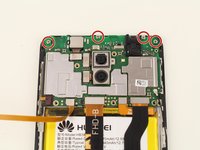
  8. Huawei Honor 6x Front Camera  Replacement: passo 8, imagem 1 %32 Huawei Honor 6x Front Camera  Replacement: passo 8, imagem 2 %32 Huawei Honor 6x Front Camera  Replacement: passo 8, imagem 3 %32
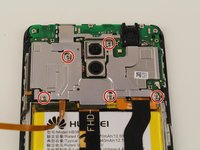
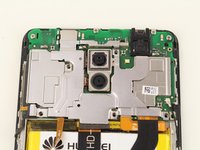
    • Remove the five 4mm Phillips #00 screws using a screwdriver.

    Pergunte ao FixBot
  9. Huawei Honor 6x Front Camera  Replacement: passo 9, imagem 1 %32
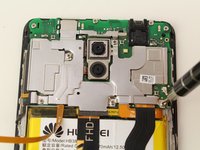
    • Remove the motherboard cover from the device using a spudger or your fingers.

    Pergunte ao FixBot
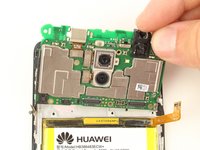
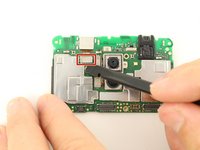
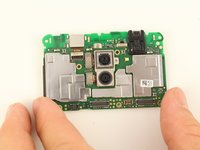
  10. Huawei Honor 6x Front Camera  Replacement, Front Camera: passo 10, imagem 1 %32 Huawei Honor 6x Front Camera  Replacement, Front Camera: passo 10, imagem 2 %32 Huawei Honor 6x Front Camera  Replacement, Front Camera: passo 10, imagem 3 %32
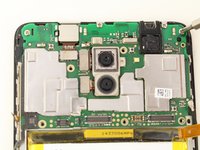
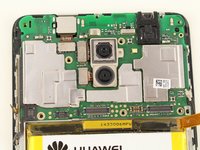
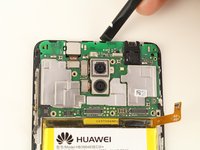
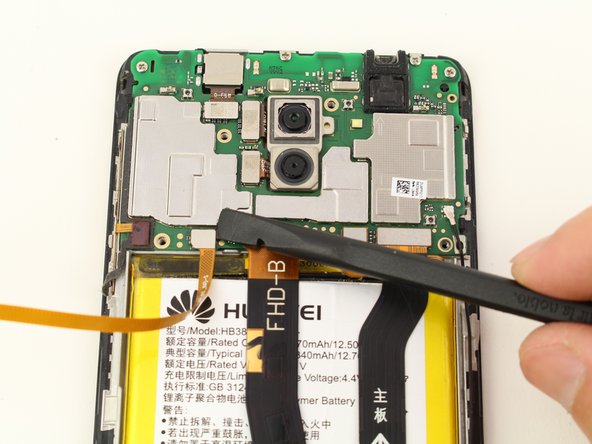
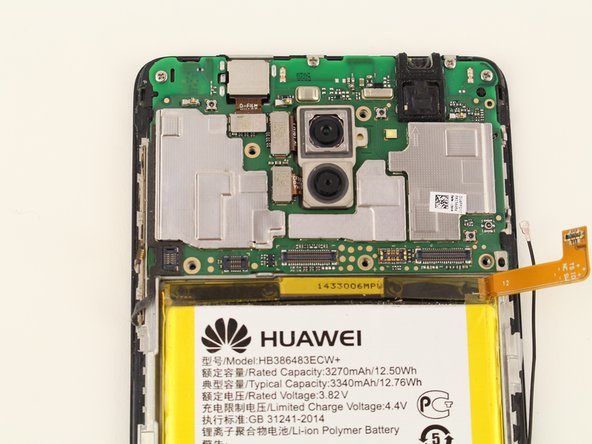
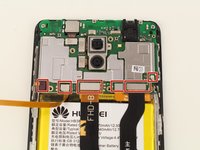
    • Pry the seven connectors off using a spudger or your finger.

    Pergunte ao FixBot
  11. Huawei Honor 6x Front Camera  Replacement: passo 11, imagem 1 %32 Huawei Honor 6x Front Camera  Replacement: passo 11, imagem 2 %32 Huawei Honor 6x Front Camera  Replacement: passo 11, imagem 3 %32
    • Remove the four 2 mm Phillips #00 screws.

    Pergunte ao FixBot
  12. Huawei Honor 6x Front Camera  Replacement: passo 12, imagem 1 %32 Huawei Honor 6x Front Camera  Replacement: passo 12, imagem 2 %32
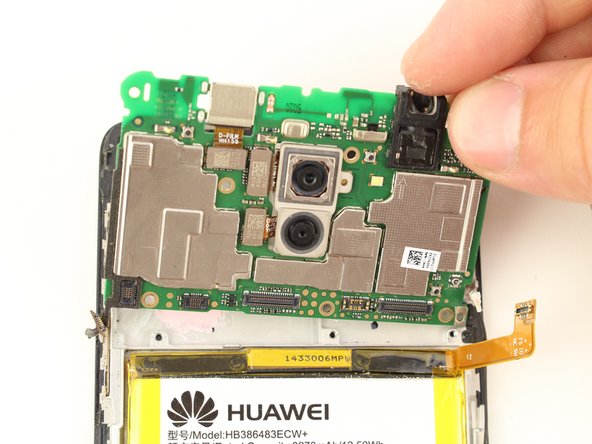
    • Lift the motherboard off of the phone using a spudger or two fingers.

    • The left side of the motherboard has a strip of rubber that may need some prodding from a spudger to remove.

    Pergunte ao FixBot
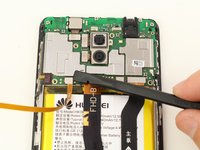
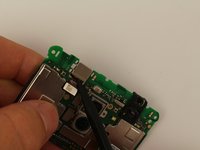
  13. Huawei Honor 6x Front Camera  Replacement: passo 13, imagem 1 %32 Huawei Honor 6x Front Camera  Replacement: passo 13, imagem 2 %32
    • Remove the cable connecting the camera from the motherboard using a spudger or your finger.

    Pergunte ao FixBot
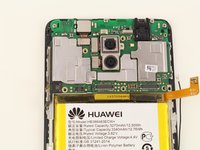
  14. Huawei Honor 6x Front Camera  Replacement: passo 14, imagem 1 %32 Huawei Honor 6x Front Camera  Replacement: passo 14, imagem 2 %32 Huawei Honor 6x Front Camera  Replacement: passo 14, imagem 3 %32
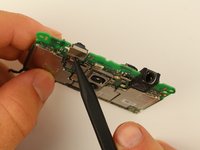
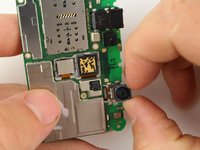
    • Remove the front camera out from the motherboard by pushing on it with the tip of a spudger.

    • This is best done from the back side of the motherboard and pushing where the cable meets the camera.

    Pergunte ao FixBot
Conclusão

To reassemble your device, follow these instructions in reverse order.

2 outras pessoas executaram este guia.

Tessa Kemper

Membro desde: 10/08/18

591 Reputação

Autoria de 3 guias

Equipe

Cal Poly, Team S13-G5, White Fall 2018 Membro de Cal Poly, Team S13-G5, White Fall 2018

CPSU-WHITE-F18S13G5

4 Membros

Autoria de 14 guias

0Comentários do guia

Comentar

Visualizações:

Últimas 24 horas: 2

Últimos 7 dias: 11

Últimos 30 dias: 73

Ao todo: 1,429