Introdução
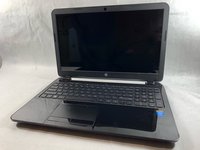
Accessing the internal components of the HP 15-R011DX is the beginning to find and solve the majority of all problems in the laptop. You’re going to need a Phillips #1 screwdriver and a safe place to put small pieces such as the screws and other components so to prevent loss.
O que você precisa
-
-
Slide the lock mechanism on the left side of the laptop to the right.
 Pergunte ao FixBot
-
-
-
While holding the right slide mechanism, remove the battery from the laptop.
-
-
-
Flip the laptop over to reveal screw locations.
-
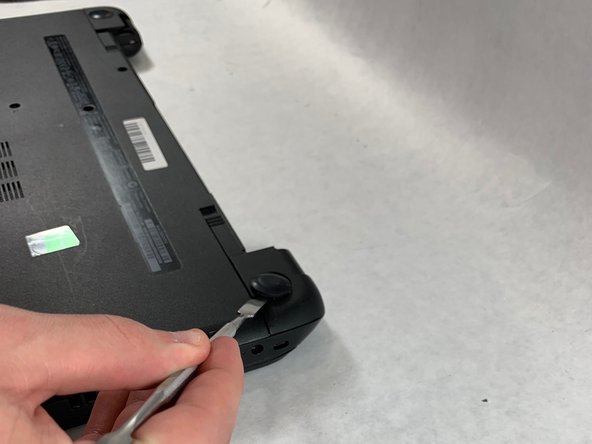
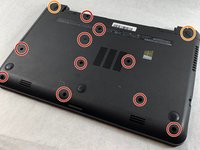
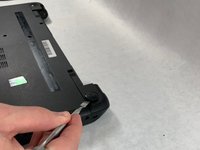
Use a metal spudger to remove the two rear rubber feet. There are screws hidden underneath them.
-
-
-
-
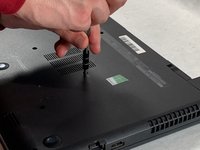
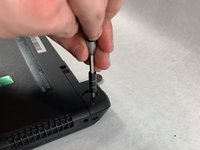
Remove the twelve 5mm Phillips #1 screws on the back of the laptop.
-
-
-
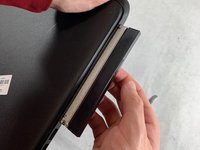
Remove the DVD drive from the laptop.
-
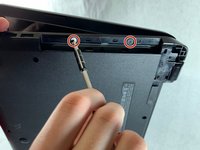
Remove the two 3 mm Phillips #1 screws underneath the DVD drive.
-
-
-
Flip the laptop and open.
-
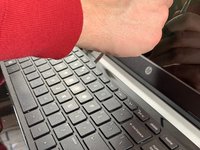
Detach the keyboard by prying it free from the laptop using a spudger.
-
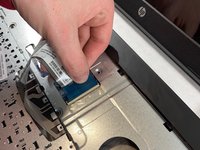
Disconnect the keyboard ribbon cable.
-
-
-
Disconnect the two narrow ribbon cables to the left of the keyboard connection.
-
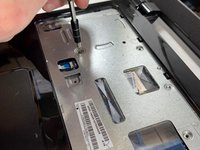
Remove five 4 mm Phillips #1 screws from the metal tray for the keyboard.
-
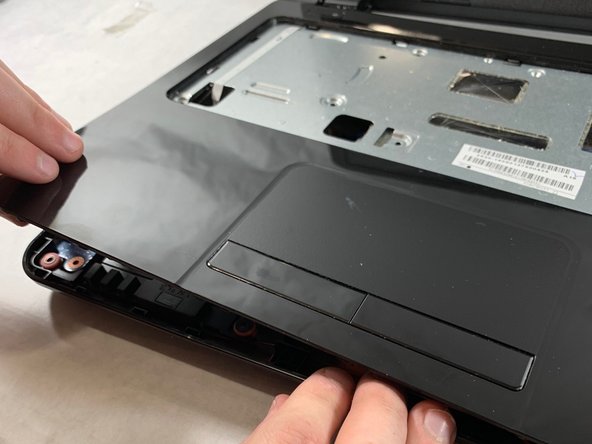
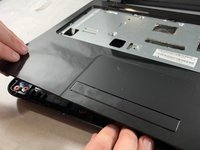
Pry open the plastic casing using a spudger.
-









To reassemble your device, follow these instructions in reverse order.
Cancelar: não concluí este guia.
2 outras pessoas executaram este guia.

Equipe

UMass Dartmouth, Team S2-G4, Bailey Spring 2019 Membro de UMass Dartmouth, Team S2-G4, Bailey Spring 2019
UMASSD-BAILEY-S19S2G4
3 Membros
Autoria de 6 guias
