Ir para o conteúdo principal
Participe da comunidade de reparos - Criar conta

Hisense Sero 7 Pro Rear Camera Replacement

O que você precisa

    1. Hisense Sero 7 Pro Rear Camera Replacement, Rear Camera: passo 1, imagem 1 %32 Hisense Sero 7 Pro Rear Camera Replacement, Rear Camera: passo 1, imagem 2 %32
      • Turn tablet off before dissembling it.

      • Use caution when handling device if screen is cracked.

      • Using a plastic opening tool, pry open the back cover from the tablet.

      • An extra set of hands may be required.

      Pergunte ao FixBot

      Comentar

    2. Hisense Sero 7 Pro Rear Camera Replacement: passo 2, imagem 1 %32
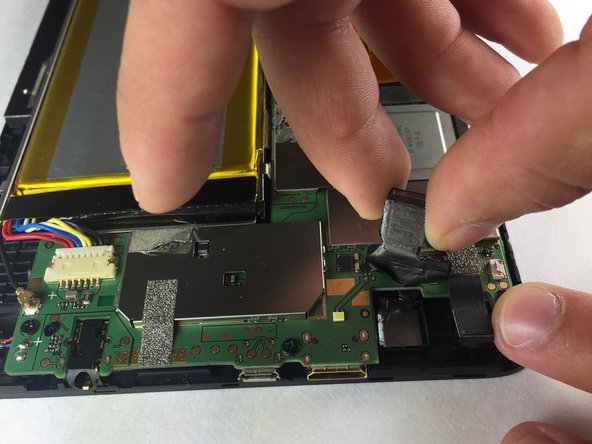
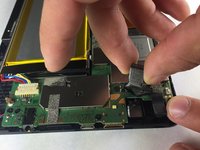
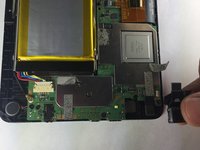
      • Using a metal or nylon spudger, begin to peel the tape from the motherboard that it is attached to the camera.

      • If needed, the same steps can be applied to front camera.

      Pergunte ao FixBot

      Comentar

    3. Hisense Sero 7 Pro Rear Camera Replacement: passo 3, imagem 1 %32 Hisense Sero 7 Pro Rear Camera Replacement: passo 3, imagem 2 %32 Hisense Sero 7 Pro Rear Camera Replacement: passo 3, imagem 3 %32
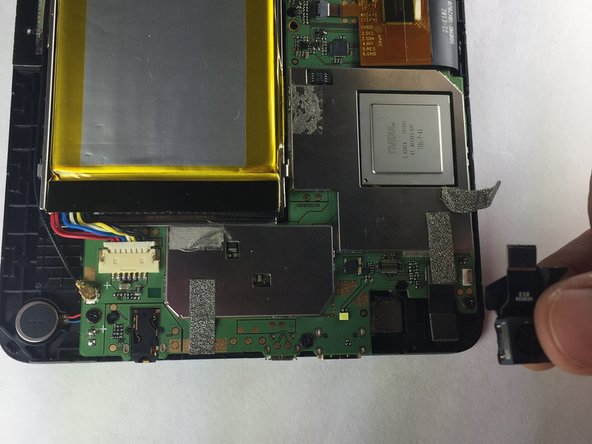
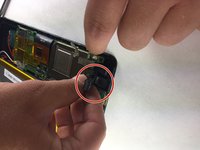
      • Pull the camera toward you to detach from the tablet.

      • Use caution when detaching camera from port.

      Pergunte ao FixBot

      Comentar

Conclusão

To reassemble your device, follow these instructions in reverse order.

Cancelar: não concluí este guia.

Baochau Nguyen

Membro desde: 10/11/16

314 Reputação

Autoria de 3 guias

Equipe

Texas Tech, Team 38-2, Bennett Fall 2016 Membro de Texas Tech, Team 38-2, Bennett Fall 2016

TTU-BENNETT-F16S38G2

4 Membros

Autoria de 6 guias

0Comentários do guia

Comentar

Visualizações:

Últimas 24 horas: 0

Últimos 7 dias: 7

Últimos 30 dias: 31

Ao todo: 469