Ir para o conteúdo principal
Participe da comunidade de reparos - Criar conta

HTC Vive Controller Trigger Replacement

O que você precisa

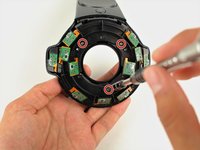
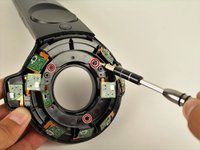
  1. HTC Vive Controller Trigger Replacement, Saucer Panels: passo 1, imagem 1 %32 HTC Vive Controller Trigger Replacement, Saucer Panels: passo 1, imagem 2 %32 HTC Vive Controller Trigger Replacement, Saucer Panels: passo 1, imagem 3 %32
    • Turn over the Vive controller so that the bottom saucer is facing up.

    • Use the T5 Torx screwdriver to remove three black 21mm screws from the bottom saucer.

    Pergunte ao FixBot

    Comentar

  2. HTC Vive Controller Trigger Replacement: passo 2, imagem 1 %32 HTC Vive Controller Trigger Replacement: passo 2, imagem 2 %32
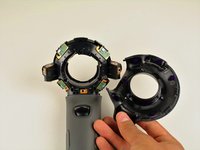
    • Use the nylon spudger to separate the top and bottom saucer covers all around the edges.

    • Remove only the top saucer cover by pulling up with your hand.

    Pergunte ao FixBot

    Comentar

  3. HTC Vive Controller Trigger Replacement: passo 3, imagem 1 %32 HTC Vive Controller Trigger Replacement: passo 3, imagem 2 %32
    • Use the Phillips 00 screwdriver to remove the three silver 12.8mm screws from the exposed upper sensor panel.

    Pergunte ao FixBot

    Comentar

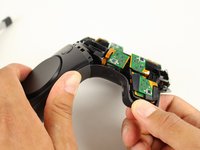
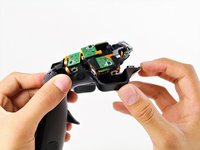
  4. HTC Vive Controller Trigger Replacement: passo 4, imagem 1 %32 HTC Vive Controller Trigger Replacement: passo 4, imagem 2 %32 HTC Vive Controller Trigger Replacement: passo 4, imagem 3 %32
    • Carefully pull away the bottom saucer cover with your hand.

    • To aid in removing the saucer cover, squeeze the base of the controller with your other hand, as shown in the second image of this step. Squeezing will make the clips easier to release and help prevent them from breaking.

    Pergunte ao FixBot

    Comentar

  5. HTC Vive Controller Trigger Replacement, Front Panel: passo 5, imagem 1 %32 HTC Vive Controller Trigger Replacement, Front Panel: passo 5, imagem 2 %32
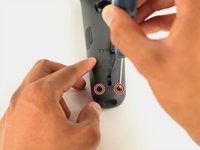
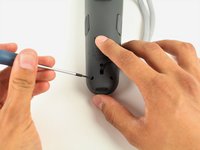
    • Use the T5 Torx screwdriver to remove the two black 5.2mm screws on the back gray panel.

    Pergunte ao FixBot

    Comentar

  6. HTC Vive Controller Trigger Replacement: passo 6, imagem 1 %32
    • Turn over the Vive controller so that the exposed bottom saucer panel is facing up.

    • Use the T5 Torx screwdriver to remove the three black 5.2mm screws.

    Pergunte ao FixBot

    Comentar

  7. HTC Vive Controller Trigger Replacement: passo 7, imagem 1 %32 HTC Vive Controller Trigger Replacement: passo 7, imagem 2 %32
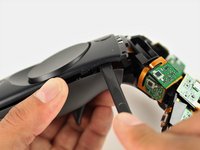
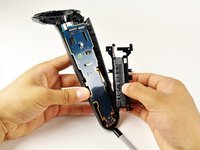
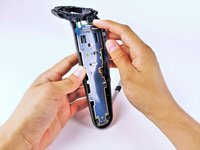
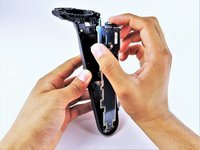
    • Use the nylon spudger to separate the front panel gently by running the spudger around the edges of the handle.

    • Only separate the front panel around the edges. Do not try to completely remove the panel yet.

    • Gently lift the right side of the panel to the left.

    Pergunte ao FixBot

    Comentar

  8. HTC Vive Controller Trigger Replacement: passo 8, imagem 1 %32
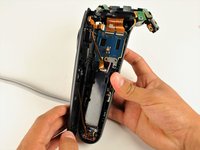
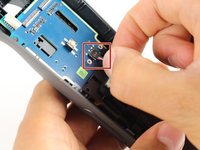
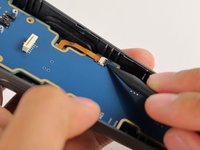
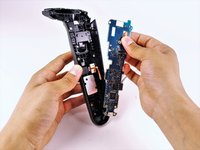
    • Disconnect the upper ribbon cable gently by pulling the ribbon up and away from the motherboard with two fingers.

    • Do not try to disconnect the ribbon cables from the front panel.

    Pergunte ao FixBot

    Comentar

  9. HTC Vive Controller Trigger Replacement: passo 9, imagem 1 %32 HTC Vive Controller Trigger Replacement: passo 9, imagem 2 %32
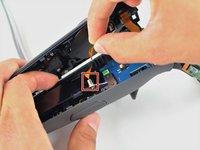
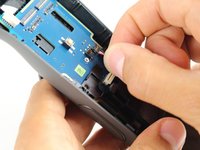
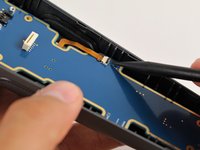
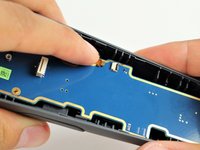
    • Disconnect the middle ribbon cable gently by pulling the ribbon cable up and away from the motherboard with two fingers.

    • Do not try to disconnect the ribbon cables from the front panel.

    Pergunte ao FixBot

    Comentar

  10. HTC Vive Controller Trigger Replacement: passo 10, imagem 1 %32 HTC Vive Controller Trigger Replacement: passo 10, imagem 2 %32 HTC Vive Controller Trigger Replacement: passo 10, imagem 3 %32
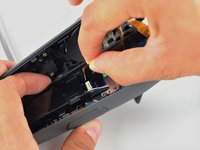
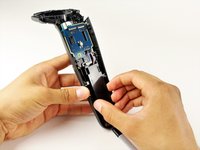
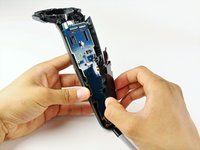
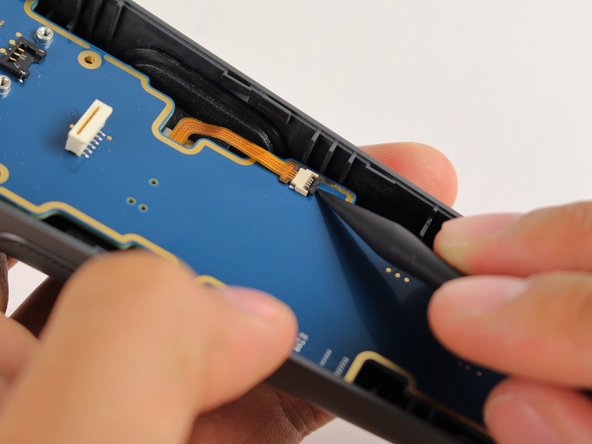
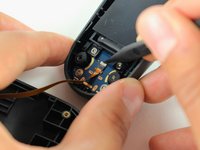
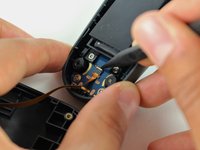
    • Use the nylon spudger to lift the white tab by 90 degrees.

    • Disconnect the bottom ribbon cable gently by pulling the ribbon cable down with two fingers.

    Pergunte ao FixBot

    Comentar

  11. HTC Vive Controller Trigger Replacement, Battery: passo 11, imagem 1 %32 HTC Vive Controller Trigger Replacement, Battery: passo 11, imagem 2 %32
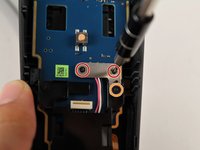
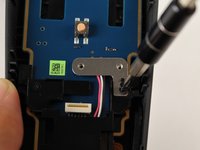
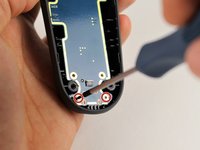
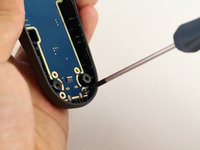
    • Use the Phillips 00 screwdriver to remove two black 2.8mm screws from the silver plate.

    • Use the Phillips 00 screwdriver to remove the black 5.8mm screw from the bottom right corner of the silver plate.

    Pergunte ao FixBot

    Comentar

  12. HTC Vive Controller Trigger Replacement: passo 12, imagem 1 %32
    • Remove the silver plate by pinching it with two fingers and lifting up.

    Pergunte ao FixBot

    Comentar

  13. HTC Vive Controller Trigger Replacement: passo 13, imagem 1 %32
    • Use the Phillips 00 screwdriver to remove the black 5.8mm screw from the top left of the battery frame.

    Pergunte ao FixBot

    Comentar

  14. HTC Vive Controller Trigger Replacement: passo 14, imagem 1 %32 HTC Vive Controller Trigger Replacement: passo 14, imagem 2 %32
    • Use the T5 Torx screwdriver to remove the two silver 4.2mm screws from the bottom of the battery frame.

    Pergunte ao FixBot

    Comentar

  15. HTC Vive Controller Trigger Replacement: passo 15, imagem 1 %32 HTC Vive Controller Trigger Replacement: passo 15, imagem 2 %32
    • Disconnect the three-pin cable gently by pinching the cable with two fingers and pulling up.

    Pergunte ao FixBot

    Comentar

  16. HTC Vive Controller Trigger Replacement: passo 16, imagem 1 %32 HTC Vive Controller Trigger Replacement: passo 16, imagem 2 %32 HTC Vive Controller Trigger Replacement: passo 16, imagem 3 %32
    • Lift the battery frame to remove the battery from the Vive controller

    Pergunte ao FixBot

    Comentar

  17. HTC Vive Controller Trigger Replacement, Motherboard: passo 17, imagem 1 %32
    • Use the Phillips 00 screwdriver to remove the two black 5.8mm screws from the top of the motherboard.

    Pergunte ao FixBot

    Comentar

  18. HTC Vive Controller Trigger Replacement: passo 18, imagem 1 %32 HTC Vive Controller Trigger Replacement: passo 18, imagem 2 %32
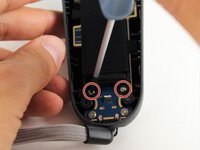
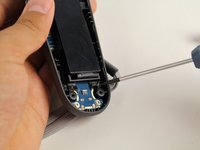
    • Use the T5 Torx screwdriver to remove the two silver 4.2mm screws from the bottom of the motherboard.

    Pergunte ao FixBot

    Comentar

  19. HTC Vive Controller Trigger Replacement: passo 19, imagem 1 %32 HTC Vive Controller Trigger Replacement: passo 19, imagem 2 %32 HTC Vive Controller Trigger Replacement: passo 19, imagem 3 %32
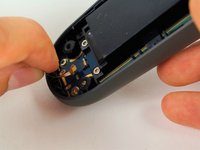
    • Use the nylon spudger to rotate the black tab up by 90 degrees.

    • Disconnect the ribbon cable carefully with your finger.

    Pergunte ao FixBot

    Comentar

  20. HTC Vive Controller Trigger Replacement: passo 20, imagem 1 %32 HTC Vive Controller Trigger Replacement: passo 20, imagem 2 %32 HTC Vive Controller Trigger Replacement: passo 20, imagem 3 %32
    • Lift the motherboard up and out of the Vive controller using your hands.

    Pergunte ao FixBot

    Comentar

  21. HTC Vive Controller Trigger Replacement, Trigger: passo 21, imagem 1 %32
    • Use the T5 Torx screwdriver to remove the four black 5.2mm screws from the inner part of the trigger.

    Pergunte ao FixBot

    Comentar

  22. HTC Vive Controller Trigger Replacement: passo 22, imagem 1 %32
    • Push the trigger button in with your finger until it pops out of the front panel.

    Pergunte ao FixBot

    Comentar

Conclusão

To reassemble your device, follow these instructions in reverse order.

Cancelar: não concluí este guia.

6 outras pessoas executaram este guia.

Equipe

Cal Poly, Team S15-G5, Livingston Fall 2017 Membro de Cal Poly, Team S15-G5, Livingston Fall 2017

CPSU-LIVINGSTON-F17S15G5

4 Membros

Autoria de 51 guias

2Comentários do guia

It is possible to access and replace the trigger without having to disconnect any of the cables. I have done this with 3 controllers already.

Just ignore the steps saying to disconnect the cable, move parts to the side and be careful.

Jurij Gera - Responder Compartilhar
No disassembly fix for a broken spring: Sling a rubber band under the trigger.

Jon Johnson - Responder Compartilhar
Comentar

Visualizações:

Últimas 24 horas: 3

Últimos 7 dias: 12

Últimos 30 dias: 77

Ao todo: 6,735