Essa tradução foi gerada por um programa e ainda não foi revisada por uma pessoa. Falas essa língua? Dá uma olhada.
Introdução
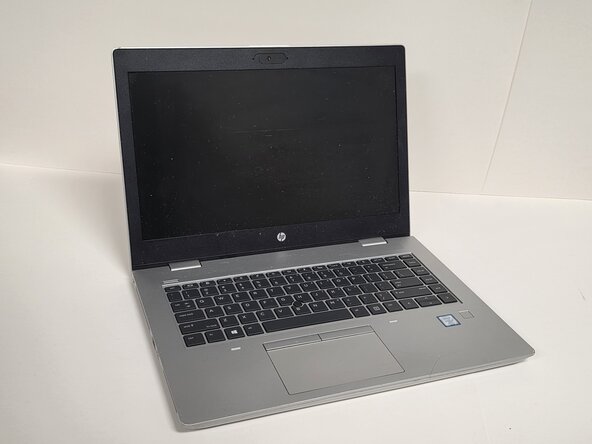
O teclado é um dos componentes mais utilizados em um notebook HP ProBook 640 G5, e problemas como teclas travadas, danos por água, seções que não respondem ou falha completa são motivos comuns para a substituição. Este guia mostrará todo o processo de substituição, incluindo desconectar a bateria com segurança, acessar os cabos planos do teclado, remover a tampa superior e instalar o teclado novo. Antes de começar este reparo, desligue o notebook e desconecte todas as fontes de energia.
O que você precisa
-
-
-
Desligue o HP ProBook 640 G5 completamente.
-
Desconecte o adaptador de energia e todos os periféricos conectados.
-
Pressione e segure o botão LIGA/DESLIGA por 5 segundos para descarregar a energia restante.
 Pergunte ao FixBot
-
-
-
Vire o laptop para que a parte inferior fique voltada para cima.
-
Afrouxe oito parafusos Phillips prateados de 6 mm usando uma chave Phillips #0.
-
Remova dois parafusos pretos de 6 mm usando uma chave Torx TR7.
-
Insira uma Ferramenta de abertura na fresta e force suavemente ao redor das bordas.
-
Levante a tampa inferior para removê-la do laptop.
-
-
-
-
-
-
Solte os dois parafusos imperdíveis usando uma chave Phillips #1.
-
-
-
Vire o laptop de lado e abra o painel do display para que ele fique na vertical.
-
Segurando o teclado com firmeza, insira uma ferramenta de abertura de teclado na abertura com o ícone de teclado.
-
Com cuidado, coloque o laptop na posição normal.
-
-
-
Levante a borda traseira do teclado suavemente, garantindo que não rasgue ou puxe os conectores dos cabos.
-
Desconecte na ordem apresentada na imagem:
-
Desconecte o cabo plano da retroiluminação do teclado da placa lógica.
-
Desconecte o cabo plano do point stick da placa lógica.
-
Desconecte o cabo plano do teclado da placa lógica.
-
-


Para a remontagem de seu dispositivo, siga estas instruções na ordem inversa.

Equipe

Austin Community College, Team 1-2, Anderson Spring 2026 Membro de Austin Community College, Team 1-2, Anderson Spring 2026
AUSTINCC-ANDERSON-S26S1G2
3 Membros
Autoria de 51 guias
