Ir para o conteúdo principal
Participe da comunidade de reparos - Criar conta

HP Mini 110-3735dx Hard Drive Replacement

O que você precisa

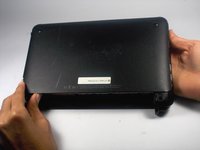
  1. HP Mini 110-3735dx Hard Drive Replacement, Battery: passo 1, imagem 1 %32 HP Mini 110-3735dx Hard Drive Replacement, Battery: passo 1, imagem 2 %32 HP Mini 110-3735dx Hard Drive Replacement, Battery: passo 1, imagem 3 %32
    • With the bottom of the HP Mini facing up, slide both switches inward towards each other.

    Pergunte ao FixBot
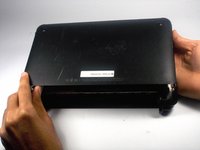
  2. HP Mini 110-3735dx Hard Drive Replacement: passo 2, imagem 1 %32 HP Mini 110-3735dx Hard Drive Replacement: passo 2, imagem 2 %32
    • With the left switch still pushed inward, pull the battery towards you to remove it from the computer.

    Pergunte ao FixBot
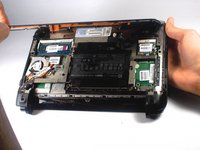
  3. HP Mini 110-3735dx Hard Drive Replacement, Backcover: passo 3, imagem 1 %32 HP Mini 110-3735dx Hard Drive Replacement, Backcover: passo 3, imagem 2 %32 HP Mini 110-3735dx Hard Drive Replacement, Backcover: passo 3, imagem 3 %32
    • Pull upward from under the back cover via the missing battery area.

    • Best to start from one of the corners.

    Pergunte ao FixBot
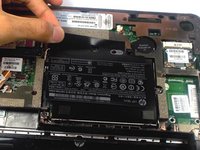
  4. HP Mini 110-3735dx Hard Drive Replacement, Hard Drive Cage: passo 4, imagem 1 %32
    • Remove the three 5.0 mm screws holding the hard drive cage in place using a Phillips #1 screw driver.

    Pergunte ao FixBot
  5. HP Mini 110-3735dx Hard Drive Replacement: passo 5, imagem 1 %32 HP Mini 110-3735dx Hard Drive Replacement: passo 5, imagem 2 %32 HP Mini 110-3735dx Hard Drive Replacement: passo 5, imagem 3 %32
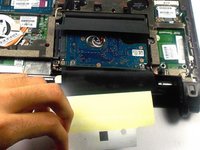
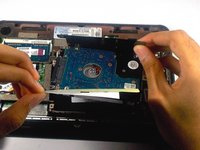
    • Lift the hard drive cage by pulling the tape upward.

    • Start by pulling the tape from the side with the keyboard symbol.

    Pergunte ao FixBot
  6. HP Mini 110-3735dx Hard Drive Replacement: passo 6, imagem 1 %32 HP Mini 110-3735dx Hard Drive Replacement: passo 6, imagem 2 %32
    • Unplug the cable connecting to the hard drive.

    Pergunte ao FixBot
  7. HP Mini 110-3735dx Hard Drive Replacement, Hard Drive: passo 7, imagem 1 %32 HP Mini 110-3735dx Hard Drive Replacement, Hard Drive: passo 7, imagem 2 %32 HP Mini 110-3735dx Hard Drive Replacement, Hard Drive: passo 7, imagem 3 %32
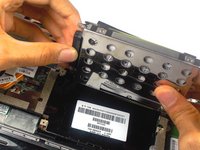
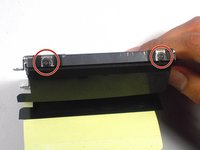
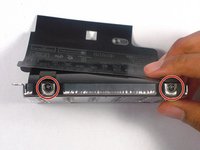
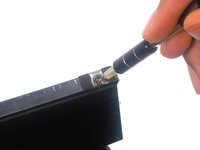
    • Remove the four 4.0 mm screws on both sides of the cage using a Phillips #1 screw driver.

    Pergunte ao FixBot
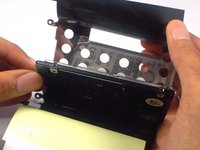
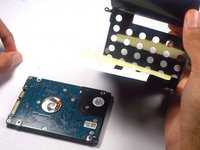
  8. HP Mini 110-3735dx Hard Drive Replacement: passo 8, imagem 1 %32 HP Mini 110-3735dx Hard Drive Replacement: passo 8, imagem 2 %32 HP Mini 110-3735dx Hard Drive Replacement: passo 8, imagem 3 %32
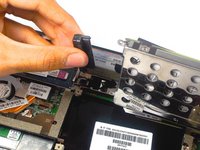
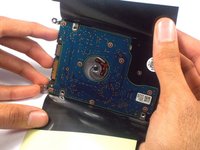
    • Gently remove the hard drive from it's cage.

    Pergunte ao FixBot
Conclusão

To reassemble your device, follow these instructions in reverse order.

2 outras pessoas executaram este guia.

Equipe

0Comentários do guia

Comentar

Visualizações:

Últimas 24 horas: 0

Últimos 7 dias: 7

Últimos 30 dias: 45

Ao todo: 908