Ir para o conteúdo principal
Participe da comunidade de reparos - Criar conta

HP LaserJet P1102w Power Plug Replacement

O que você precisa

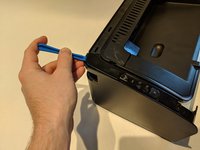
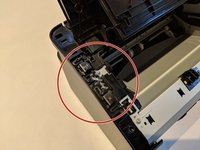
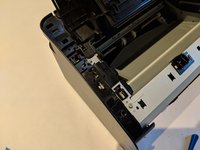
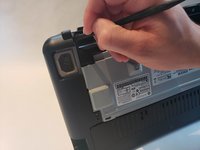
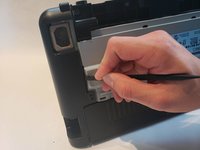
  1. HP LaserJet P1102w Power Plug Replacement, Left Side Panel: passo 1, imagem 1 %32 HP LaserJet P1102w Power Plug Replacement, Left Side Panel: passo 1, imagem 2 %32 HP LaserJet P1102w Power Plug Replacement, Left Side Panel: passo 1, imagem 3 %32
    • Flip printer on it's back. Using the plastic spudger, pry off front panel. There will be two main points to focus as shown.

    • Pry carefully to not break any plastic.

    Pergunte ao FixBot

    Comentar

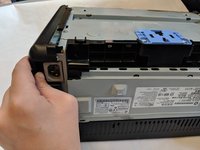
  2. HP LaserJet P1102w Power Plug Replacement: passo 2, imagem 1 %32 HP LaserJet P1102w Power Plug Replacement: passo 2, imagem 2 %32
    • Now that the pry points are free lift up the front panel.

    Pergunte ao FixBot

    Comentar

  3. HP LaserJet P1102w Power Plug Replacement: passo 3, imagem 1 %32 HP LaserJet P1102w Power Plug Replacement: passo 3, imagem 2 %32
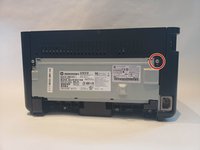
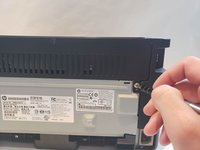
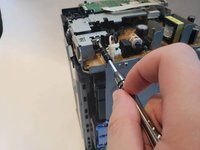
    • Unscrew the #1 Phillips screw 6mm on the back of the printer.

    Pergunte ao FixBot

    Comentar

  4. HP LaserJet P1102w Power Plug Replacement: passo 4, imagem 1 %32 HP LaserJet P1102w Power Plug Replacement: passo 4, imagem 2 %32 HP LaserJet P1102w Power Plug Replacement: passo 4, imagem 3 %32
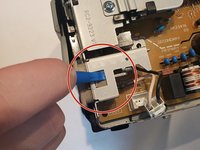
    • Using the plastic spudger, remove the button housing from the top left of printer.

    • Pry carefully to not break any plastic.

    Pergunte ao FixBot

    Comentar

  5. HP LaserJet P1102w Power Plug Replacement: passo 5, imagem 1 %32 HP LaserJet P1102w Power Plug Replacement: passo 5, imagem 2 %32
    • Once the housing is removed, remove the three buttons.

    Pergunte ao FixBot

    Comentar

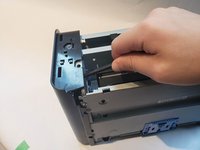
  6. HP LaserJet P1102w Power Plug Replacement: passo 6, imagem 1 %32 HP LaserJet P1102w Power Plug Replacement: passo 6, imagem 2 %32 HP LaserJet P1102w Power Plug Replacement: passo 6, imagem 3 %32
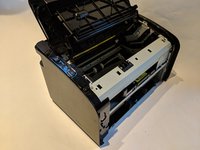
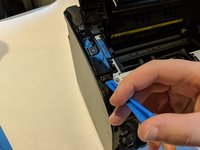
    • Use the plastic spudger to remove the side panel. There are three main prying points as shown.

    • Pry carefully to not break any plastic.

    Pergunte ao FixBot

    Comentar

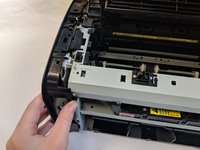
  7. HP LaserJet P1102w Power Plug Replacement: passo 7, imagem 1 %32 HP LaserJet P1102w Power Plug Replacement: passo 7, imagem 2 %32
    • With all pry points free, remove the side panel.

    Pergunte ao FixBot

    Comentar

  8. HP LaserJet P1102w Power Plug Replacement, Power Plug: passo 8, imagem 1 %32 HP LaserJet P1102w Power Plug Replacement, Power Plug: passo 8, imagem 2 %32
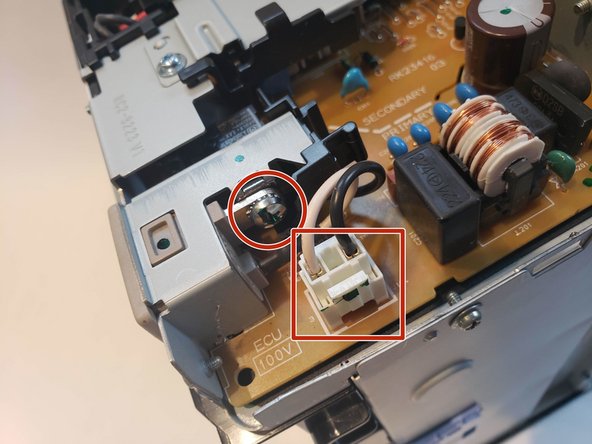
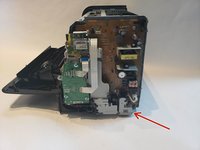
    • The power plug will be held together with one Phillips screw 7mm and wire connection.

    Pergunte ao FixBot

    Comentar

  9. HP LaserJet P1102w Power Plug Replacement: passo 9, imagem 1 %32 HP LaserJet P1102w Power Plug Replacement: passo 9, imagem 2 %32
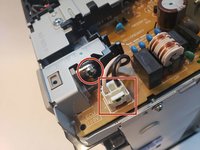
    • Unplug wire connector and unscrew the Phillips 7mm screw with #1 Phillips screw driver.

    Pergunte ao FixBot

    Comentar

  10. HP LaserJet P1102w Power Plug Replacement: passo 10, imagem 1 %32 HP LaserJet P1102w Power Plug Replacement: passo 10, imagem 2 %32 HP LaserJet P1102w Power Plug Replacement: passo 10, imagem 3 %32
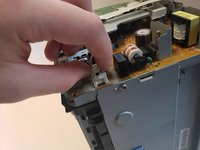
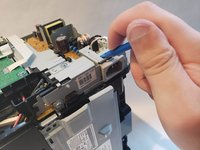
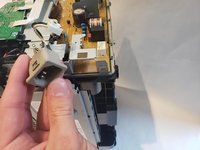
    • Apply pressure using spudger on top of the power plug to release it from metal housing. While doing that pull the power plug out.

    Pergunte ao FixBot

    Comentar

Conclusão

To reassemble your device, follow these instructions in reverse order.

Cancelar: não concluí este guia.

4 outras pessoas executaram este guia.

Equipe

UW Stout, Team S6-G4, Ogden Fall 2018 Membro de UW Stout, Team S6-G4, Ogden Fall 2018

UWSTOUT-OGDEN-F18S6G4

4 Membros

Autoria de 12 guias

0Comentários do guia

Comentar

Visualizações:

Últimas 24 horas: 0

Últimos 7 dias: 11

Últimos 30 dias: 57

Ao todo: 2,162