Introdução
The computers hard drive is where all of its data is stored and kept when the computer is turned off. Upgrading it to a larger or faster HDD or SSD is very important in keeping your computer running properly. This simple guide shows how to easily access the HDD bay within the laptop.
O que você precisa
-
-
-
Place the laptop face down in front of you.
-
Use a Phillips #0 screwdriver to remove the three 3 mm screws from the back of the case.
-
Remove the back panel.
 Pergunte ao FixBot
-
-
-
-
Use a Phillips #0 screwdriver to remove the two 3 mm screws from the small metal HDD bracket.
-
Lift up on the small bracket and pull it off.
-
-
-
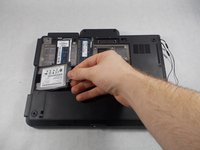
Pull out the hard drive and the small rubber sleigh that holds it.
-
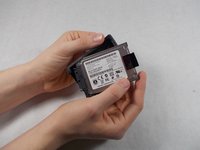
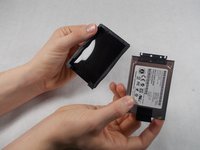
Pull the rubber sleigh off of the hard drive.
-
-


To reassemble your device, follow these instructions in reverse order.
Cancelar: não concluí este guia.
6 outras pessoas executaram este guia.

Equipe

UMass Dartmouth, Team S8-G4, Valliere Spring 2018 Membro de UMass Dartmouth, Team S8-G4, Valliere Spring 2018
UMASSD-VALLIERE-S18S8G4
3 Membros
Autoria de 22 guias
1Comentário do guia
You can use any mSATA SSD as replacement by using the following caddy/adapter:
https://www.ebay.fr/itm/165266235415
jacques_06
