Ir para o conteúdo principal
Participe da comunidade de reparos - Criar conta

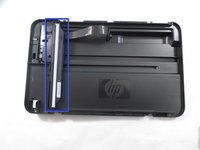
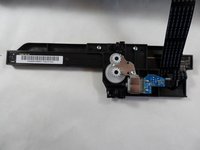
HP Deskjet F4480 Scanner Light Replacement

O que você precisa

  1. HP Deskjet F4480 Scanner Light Replacement, Front: passo 1, imagem 1 %32
    • Open the front access panel by placing your finger in the front slot and pulling gently.

    Pergunte ao FixBot
  2. HP Deskjet F4480 Scanner Light Replacement, Top Lid: passo 2, imagem 1 %32
    • Open the protective lid that is covering the glass. Press gently against the base of the panel to remove the lid from the rest of the printer.

    Pergunte ao FixBot
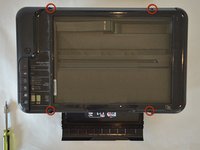
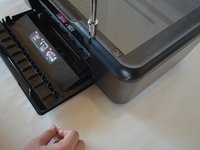
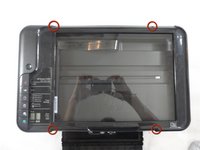
  3. HP Deskjet F4480 Scanner Light Replacement: passo 3, imagem 1 %32 HP Deskjet F4480 Scanner Light Replacement: passo 3, imagem 2 %32 HP Deskjet F4480 Scanner Light Replacement: passo 3, imagem 3 %32
    • Remove the four 9mm T10 Torx screws on the top.

    Pergunte ao FixBot
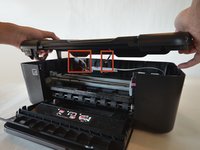
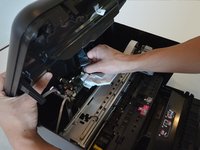
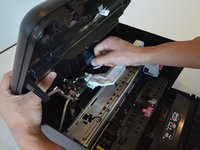
  4. HP Deskjet F4480 Scanner Light Replacement: passo 4, imagem 1 %32 HP Deskjet F4480 Scanner Light Replacement: passo 4, imagem 2 %32
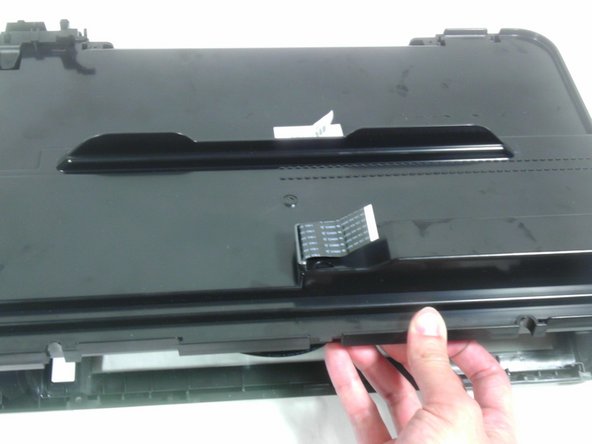
    • Carefully lift the top panel off of the printer.

    • Do not tear or damage the two cables that connect the top lid to the motherboard.

    Pergunte ao FixBot
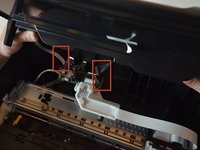
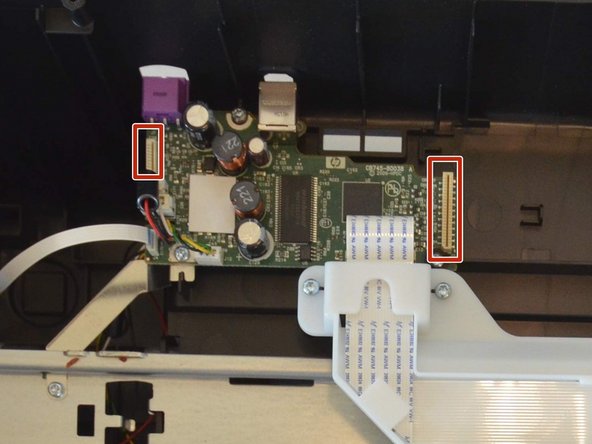
  5. HP Deskjet F4480 Scanner Light Replacement: passo 5, imagem 1 %32 HP Deskjet F4480 Scanner Light Replacement: passo 5, imagem 2 %32 HP Deskjet F4480 Scanner Light Replacement: passo 5, imagem 3 %32
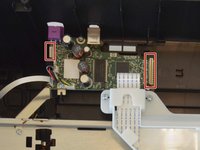
    • Remove the two cables by gripping each one close to their connection ports on the motherboard and gently disconnecting them.

    Pergunte ao FixBot
  6. HP Deskjet F4480 Scanner Light Replacement, Remove Back Panel of Lid: passo 6, imagem 1 %32
    • Remove one 9mm T10 Torx screw from the back of the printer lid.

    Pergunte ao FixBot
  7. HP Deskjet F4480 Scanner Light Replacement: passo 7, imagem 1 %32 HP Deskjet F4480 Scanner Light Replacement: passo 7, imagem 2 %32
    • Press outward on the plastic tab holding the back panel in place.

    Pergunte ao FixBot
  8. HP Deskjet F4480 Scanner Light Replacement: passo 8, imagem 1 %32 HP Deskjet F4480 Scanner Light Replacement: passo 8, imagem 2 %32
    • Pull the back panel towards you and lift it away from the rest of the printer cover.

    • Some ribbon cables may still be inserted through the back panel. Be careful not to damage these and they should slide out easily.

    Pergunte ao FixBot
  9. HP Deskjet F4480 Scanner Light Replacement, Scanner Light: passo 9, imagem 1 %32 HP Deskjet F4480 Scanner Light Replacement, Scanner Light: passo 9, imagem 2 %32
    • Remove scanner bar from track inside lid.

    • Do not try to detach the large ribbon cable. It is not designed to be removed from the scanner bar. Also do not try to pull ribbon cable out of the lid.

    Pergunte ao FixBot
  10. HP Deskjet F4480 Scanner Light Replacement: passo 10, imagem 1 %32
    • Remove two 9mm T10 Torx screws from the scanner bar to release scanner light.

    Pergunte ao FixBot
  11. HP Deskjet F4480 Scanner Light Replacement: passo 11, imagem 1 %32
    • Separate the scanner light from the rest of the scanner bar.

    Pergunte ao FixBot
Conclusão

To reassemble your device, follow these instructions in reverse order.

Tim

Membro desde: 01/15/13

193 Reputação

Autoria de 4 guias

Equipe

Cal Poly, Team 18-35, Regan Winter 2013 Membro de Cal Poly, Team 18-35, Regan Winter 2013

CPSU-REGAN-W13S18G35

5 Membros

Autoria de 15 guias

0Comentários do guia

Comentar

Visualizações:

Últimas 24 horas: 1

Últimos 7 dias: 13

Últimos 30 dias: 93

Ao todo: 4,205