Ir para o conteúdo principal
Participe da comunidade de reparos - Criar conta

Google Pixelbook Go Back Panel Replacement

O que você precisa

  1. Google Pixelbook Go Back Panel Replacement, Back Panel: passo 1, imagem 1 %32 Google Pixelbook Go Back Panel Replacement, Back Panel: passo 1, imagem 2 %32
    • Flip the device so that the back is facing up.

    • Peel the rubber stoppers off the top and bottom of the device.

  2. Google Pixelbook Go Back Panel Replacement: passo 2, imagem 1 %32 Google Pixelbook Go Back Panel Replacement: passo 2, imagem 2 %32
    • Remove ten 3 mm screws from around the edge of the back panel using a T5 Torx screwdriver.

  3. Google Pixelbook Go Back Panel Replacement: passo 3, imagem 1 %32 Google Pixelbook Go Back Panel Replacement: passo 3, imagem 2 %32 Google Pixelbook Go Back Panel Replacement: passo 3, imagem 3 %32
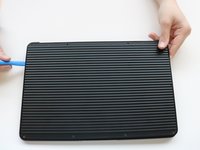
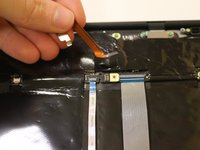
    • Use an iFixit opening tool to pry up the back panel cover.

    • There is an orange ribbon cable that connects the cover to the base, so don't separate the two pieces completely.

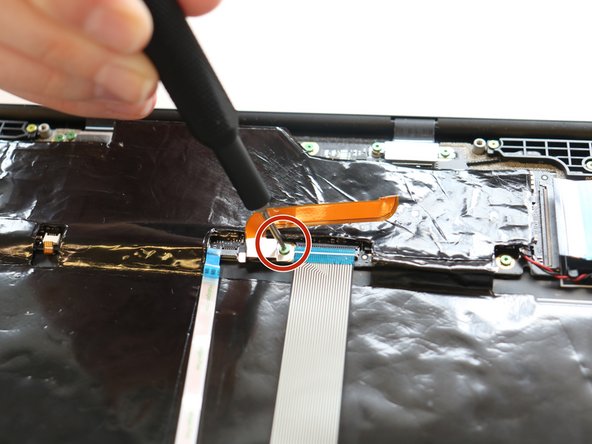
    • Remove the single 2 mm screw using a Torx T3 screwdriver.

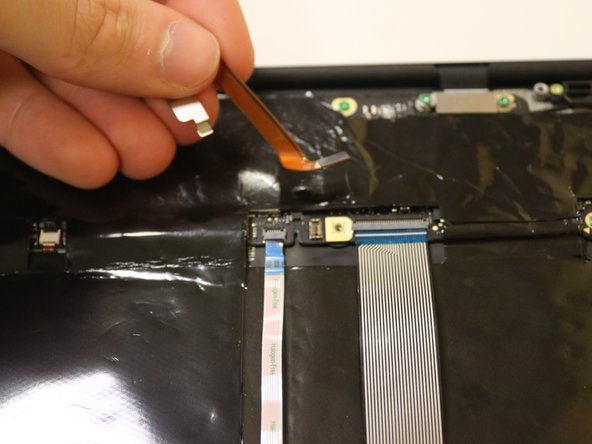
    • Disconnect the orange cable from the base of the device.

  4. Google Pixelbook Go Back Panel Replacement: passo 4, imagem 1 %32
    • Insert wisdom here.

Conclusão

To reassemble your device, follow these instructions in reverse order.

Kristen Gismondi

Membro desde: 11/12/14

103.214 Reputação

Autoria de 266 guias

Equipe

iFixit Membro de iFixit

Staff

124 Membros

Autoria de 24.164 guias

0Comentários do guia

Comentar

Visualizações:

Últimas 24 horas: 3

Últimos 7 dias: 5

Últimos 30 dias: 25

Ao todo: 1,083