Ir para o conteúdo principal
Participe da comunidade de reparos - Criar conta

GoPro Hero 3 Silver Image Sensor Replacement

O que você precisa

    1. GoPro Hero 3 Silver Image Sensor Replacement, Battery: passo 1, imagem 1 %32 GoPro Hero 3 Silver Image Sensor Replacement, Battery: passo 1, imagem 2 %32
      • Pull back on the tab on the back of GoPro to open the battery cover.

      Pergunte ao FixBot

      Comentar

    2. GoPro Hero 3 Silver Image Sensor Replacement: passo 2, imagem 1 %32
      • Pull the battery out using the tab.

      Pergunte ao FixBot

      Comentar

    1. GoPro Hero 3 Silver Image Sensor Replacement, Image Sensor: passo 3, imagem 1 %32 GoPro Hero 3 Silver Image Sensor Replacement, Image Sensor: passo 3, imagem 2 %32
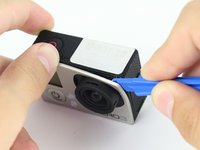
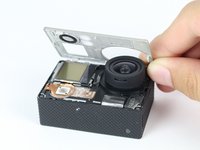
      • Use the plastic opening tool to remove the faceplate.

      • There is some adhesive and clips so be careful and the faceplate should pop right off.

      Pergunte ao FixBot

      Comentar

    2. GoPro Hero 3 Silver Image Sensor Replacement: passo 4, imagem 1 %32 GoPro Hero 3 Silver Image Sensor Replacement: passo 4, imagem 2 %32
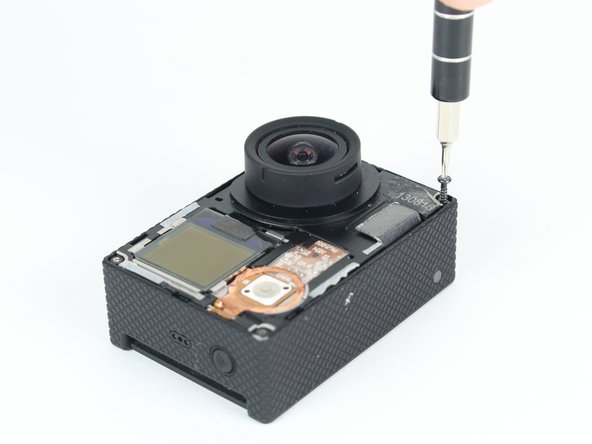
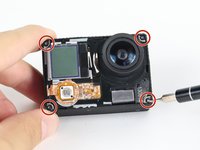
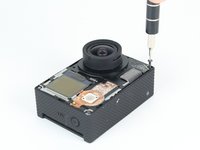
      • Now that the faceplate is off, it is time to remove the 4 screws on each corner.

      • Use the T4 tool bit from the iFixit toolkit in order to remove the 4 screws on each corner.

      Pergunte ao FixBot

      Comentar

    3. GoPro Hero 3 Silver Image Sensor Replacement: passo 5, imagem 1 %32 GoPro Hero 3 Silver Image Sensor Replacement: passo 5, imagem 2 %32
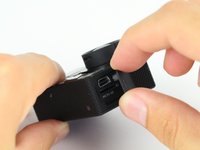
      • Note: Make sure you remove the door cover of the USB, mini HDMI, and SD port before. Separating the motherboard will be easier.

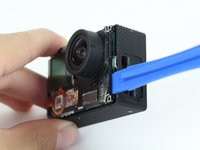
      • Using the plastic opening tool, slowly pry open the motherboard assembly.

      Pergunte ao FixBot

      Comentar

    4. GoPro Hero 3 Silver Image Sensor Replacement: passo 6, imagem 1 %32 GoPro Hero 3 Silver Image Sensor Replacement: passo 6, imagem 2 %32
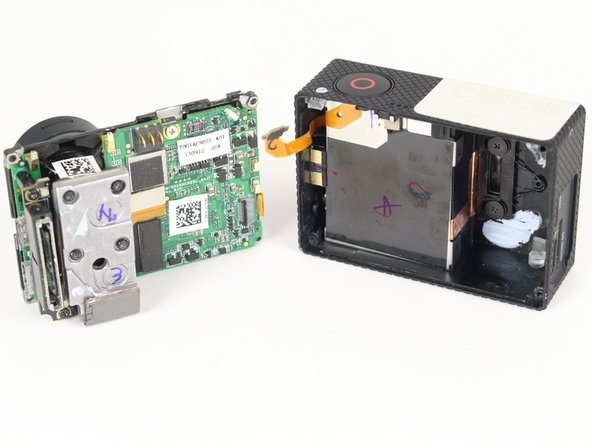
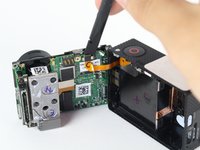
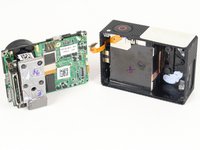
      • Use the spudger to gently pry off the connector of the housing to the motherboard.

      • You should now have the motherboard assembly and the housing separated.

      Pergunte ao FixBot

      Comentar

    5. GoPro Hero 3 Silver Image Sensor Replacement: passo 7, imagem 1 %32 GoPro Hero 3 Silver Image Sensor Replacement: passo 7, imagem 2 %32
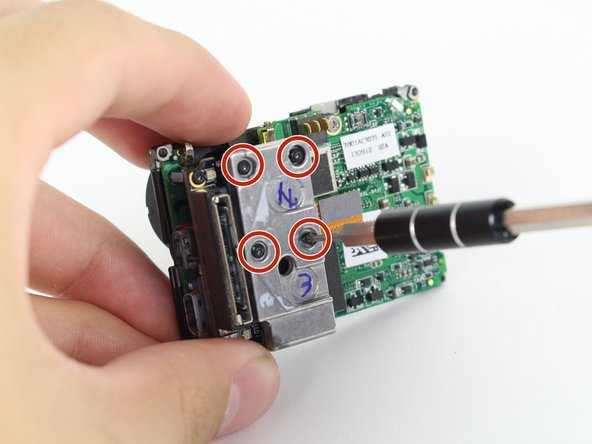
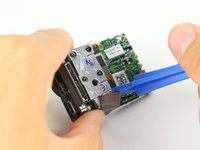
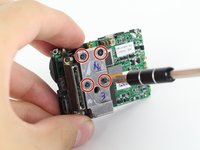
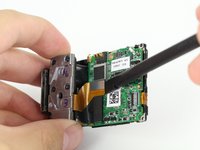
      • Use the spudger to remove the heat shield tape and detach the image sensor from the motherboard.

      • Using the T4 Torx toolbit, remove the 4 screws that connect the sensor to the lens.

      Pergunte ao FixBot

      Comentar

    6. GoPro Hero 3 Silver Image Sensor Replacement: passo 8, imagem 1 %32 GoPro Hero 3 Silver Image Sensor Replacement: passo 8, imagem 2 %32
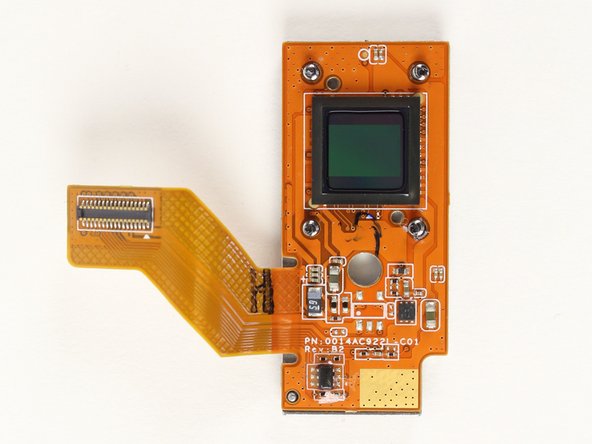
      • Remove the silver connector of the image sensor from the motherboard using the spudger to pry it off.

      • You should now be able to remove the image sensor by simply pulling it.

      Pergunte ao FixBot

      Comentar

Conclusão

To reassemble your device, follow these instructions in reverse order.

Cancelar: não concluí este guia.

2 outras pessoas executaram este guia.

Jose Villa

Membro desde: 04/01/15

297 Reputação

Autoria de 1 guia

Equipe

Cal Poly, Team 24-7, Lancaster Spring 2015 Membro de Cal Poly, Team 24-7, Lancaster Spring 2015

CPSU-LANCASTER-S15S24G7

3 Membros

Autoria de 21 guias

2Comentários do guia

After the sensor has been replaced, does the camera need any catibration?

enrilazaro - Responder Compartilhar

Your pictures are really dark.

Nick Ruiz - Responder Compartilhar

Comentar

Visualizações:

Últimas 24 horas: 0

Últimos 7 dias: 6

Últimos 30 dias: 36

Ao todo: 2,406