Introdução
If you can't connect to a wireless internet signal, a faulty wireless card is most likely the problem and you’ll have to replace it with a functioning one. This guide will provide you with the steps necessary to replace your old wireless card with a new one, so you can get back to surfing the web!
O que você precisa
-
-
Flip the device over onto its backside in order to access the battery.
 Pergunte ao FixBot
-
-
-
Locate the battery release latch and slide it over to the other side.
-
-
-
Grab the newly ejected battery from the device to completely remove it.
-
-
-
Remove 18 6.0 mm Phillips #00 screws from the bottom of the laptop.
-
Remove 5 6.0 mm Phillip #00 screws from under cover.
-
-
-
-
Remove three 2.9 mm Phillips #00 screws from the battery compartment.
-
-
-
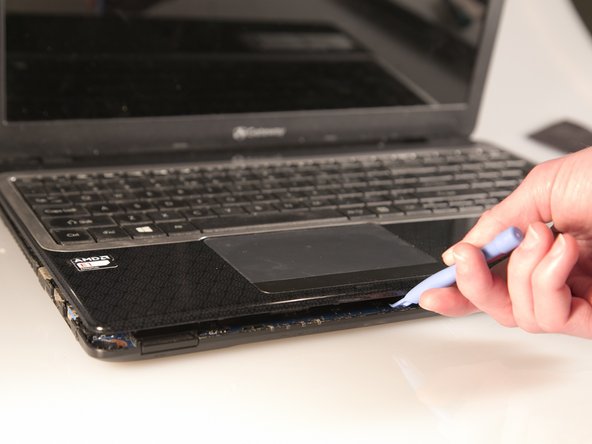
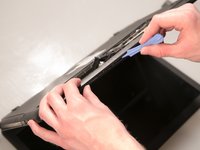
Separate the bottom panel from the touchpad assembly by inserting a plastic opening tool between them on all four sides.
-
-
Ferramenta utilizada neste passo:Tweezers$4.99
-
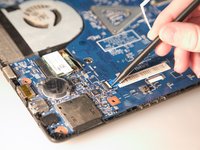
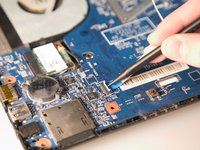
Pull black ribbon wire from port using tweezers in order to completely separate touchpad assembly from bottom assembly.
-
-
-
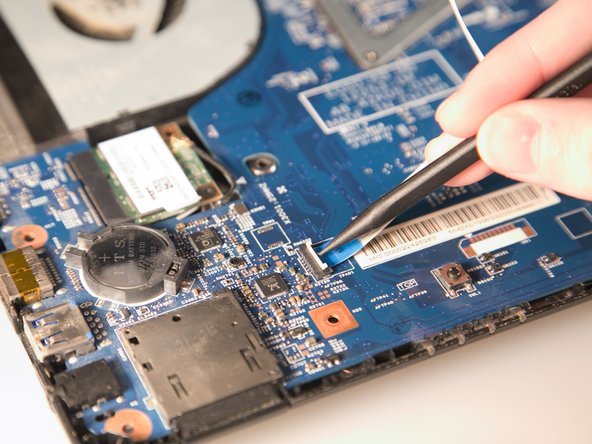
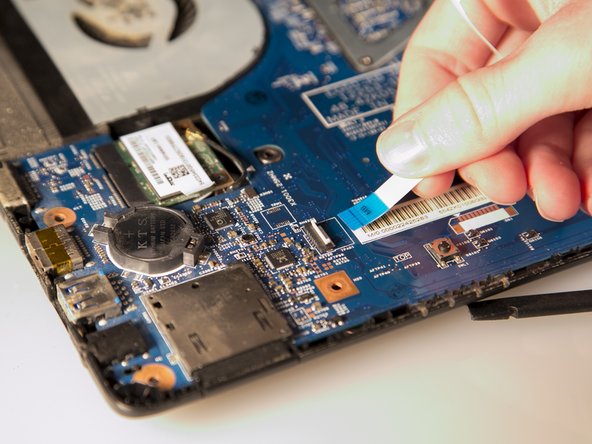
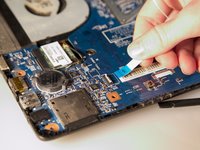
Disconnect the two ZIF ports that attach the touchpad assembly to the motherboard.
-
First flip open the flap covering the ribbon using a spudger or fingernail.
-
Second gently pull the ribbon away from the port.
-
-
Ferramenta utilizada neste passo:Tweezers$4.99
-
Grab the antenna cable with tweezers and lift up to pull it off.
-
-
-
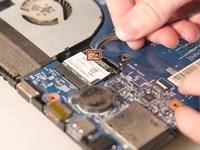
Remove the one 2.9 mm Phillips #00 screw holding down the wireless card in place.
-
-
-
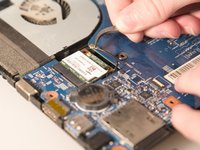
After the screw is removed, the card will spring upwards slightly. Pull out the old wireless card from its port.
-









To reassemble your device, follow these instructions in reverse order.

Equipe

Baylor, Team 2-1, Grigsby Spring 2015 Membro de Baylor, Team 2-1, Grigsby Spring 2015
BU-GRIGSBY-S15S2G1
4 Membros
Autoria de 10 guias
