Ir para o conteúdo principal
Participe da comunidade de reparos - Criar conta

Gateway NE52203u USB Port Replacement

O que você precisa

  1. Gateway NE52203u USB Port Replacement, Battery: passo 1, imagem 1 %32
    • Flip the device over onto its backside in order to access the battery.

    Pergunte ao FixBot
  2. Gateway NE52203u USB Port Replacement: passo 2, imagem 1 %32 Gateway NE52203u USB Port Replacement: passo 2, imagem 2 %32
    • Locate the battery release latch and slide it over to the other side.

    • A small tool like a pen or screwdriver may be helpful in sliding the latch to release the battery.

    Pergunte ao FixBot
  3. Gateway NE52203u USB Port Replacement: passo 3, imagem 1 %32
    • Grab the newly ejected battery from the device to completely remove it.

    • When reinserting the new battery, make sure the prongs on the battery are aligned with the corresponding holes on the laptop.

    Pergunte ao FixBot
  4. Gateway NE52203u USB Port Replacement, Touchpad Assembly: passo 4, imagem 1 %32 Gateway NE52203u USB Port Replacement, Touchpad Assembly: passo 4, imagem 2 %32
    • Remove 18 6.0 mm Phillips #00 screws from the bottom of the laptop.

    • Remove 5 6.0 mm Phillip #00 screws from under cover.

    Pergunte ao FixBot
  5. Gateway NE52203u USB Port Replacement: passo 5, imagem 1 %32
    • Remove three 2.9 mm Phillips #00 screws from the battery compartment.

    Pergunte ao FixBot
  6. Gateway NE52203u USB Port Replacement: passo 6, imagem 1 %32 Gateway NE52203u USB Port Replacement: passo 6, imagem 2 %32
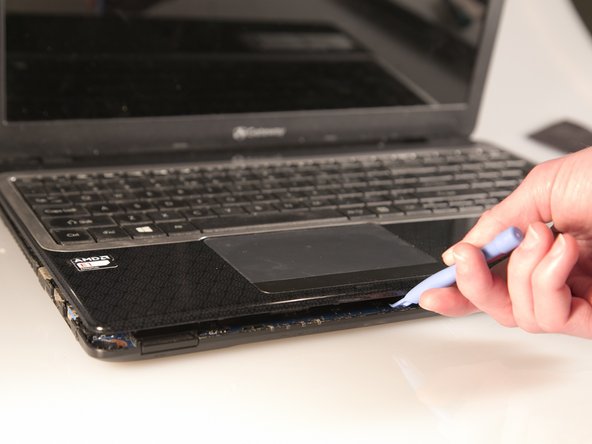
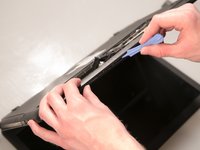
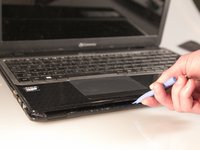
    • Separate the bottom panel from the touchpad assembly by inserting a plastic opening tool between them on all four sides.

    Pergunte ao FixBot
  7. Gateway NE52203u USB Port Replacement: passo 7, imagem 1 %32
    Ferramenta utilizada neste passo:
    Tweezers
    $4.99
    • Pull black ribbon wire from port using tweezers in order to completely separate touchpad assembly from bottom assembly.

    Pergunte ao FixBot
  8. Gateway NE52203u USB Port Replacement: passo 8, imagem 1 %32 Gateway NE52203u USB Port Replacement: passo 8, imagem 2 %32 Gateway NE52203u USB Port Replacement: passo 8, imagem 3 %32
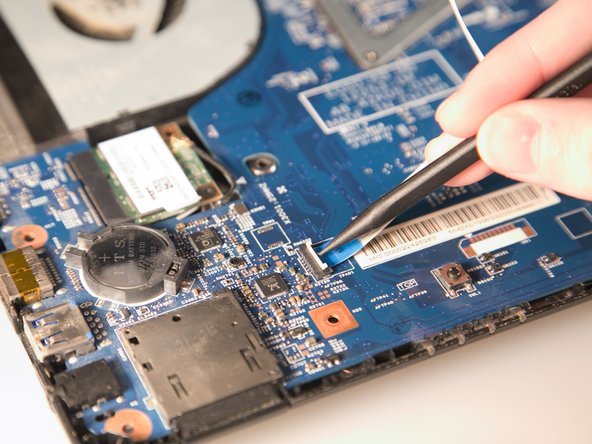
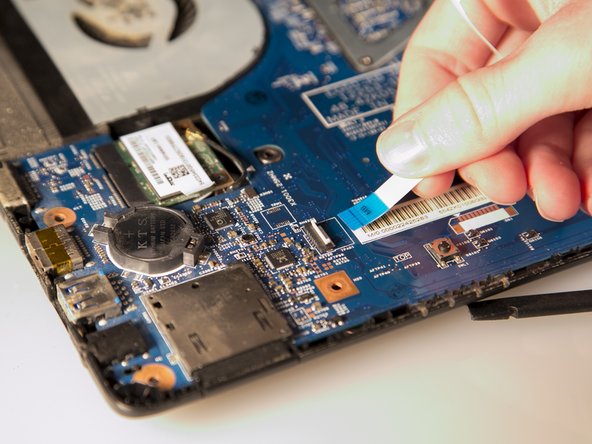
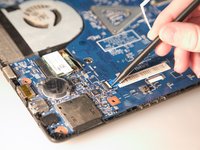
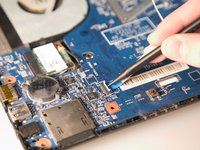
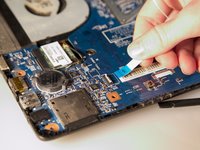
    • Disconnect the two ZIF ports that attach the touchpad assembly to the motherboard.

    • First flip open the flap covering the ribbon using a spudger or fingernail.

    • Second gently pull the ribbon away from the port.

    Pergunte ao FixBot
  9. Gateway NE52203u USB Port Replacement, USB Port: passo 9, imagem 1 %32 Gateway NE52203u USB Port Replacement, USB Port: passo 9, imagem 2 %32
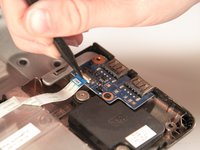
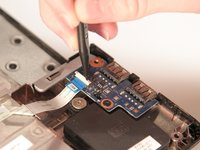
    • Using a spudger, pry the ZIF connector upwards.

    Pergunte ao FixBot
  10. Gateway NE52203u USB Port Replacement: passo 10, imagem 1 %32
    • Use your fingers to gently disconnect the ribbon wire from the USB circuit board.

    Pergunte ao FixBot
  11. Gateway NE52203u USB Port Replacement: passo 11, imagem 1 %32
    • Using a #00 Phillips head screwdriver, remove the 2.9 mm screw on the USB circuit board.

    Pergunte ao FixBot
  12. Gateway NE52203u USB Port Replacement: passo 12, imagem 1 %32
    • Finally, remove the old USB port.

    Pergunte ao FixBot
Conclusão

To reassemble your device, follow these instructions in reverse order.

3 outras pessoas executaram este guia.

Stephen Spees

Membro desde: 03/20/15

542 Reputação

Autoria de 4 guias

Equipe

Baylor, Team 2-1, Grigsby Spring 2015 Membro de Baylor, Team 2-1, Grigsby Spring 2015

BU-GRIGSBY-S15S2G1

4 Membros

Autoria de 10 guias

0Comentários do guia

Comentar

Visualizações:

Últimas 24 horas: 0

Últimos 7 dias: 4

Últimos 30 dias: 36

Ao todo: 890