Essa tradução foi gerada por um programa e ainda não foi revisada por uma pessoa. Falas essa língua? Dá uma olhada.
Introdução
A placa wireless regula a conectividade do laptop a redes sem fio para acesso à internet. Se o seu laptop estiver com problemas para conectar a uma rede wireless funcional, a placa wireless pode estar danificada e talvez precise ser substituída.
O que você precisa
-
-
-
Certifique-se de que o interruptor no canto superior direito do laptop esteja na posição "unlock" (em direção ao ícone de cadeado aberto).
 Pergunte ao FixBot
-
-
-
Puxe o interruptor no canto superior esquerdo do laptop em direção ao ícone de cadeado aberto.
-
Puxe a bateria com firmeza para fora e para longe do laptop.
-
-
-
-
-
-
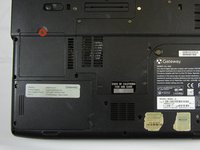
Afrouxe o parafuso Phillips #0 de 3 mm da parte traseira da placa de suporte da placa de rede Wi-Fi.
-
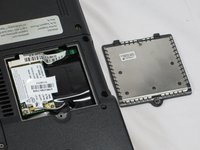
Puxe a placa de suporte para cima para removê-la.
-
-
-
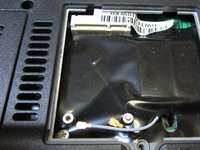
Use a Ferramenta de abertura para alavancar suavemente os dois cabos de conexão para cima e removê-los.
-
-
-
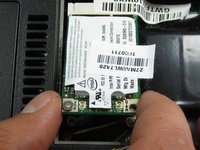
Segure a placa Wi-Fi pelos dois lados e puxe para fora para removê-la.
-
-




Para a remontagem de seu dispositivo, siga estas instruções na ordem inversa.

Equipe

Cal Poly, Team 6-2, Forte Spring 2014 Membro de Cal Poly, Team 6-2, Forte Spring 2014
CPSU-FORTE-S14S6G2
5 Membros
Autoria de 132 guias
