Ir para o conteúdo principal
Participe da comunidade de reparos - Criar conta

Garmin Nuvi 200 Display Replacement

O que você precisa

  1. Garmin Nuvi 200 Display Replacement, Rear Casing: passo 1, imagem 1 %32 Garmin Nuvi 200 Display Replacement, Rear Casing: passo 1, imagem 2 %32
    • Peel off the sticker from the bottom of the device to reveal two screws.

    Pergunte ao FixBot

    Comentar

  2. Garmin Nuvi 200 Display Replacement: passo 2, imagem 1 %32
    • Remove two T5 Torx screws.

    Pergunte ao FixBot

    Comentar

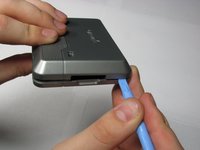
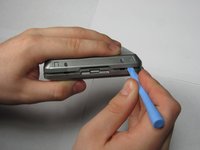
  3. Garmin Nuvi 200 Display Replacement: passo 3, imagem 1 %32 Garmin Nuvi 200 Display Replacement: passo 3, imagem 2 %32
    • Insert a plastic opening tool in the gap between the front and rear casing.

    • Carefully work the tool around the gap, separating the two halves of the case.

    • Keep the power switch in place while removing the rear case.

    Pergunte ao FixBot

    Comentar

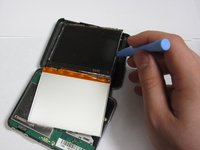
  4. Garmin Nuvi 200 Display Replacement, Display: passo 4, imagem 1 %32
    • Apply pressure to the tabs holding the screen in place with the plastic opening tool

    Pergunte ao FixBot

    Comentar

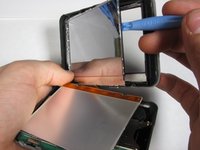
  5. Garmin Nuvi 200 Display Replacement: passo 5, imagem 1 %32 Garmin Nuvi 200 Display Replacement: passo 5, imagem 2 %32
    • Apply pressure to the same tabs again to remove the front of the screen.

    Pergunte ao FixBot

    Comentar

  6. Garmin Nuvi 200 Display Replacement: passo 6, imagem 1 %32 Garmin Nuvi 200 Display Replacement: passo 6, imagem 2 %32
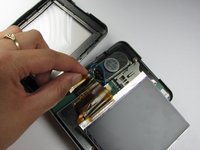
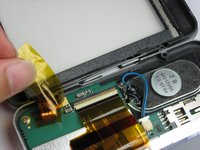
    • Peel away the material holding the ribbon cable in place.

    • Peeling the sticker halfway will allow you to access the ribbon cable. Removing it fully will allow you to detach the upper case from the lower case.

    Pergunte ao FixBot

    Comentar

  7. Garmin Nuvi 200 Display Replacement: passo 7, imagem 1 %32 Garmin Nuvi 200 Display Replacement: passo 7, imagem 2 %32
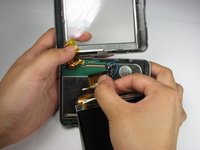
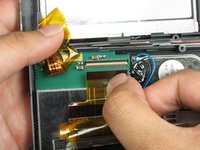
    • Disconnect the ribbon cable from the logic board.

    • Make sure to disconnect the cable from both ports.

    Pergunte ao FixBot

    Comentar

  8. Garmin Nuvi 200 Display Replacement: passo 8, imagem 1 %32 Garmin Nuvi 200 Display Replacement: passo 8, imagem 2 %32
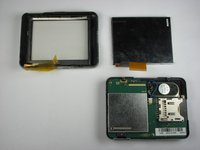
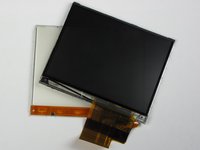
    • The display consists of two screens which are held together by the ribbon.

    Pergunte ao FixBot

    Comentar

Conclusão

To reassemble your device, follow these instructions in reverse order.

Cancelar: não concluí este guia.

4 outras pessoas executaram este guia.

Nick

Membro desde: 04/11/10

7 Reputação

Autoria de 1 guia

Equipe

Cal Poly, Team 25-90, Amido Spring 2010 Membro de Cal Poly, Team 25-90, Amido Spring 2010

CPSU-AMIDO-S10S25G90

4 Membros

Autoria de 9 guias

0Comentários do guia

Comentar

Visualizações:

Últimas 24 horas: 0

Últimos 7 dias: 8

Últimos 30 dias: 41

Ao todo: 11,358