Ir para o conteúdo principal
Participe da comunidade de reparos - Criar conta

Garmin Approach S2 Screen Replacement

O que você precisa

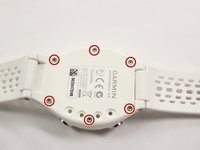
    1. Garmin Approach S2 Screen Replacement, Back Cover: passo 1, imagem 1 %32 Garmin Approach S2 Screen Replacement, Back Cover: passo 1, imagem 2 %32
      • Remove the six T5 Torx 6.32mm screws securing the back cover to the watch.

      Pergunte ao FixBot

      Comentar

    2. Garmin Approach S2 Screen Replacement: passo 2, imagem 1 %32
      • Remove the back cover carefully.

      • Even after the screws have been removed, the back cover can still be quite difficult to take off. Moderate to extensive prying may be required. Be gentle, but firm.

      Pergunte ao FixBot

      Comentar

    1. Garmin Approach S2 Screen Replacement, Water Proof Gasket: passo 3, imagem 1 %32
      • Remove the orange gasket.

      Pergunte ao FixBot

      Comentar

    1. Garmin Approach S2 Screen Replacement, Screen: passo 4, imagem 1 %32
      • Remove the screen and motherboard assembly from the case.

      Pergunte ao FixBot

      Comentar

    2. Garmin Approach S2 Screen Replacement: passo 5, imagem 1 %32
      • Use a metal spudger to remove the golden retaining clip from the screen. There will be some adhesive to break.

      Pergunte ao FixBot

      Comentar

    3. Garmin Approach S2 Screen Replacement: passo 6, imagem 1 %32
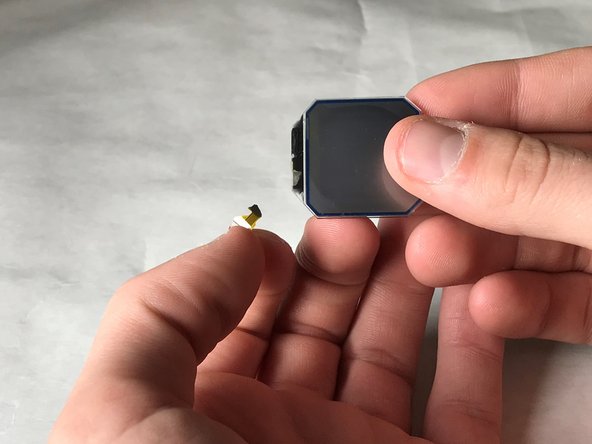
      • Remove the screen from the golden metal clip.

      Pergunte ao FixBot

      Comentar

    4. Garmin Approach S2 Screen Replacement: passo 7, imagem 1 %32
      • Unhinge the black retaining hinge by prying it open with the metal spudger; Your fingernails will work as well.

      Pergunte ao FixBot

      Comentar

    5. Garmin Approach S2 Screen Replacement: passo 8, imagem 1 %32 Garmin Approach S2 Screen Replacement: passo 8, imagem 2 %32
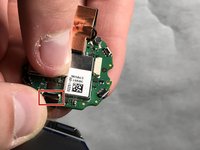
      • Remove the connector from the motherboard by pulling it free at the base.

      • Make sure to pull from the base of the connector wire, as it is very easy to rip the wire from the screen.

      Pergunte ao FixBot

      Comentar

    6. Garmin Approach S2 Screen Replacement: passo 9, imagem 1 %32
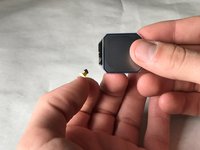
      • Remove the screen from the motherboard.

      • Notice our tape retaining the connector to the screen. This is so easy to rip!

      Pergunte ao FixBot

      Comentar

Conclusão

To reassemble your device, follow these instructions in reverse order.

Cancelar: não concluí este guia.

Uma outra pessoa concluiu este guia.

Evan Miller

Membro desde: 03/21/18

250 Reputação

Autoria de 2 guias

Equipe

IUPUI, Team S4-G1, Baechle Spring 2018 Membro de IUPUI, Team S4-G1, Baechle Spring 2018

IUPUI-BAECHLE-S18S4G1

3 Membros

Autoria de 5 guias

0Comentários do guia

Comentar

Visualizações:

Últimas 24 horas: 0

Últimos 7 dias: 5

Últimos 30 dias: 17

Ao todo: 1,138