Ir para o conteúdo principal
Participe da comunidade de reparos - Criar conta

Fujitsu Lifebook S6120 PCI Adapter Replacement

O que você precisa

  1. Fujitsu Lifebook S6120 PCI Adapter Replacement, Battery: passo 1, imagem 1 %32 Fujitsu Lifebook S6120 PCI Adapter Replacement, Battery: passo 1, imagem 2 %32 Fujitsu Lifebook S6120 PCI Adapter Replacement, Battery: passo 1, imagem 3 %32
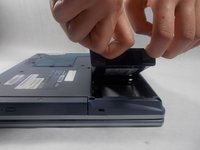
    • To prevent injury, make sure the laptop is unplugged and turned off before removing the battery.

    • Push the two tabs in towards the laptop.

    • Lift the battery up and out from the frame of the laptop.

  2. Fujitsu Lifebook S6120 PCI Adapter Replacement, Hinge Cover: passo 2, imagem 1 %32 Fujitsu Lifebook S6120 PCI Adapter Replacement, Hinge Cover: passo 2, imagem 2 %32
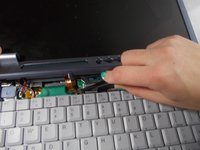
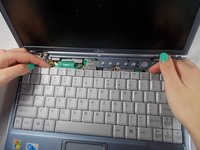
    • Use a plastic opening tool to lift the back of the hinge cover on the left and right sides of the computer.

  3. Fujitsu Lifebook S6120 PCI Adapter Replacement: passo 3, imagem 1 %32
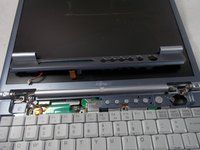
    • Lift the hinge cover.

    • The hinge cover is connected to the motherboard by a ribbon cable. To prevent damage, lift hinge cover slowly.

  4. Fujitsu Lifebook S6120 PCI Adapter Replacement: passo 4, imagem 1 %32 Fujitsu Lifebook S6120 PCI Adapter Replacement: passo 4, imagem 2 %32 Fujitsu Lifebook S6120 PCI Adapter Replacement: passo 4, imagem 3 %32
    Ferramenta utilizada neste passo:
    Tweezers
    $4.99
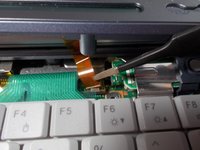
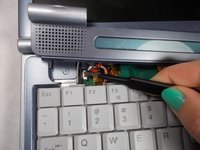
    • Use the tweezers to disconnect the ribbon cable from the motherboard.

  5. Fujitsu Lifebook S6120 PCI Adapter Replacement: passo 5, imagem 1 %32 Fujitsu Lifebook S6120 PCI Adapter Replacement: passo 5, imagem 2 %32 Fujitsu Lifebook S6120 PCI Adapter Replacement: passo 5, imagem 3 %32
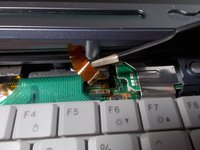
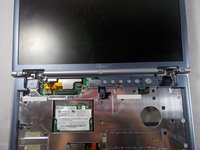
    • With the tweezers detach hinge cover cables from the motherboard.

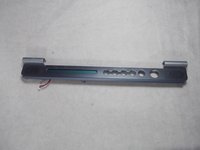
    • Remove hinge cover.

  6. Fujitsu Lifebook S6120 PCI Adapter Replacement, Keyboard: passo 6, imagem 1 %32 Fujitsu Lifebook S6120 PCI Adapter Replacement, Keyboard: passo 6, imagem 2 %32 Fujitsu Lifebook S6120 PCI Adapter Replacement, Keyboard: passo 6, imagem 3 %32
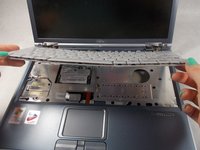
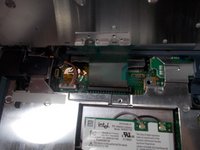
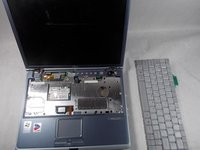
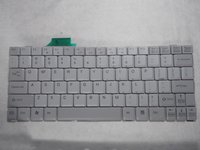
    • Lift keyboard enough to show the ribbon cable.

    • The keyboard has a ribbon cable attached to the motherboard. Lift keyboard carefully to prevent damage.

  7. Fujitsu Lifebook S6120 PCI Adapter Replacement: passo 7, imagem 1 %32 Fujitsu Lifebook S6120 PCI Adapter Replacement: passo 7, imagem 2 %32 Fujitsu Lifebook S6120 PCI Adapter Replacement: passo 7, imagem 3 %32
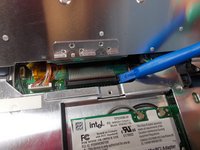
    • Use a plastic opening tool to release the ribbon cable from the motherboard.

  8. Fujitsu Lifebook S6120 PCI Adapter Replacement, PCI Adapter: passo 8, imagem 1 %32 Fujitsu Lifebook S6120 PCI Adapter Replacement, PCI Adapter: passo 8, imagem 2 %32 Fujitsu Lifebook S6120 PCI Adapter Replacement, PCI Adapter: passo 8, imagem 3 %32
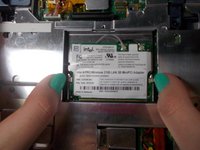
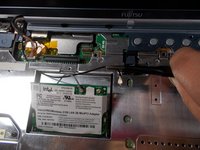
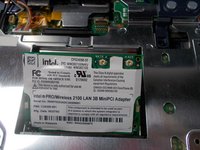
    • Push the secure clips outward.

    • The Adapter should pop up.

  9. Fujitsu Lifebook S6120 PCI Adapter Replacement: passo 9, imagem 1 %32 Fujitsu Lifebook S6120 PCI Adapter Replacement: passo 9, imagem 2 %32 Fujitsu Lifebook S6120 PCI Adapter Replacement: passo 9, imagem 3 %32
    Ferramenta utilizada neste passo:
    Tweezers
    $4.99
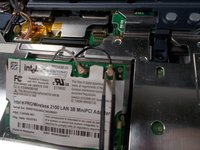
    • Use tweezers to remove the wires from the Adapter.

  10. Fujitsu Lifebook S6120 PCI Adapter Replacement: passo 10, imagem 1 %32 Fujitsu Lifebook S6120 PCI Adapter Replacement: passo 10, imagem 2 %32
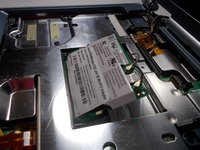
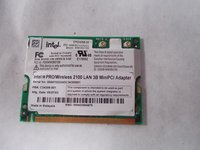
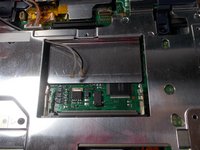
    • Take out the Adapter and carefully pull the wires out from the metal casing.

Conclusão

To reassemble your device, follow these instructions in reverse order.

Equipe

1Comentário do guia

Je suis vraiment intéressé merci.

Ravi de la leçon.

Jean Fella - Responder Compartilhar

Comentar

Visualizações:

Últimas 24 horas: 0

Últimos 7 dias: 12

Últimos 30 dias: 49

Ao todo: 1,235