Introdução
This guide will teach you how to access the motherboard in order to replace the Ethernet ports.
O que você precisa
-
-
Ferramenta utilizada neste passo:Tweezers$4.99
-
Remove the antennas by unscrewing them from the base.
-
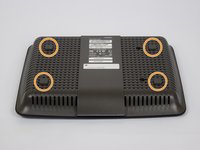
Flip over the device and locate the four rubber feet on the bottom.
-
Remove the rubber feet with tweezers
 Pergunte ao FixBot
-
-
-
Remove the 0.4cm head screws from each slot with the #1 Phillips head Screwdriver.
-
-
-
-
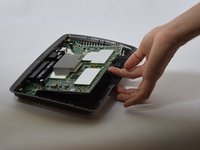
Use a blue plastic opening tool to remove the top cover.
-
Move the blue plastic opening tool gently underneath the top cover from side to side.
-
-
-
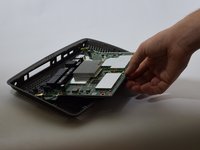
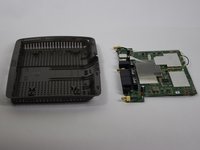
Gently lift the motherboard and remove it from the case
-
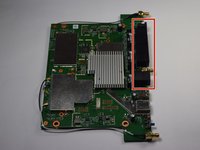
Put the motherboard over a (preferably white) surface.
-
-
-
-
-
Locate the Ethernet ports
-
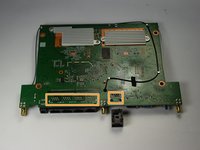
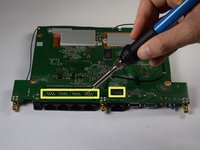
Flip the motherboard and locate the 40 solder points corresponding to the Ethernet ports
-
Melt the 40 solder points using a soldering gun.
-
-
-
Hold the motherboard down and use the spudger to remove the Ethernet Ports.
-
-







To reassemble your device, follow these instructions in reverse order.
Cancelar: não concluí este guia.
6 outras pessoas executaram este guia.

Equipe

USF Tampa, Team 11-1, Blackwell Fall 2016 Membro de USF Tampa, Team 11-1, Blackwell Fall 2016
USFT-BLACKWELL-F16S11G1
4 Membros
Autoria de 24 guias
1Comentário do guia
Can you make a guide to replace the antenna base connector, mine get broken at the base, I wonder if it is possible to make the cable connection directly to the antenna, does that could work?
