Introdução
The lamp is a major component in the Epson PowerLite 83+ projector and could be the cause of multiple issues. The process of replacing the lamp is relatively basic as it just involves removing the lamp cover and removing the lamp from within the case. This process can also be used for re-seating the lamp if it is needed.
Before beginning this repair, be sure to to turn off the projector and unplug the device from the power source. Allow the projector to cool for an hour if it has been just been used recently as well.
O que você precisa
-
-
Turn off and unplug the projector.
-
Allow the projector to cool for an hour before performing maintenance on it.
 Pergunte ao FixBot
-
-
-
-
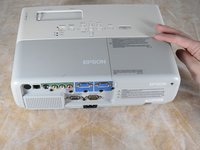
Apply gentle pressure to the end of the lamp cover.
-
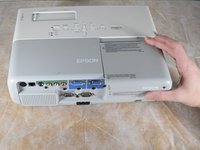
Pull the lamp cover towards the end of the projector.
-
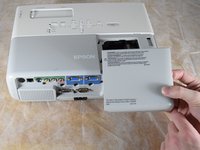
When the cover is released, pull the cover straight up off of the projector to reveal the lamp.
-
-
-
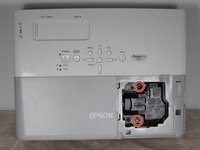
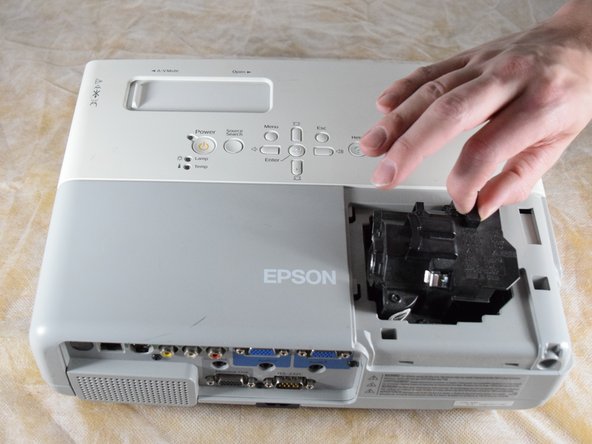
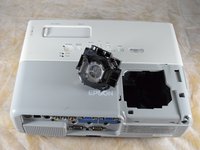
Gently grip the lamp by the finger hold.
-
Remove the lamp by pulling it off the guide rail, straight out of the projector.
-






To reassemble your device, follow these instructions in reverse order.
Cancelar: não concluí este guia.
2 outras pessoas executaram este guia.

Equipe

Clemson, Team 2-4, Hunter Spring 2022 Membro de Clemson, Team 2-4, Hunter Spring 2022
CLEM-HUNTER-S22S2G4
4 Membros
Autoria de 6 guias
