Essa tradução foi gerada por um programa e ainda não foi revisada por uma pessoa. Falas essa língua? Dá uma olhada.
Introdução
O D-Pad é fundamental para muitas experiências de jogo e, devido ao uso, pode começar a falhar com o tempo. Este guia instruirá o membro no processo de substituição do D-Pad para o EasySMX-15.
O que você precisa
-
-
-
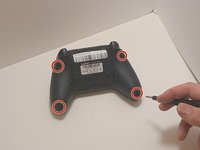
Use uma chave Phillips #00 para remover os quatro parafusos de 9 mm da parte inferior do EasySMX X15.
-
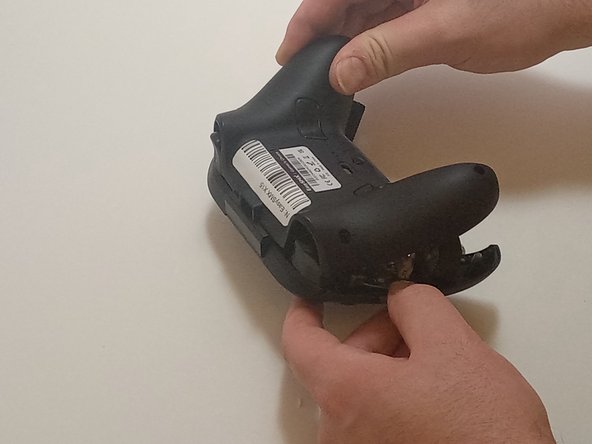
Use uma ferramenta de abertura para forçar suavemente as juntas do controle para separar as carcaças inferior e superior.
 Pergunte ao FixBot
-
-
-
-
-
Desconecte os cabos do motor de vibração dos conectores na placa de circuito.
-
Use uma chave Phillips #00 para remover seis parafusos de 6 mm da placa.
-
-
-
-
Levante a placa com cuidado para afastá-la da carcaça superior, manobrando-a ao redor dos gatilhos e levantando-a pela parte inferior, para longe da carcaça superior.
-
-
-
-
-
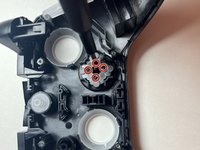
Use a chave Phillips #00 para remover os quatro parafusos Phillips de 4 mm que prendem o D-pad à carcaça do controle.
-
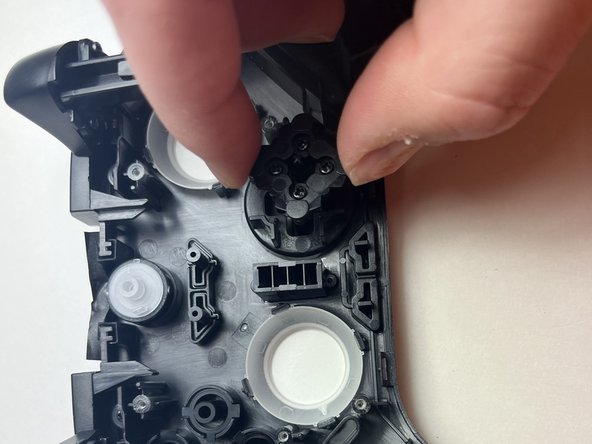
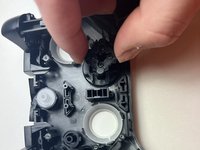
Levante a parte traseira do D-pad, junto com a membrana, para removê-los do controle.
-
Levante a carcaça, permitindo que o D-pad se solte da parte superior da estrutura.
-
-



Para a remontagem de seu dispositivo, siga estas instruções na ordem inversa.

Equipe

Austin Community College, Team 7-3, Watkins Fall 2024 Membro de Austin Community College, Team 7-3, Watkins Fall 2024
AUSTINCC-WATKINS-F24S7G3
3 Membros
Autoria de 77 guias
