Ir para o conteúdo principal
Participe da comunidade de reparos - Criar conta

Disassembling VTech MobiGo Touch Learning System Screen Enclosure

O que você precisa

  1. Disassembling VTech MobiGo Touch Learning System Screen Enclosure, Case: passo 1, imagem 1 %32
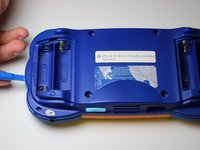
    • Remove the battery covers and the four batteries.

    Pergunte ao FixBot

    Comentar

  2. Disassembling VTech MobiGo Touch Learning System Screen Enclosure: passo 2, imagem 1 %32 Disassembling VTech MobiGo Touch Learning System Screen Enclosure: passo 2, imagem 2 %32
    • Remove the four plastic caps with a metal spudger to expose the 6.0 mm Philips JIS #0 case screws.

    • Remove the eight 6.0 mm JIS #0 case screws.

    Pergunte ao FixBot

    Comentar

  3. Disassembling VTech MobiGo Touch Learning System Screen Enclosure: passo 3, imagem 1 %32 Disassembling VTech MobiGo Touch Learning System Screen Enclosure: passo 3, imagem 2 %32
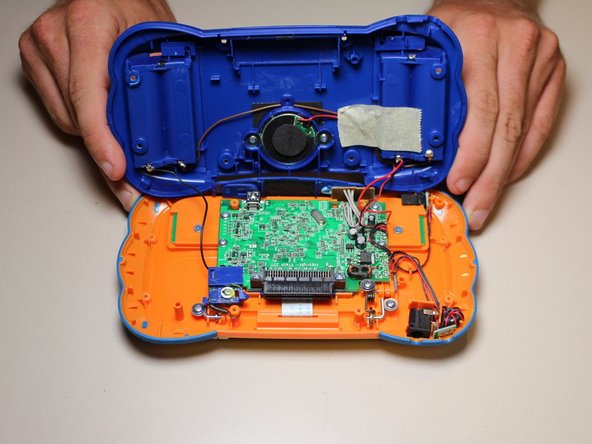
    • Using a plastic opening tool, separate the two pieces of the case carefully.

    Pergunte ao FixBot

    Comentar

  4. Disassembling VTech MobiGo Touch Learning System Screen Enclosure, Disassembling VTech MobiGo Touch Learning System Screen Enclosure: passo 4, imagem 1 %32
    • Remove the three 4.0 mm Philips J0 screws holding the "L" shaped brackets in place.

    Pergunte ao FixBot

    Comentar

  5. Disassembling VTech MobiGo Touch Learning System Screen Enclosure: passo 5, imagem 1 %32
    • Remove the three "L" shaped brackets and the spring.

    Pergunte ao FixBot

    Comentar

  6. Disassembling VTech MobiGo Touch Learning System Screen Enclosure: passo 6, imagem 1 %32
    • Flip the device over and remove the three 4.0 mm Philips J0 case screws.

    Pergunte ao FixBot

    Comentar

  7. Disassembling VTech MobiGo Touch Learning System Screen Enclosure: passo 7, imagem 1 %32
    • Separate the front and back of the case.

    • Use a plastic opening tool if necessary.

    Pergunte ao FixBot

    Comentar

Conclusão

To reassemble your device, follow these instructions in reverse order.

Cancelar: não concluí este guia.

2 outras pessoas executaram este guia.

Daniel Kresge

Membro desde: 09/01/15

385 Reputação

Autoria de 4 guias

Equipe

USF Tampa, Team 8-3, Eyestone Fall 2015 Membro de USF Tampa, Team 8-3, Eyestone Fall 2015

USFT-EYESTONE-F15S8G3

3 Membros

Autoria de 17 guias

1Comentário do guia

Does anyone know what company in china sells the touch screen replacement?

Anthony Shaw - Responder Compartilhar

Comentar

Visualizações:

Últimas 24 horas: 1

Últimos 7 dias: 8

Últimos 30 dias: 43

Ao todo: 2,723