Essa tradução foi gerada por um programa e ainda não foi revisada por uma pessoa. Falas essa língua? Dá uma olhada.
Introdução
Precisa acessar os componentes internos do seu ASUS VG248? Este é um guia que mostra como remover o quadro e abrir a tela.
O que você precisa
-
-
-
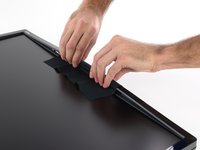
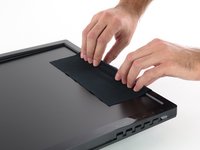
Quatro capas emborrachadas escondem quatro parafusos na parte traseira do monitor.
-
Remova as capas de plástico com uma ferramenta rígida e pontiaguda, como uma espátula de metal.
 Pergunte ao FixBot
-
-
-
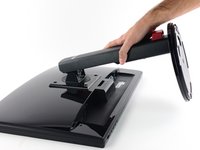
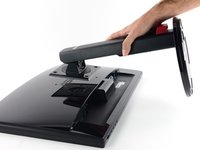
Remova os quatro parafusos Phillips #1 de 13,4 mm que prendem o suporte do monitor.
-
-
-
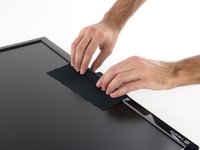
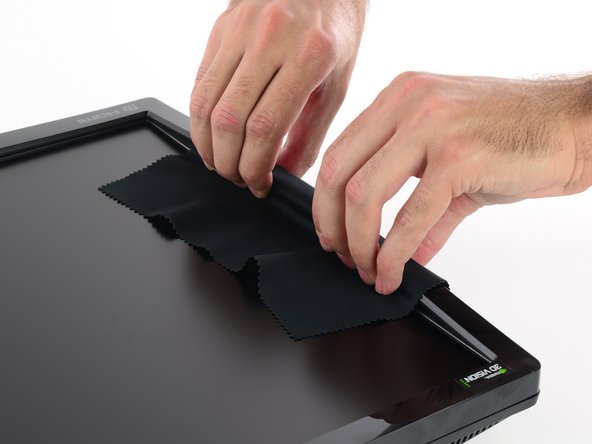
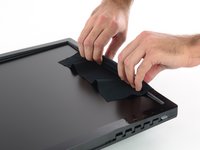
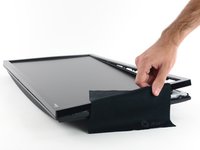
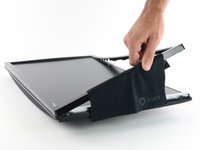
Coloque o pano sobre uma das bordas longas da tela.
-
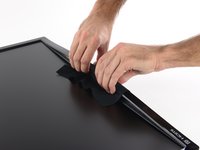
Segure a lateral do bisel através do pano e puxe diretamente para cima. Alguns clipes no centro se soltarão.
-
-
-
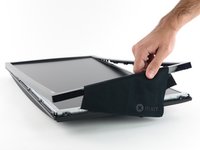
Repita o procedimento ao redor da tela, levantando o centro do próximo lado.
-
-
-
-
Segure o centro do lado final e levante o bisel para longe da carcaça traseira.
-
-
-
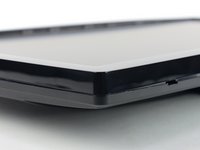
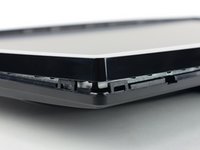
Agora que você liberou o centro dos quatro lados, é hora de passar para os cantos.
-
-
Ferramenta utilizada neste passo:Jimmy$7.95
-
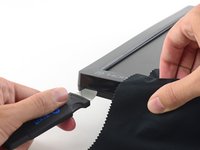
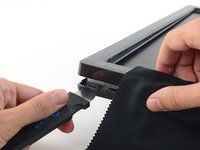
Usando uma ferramenta de alavanca rígida e fina, como o Jimmy, pressione o clipe inferior no canto inferior esquerdo (abaixo do logotipo HDMI).
-
Enquanto pressiona o clipe para dentro, puxe a borda inferior do bisel para cima. O canto inteiro deve se soltar.
-
-
-
Assim que liberar um canto, você deverá conseguir torcer levemente o bisel para removê-lo, liberando todos os cantos restantes.
-
Se algum canto estiver particularmente difícil, repita o passo anterior no local com resistência.
-
-
-
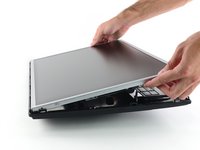
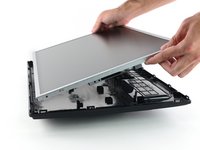
Com a carcaça removida, você agora tem acesso à placa de botões, aos cabos e à estrutura sobre os componentes da placa-mãe.
-
-


















Para a remontagem de seu dispositivo, siga estas instruções na ordem inversa.
Cancelar: não concluí este guia.
24 outras pessoas executaram este guia.


11Comentários do guia
Do you know of any place that sell the replacement lcd screen?
Hi there, I have a little thunderbug trapped in the LCD is it possible to take the metal casing at the front of to reomve said bug? Thanks
You could yes, but be very careful NOT to introduce dust into the panel!
Hi. A really small bug got stuck within my screen and I accidentally squished it so now it’s dead in there and I want to clean it. How would I remove the top layer of the screen? Because from what I can see it seems like it got squished between the glass and the actual LCD screen itself.
Me too, same issue, a very small bug I thaught was outside, acutally was inside and I squeezed it. It's very small but the dot is disturbing.
Is it possibile to take a part the layers of the LCD screen?
I have an ASUS PA248
Thank you
