Ir para o conteúdo principal
Participe da comunidade de reparos - Criar conta

Dell Vostro 1710 Keyboard Replacement

O que você precisa

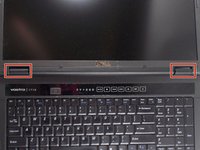
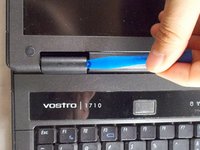
  1. Dell Vostro 1710 Keyboard Replacement, Battery: passo 1, imagem 1 %32 Dell Vostro 1710 Keyboard Replacement, Battery: passo 1, imagem 2 %32
    • Make certain that the power to your laptop is off.

    • Press and slide the two buttons outwards and away from the battery.

    Pergunte ao FixBot
  2. Dell Vostro 1710 Keyboard Replacement: passo 2, imagem 1 %32
    • Slide the battery away and parallel from the laptop.

    Pergunte ao FixBot
  3. Dell Vostro 1710 Keyboard Replacement: passo 3, imagem 1 %32
    • Remove the battery from the slot.

    Pergunte ao FixBot
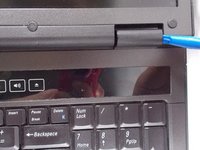
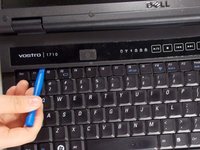
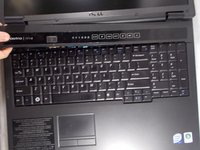
  4. Dell Vostro 1710 Keyboard Replacement, Keyboard: passo 4, imagem 1 %32 Dell Vostro 1710 Keyboard Replacement, Keyboard: passo 4, imagem 2 %32 Dell Vostro 1710 Keyboard Replacement, Keyboard: passo 4, imagem 3 %32
    • Use the plastic opening tool to loosen the plastic hinge cover that is located above the keyboard.

    Pergunte ao FixBot
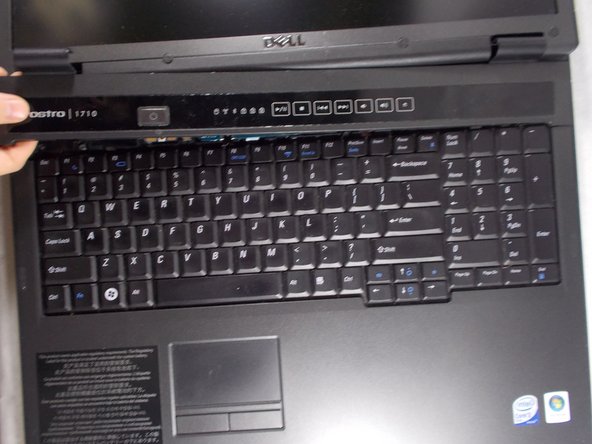
  5. Dell Vostro 1710 Keyboard Replacement: passo 5, imagem 1 %32 Dell Vostro 1710 Keyboard Replacement: passo 5, imagem 2 %32
    • Remove plastic hinge cover by gently lifting up the cover with a plastic opening tool from one side to the other.

    Pergunte ao FixBot
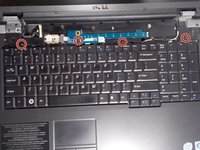
  6. Dell Vostro 1710 Keyboard Replacement: passo 6, imagem 1 %32 Dell Vostro 1710 Keyboard Replacement: passo 6, imagem 2 %32
    • Remove the four 3mm Philips #1 head screws.

    Pergunte ao FixBot
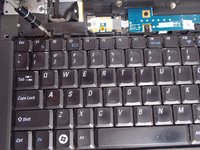
  7. Dell Vostro 1710 Keyboard Replacement: passo 7, imagem 1 %32 Dell Vostro 1710 Keyboard Replacement: passo 7, imagem 2 %32
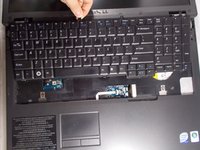
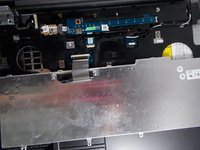
    • Gently lift up the keyboard to remove.

    • Flip it over as it shown in the picture.

    Pergunte ao FixBot
  8. Dell Vostro 1710 Keyboard Replacement: passo 8, imagem 1 %32 Dell Vostro 1710 Keyboard Replacement: passo 8, imagem 2 %32
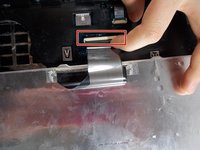
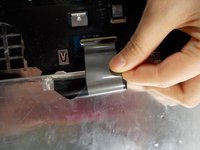
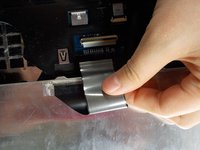
    • Lift the black tab that the keyboard is plugged into.

    Pergunte ao FixBot
  9. Dell Vostro 1710 Keyboard Replacement: passo 9, imagem 1 %32 Dell Vostro 1710 Keyboard Replacement: passo 9, imagem 2 %32
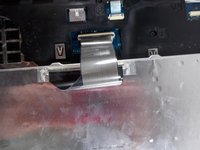
    • Pull directly outwards to remove the keyboard completely.

    Pergunte ao FixBot
Conclusão

To reassemble your device, follow these instructions in reverse order.

Tangxiao Sun

Membro desde: 03/19/18

496 Reputação

Autoria de 4 guias

Equipe

0Comentários do guia

Comentar

Visualizações:

Últimas 24 horas: 2

Últimos 7 dias: 8

Últimos 30 dias: 38

Ao todo: 945