Ir para o conteúdo principal
Participe da comunidade de reparos - Criar conta

Dell Studio 1537 Hard Drive Replacement

O que você precisa

    1. Dell Studio 1537 Hard Drive Replacement, Battery: passo 1, imagem 1 %32 Dell Studio 1537 Hard Drive Replacement, Battery: passo 1, imagem 2 %32
      • Ensure the laptop is turned off and unplugged before attempting to remove any piece.

      • Place the laptop lid down so the underside is visible.

      • Pull battery release switch and gently pull the battery directly away from the switch.

      Pergunte ao FixBot

      Comentar

    1. Dell Studio 1537 Hard Drive Replacement, Back Cover: passo 2, imagem 1 %32
      • Identify the back cover of the laptop.

      Pergunte ao FixBot

      Comentar

    2. Dell Studio 1537 Hard Drive Replacement: passo 3, imagem 1 %32
      • Unscrew and remove all of the 6.0mm screws with a Phillips #1 screwdriver.

      Pergunte ao FixBot

      Comentar

    3. Dell Studio 1537 Hard Drive Replacement: passo 4, imagem 1 %32
      • Lift the back cover off of the laptop.

      Pergunte ao FixBot

      Comentar

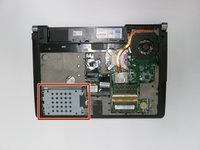
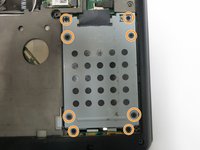
    1. Dell Studio 1537 Hard Drive Replacement, Hard Drive: passo 5, imagem 1 %32 Dell Studio 1537 Hard Drive Replacement, Hard Drive: passo 5, imagem 2 %32
      • Unscrew all of the 6.0 mm screws with a Phillips #1 screwdriver holding the hard drive cage on the computer.

      Pergunte ao FixBot

      Comentar

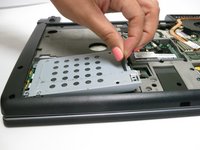
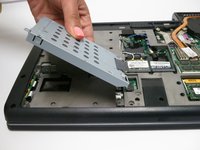
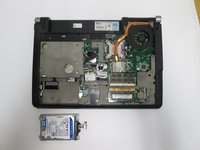
    2. Dell Studio 1537 Hard Drive Replacement: passo 6, imagem 1 %32 Dell Studio 1537 Hard Drive Replacement: passo 6, imagem 2 %32
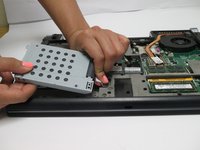
      • Lift the hard drive cage out of the laptop.

      Pergunte ao FixBot

      Comentar

    3. Dell Studio 1537 Hard Drive Replacement: passo 7, imagem 1 %32 Dell Studio 1537 Hard Drive Replacement: passo 7, imagem 2 %32 Dell Studio 1537 Hard Drive Replacement: passo 7, imagem 3 %32
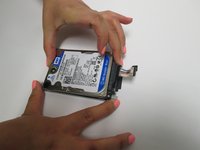
      • Pull tab to unplug the drive from the computer

      • Pull the hard drive out of the hard drive tray.

      Pergunte ao FixBot

      Comentar

Conclusão

To reassemble your device, follow these instructions in reverse order.

Cancelar: não concluí este guia.

3 outras pessoas executaram este guia.

Zach Dylag

Membro desde: 03/24/15

575 Reputação

Autoria de 4 guias

Equipe

Baylor, Team 6-2, Shaver Spring 2015 Membro de Baylor, Team 6-2, Shaver Spring 2015

BU-SHAVER-S15S6G2

3 Membros

Autoria de 4 guias

1Comentário do guia

Straightforward process with step by step guide. Thank you Zach.

Katharine Church - Responder Compartilhar

Comentar

Visualizações:

Últimas 24 horas: 0

Últimos 7 dias: 3

Últimos 30 dias: 25

Ao todo: 2,827