Introdução
Use this guide to help you replace the RAM in a Dell Inspiron 1305.
O que você precisa
-
-
Flip the laptop over.
-
Locate the battery release switch on the bottom of the laptop.
 Pergunte ao FixBot
-
-
-
Slide the battery release switch away from the lock symbol until you hear the battery click.
-
Slide the battery towards the back of the laptop until it comes free.
-
-
-
-
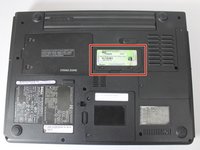
Locate the RAM access door.
-
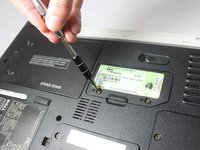
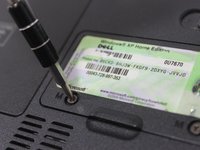
Remove the two 5.5mm screws securing the RAM access door with a #00 Phillips screwdriver.
-
-
-
Using your fingers, open and remove the access door from the laptop, exposing the RAM underneath.
-
-
-
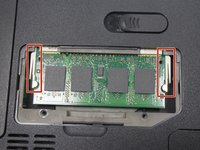
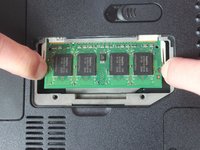
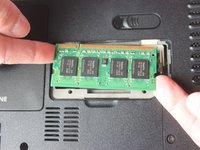
To access the RAM, push out the latches outward on the left and right of the RAM.
-
To remove the memory card, pull it out of the tray with the latches still stretched out.
-




To reassemble your device, follow these instructions in reverse order.
Cancelar: não concluí este guia.
Uma outra pessoa concluiu este guia.

Equipe

Texas Tech, Team S8-G3, Bennett Spring 2017 Membro de Texas Tech, Team S8-G3, Bennett Spring 2017
TTU-BENNETT-S17S8G3
3 Membros
Autoria de 5 guias
