Ir para o conteúdo principal
Participe da comunidade de reparos - Criar conta

Dell Inspiron 1545 Keyboard Replacement

O que você precisa

  1. Dell Inspiron 1545 Keyboard Replacement, Battery: passo 1, imagem 1 %32
    • Before attempting to remove the battery ensure that the laptop is disconnected from all power sources and turned off.

    • Turn the laptop over to its back.

    Pergunte ao FixBot
  2. Dell Inspiron 1545 Keyboard Replacement: passo 2, imagem 1 %32
    • Slide the release latch while simultaneously pulling backwards on the battery.

    Pergunte ao FixBot
  3. Dell Inspiron 1545 Keyboard Replacement: passo 3, imagem 1 %32
    • Slide the battery out of the battery bay.

    Pergunte ao FixBot
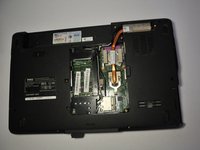
  4. Dell Inspiron 1545 Keyboard Replacement, Base Cover: passo 4, imagem 1 %32
    • Unscrew the four screws (3mm Phillips #1) that hold the base cover in place.

    • The top 3 screws are "captive" (held in by a retaining ring) and will not come out.

    Pergunte ao FixBot
  5. Dell Inspiron 1545 Keyboard Replacement: passo 5, imagem 1 %32 Dell Inspiron 1545 Keyboard Replacement: passo 5, imagem 2 %32
    • Carefully lift the base cover vertically away from the laptop.

    Pergunte ao FixBot
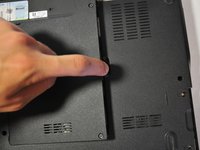
  6. Dell Inspiron 1545 Keyboard Replacement, Center Control Cover: passo 6, imagem 1 %32
    • After removing the battery, remove the two screws (3mm Phillips #1) beneath it. These screws hold the Center Control Cover in place.

    Pergunte ao FixBot
  7. Dell Inspiron 1545 Keyboard Replacement: passo 7, imagem 1 %32
    • Flip the laptop over to the front and open the display as far as possible.

    Pergunte ao FixBot
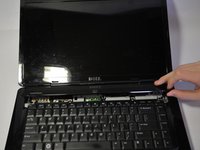
  8. Dell Inspiron 1545 Keyboard Replacement: passo 8, imagem 1 %32 Dell Inspiron 1545 Keyboard Replacement: passo 8, imagem 2 %32 Dell Inspiron 1545 Keyboard Replacement: passo 8, imagem 3 %32
    • The Center Control Cover is VERY fragile, be careful when using prying tools.

    • Pry the Center Control Cover from the laptop. On the right there is a small divot, it is advised that you start removing the panel from here.

    • Carefully lift the Center Control Cover away from the laptop.

    Pergunte ao FixBot
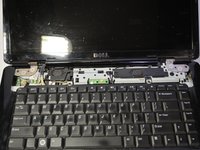
  9. Dell Inspiron 1545 Keyboard Replacement, Keyboard: passo 9, imagem 1 %32
    • Remove the two screws (5mm Phillips #1) at the top of the keyboard.

    Pergunte ao FixBot
  10. Dell Inspiron 1545 Keyboard Replacement: passo 10, imagem 1 %32
    • Slide the keyboard out and away from the laptop and lift it up to access the keyboard connector.

    • Do not pull hard on the keyboard while removing it, you may damage the keyboard or the keyboard connector.

    Pergunte ao FixBot
  11. Dell Inspiron 1545 Keyboard Replacement: passo 11, imagem 1 %32
    • Lift the connector latch that secures the keyboard cable to the connector on the motherboard and remove the cable.

    Pergunte ao FixBot
  12. Dell Inspiron 1545 Keyboard Replacement: passo 12, imagem 1 %32
    • Lift the keyboard up and away from the laptop.

    Pergunte ao FixBot
Conclusão

To reassemble your device, follow these instructions in reverse order.

15 outras pessoas executaram este guia.

Nathan Lemay

Membro desde: 04/16/14

3.160 Reputação

Autoria de 15 guias

Equipe

Cal Poly, Team 9-14, Regan Spring 2014 Membro de Cal Poly, Team 9-14, Regan Spring 2014

CPSU-REGAN-S14S9G14

4 Membros

Autoria de 15 guias

3Comentários do guia

Step 4 and 5 are not needed.

James Thrun - Responder Compartilhar

Steps 4 and 5 are unnecessary for removing the keyboard. Other than that, well done.

lee - Responder Compartilhar

The connector latch is broken. What should I do?

Mjeed - Responder Compartilhar

Comentar

Visualizações:

Últimas 24 horas: 2

Últimos 7 dias: 9

Últimos 30 dias: 94

Ao todo: 7,906