Introdução
If your DJI Spark (model CP.PT.000903) is moving erratically and you believe that the internal GPS is broken, use this guide to gain access to the GPS and replace it. The internal GPS informs the drone of its location and allows it to move by interpreting input from the controller as directions. If the internal GPS of your DJI Spark is faulty or broken, the drone may jump around or fail to respond to input from either the manual controller or virtual controller.
O que você precisa
-
-
-
Twist the propeller until it feels loose.
-
Pull on it until it comes off.
-
-
-
-
Flip the drone over.
-
Grip the left and right sides of the battery.
-
Slide firmly forward until it pops out.
-
-
-
-
-
-
Flip the drone over.
-
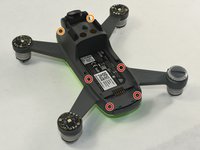
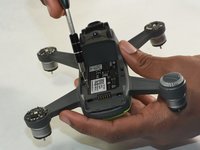
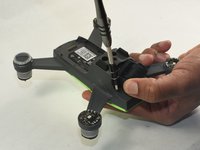
Remove the four 1.5mm Hex screws.
-
Remove the two 1.5mm Hex screws near the camera head.
-
-
-
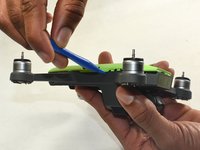
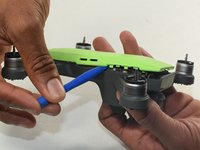
Hold the drone so the lid is facing up.
-
Insert the plastic opening tool into the side of the drone.
-
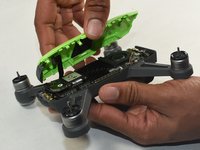
Slide the tool around the perimeter until you can lift the top off.
-
-
-
-
-
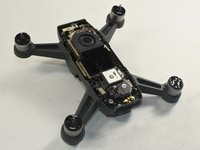
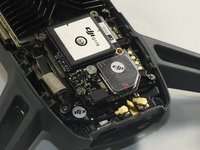
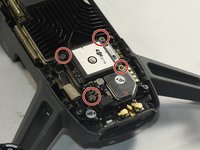
Identify the GPS module on the motherboard.
-
The GPS module will be labeled as ‘DJI G116’.
-
-
-
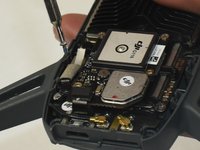
Remove the four 6.0 mm Phillips #000 screws holding the GPS module to the motherboard.
-
-
-
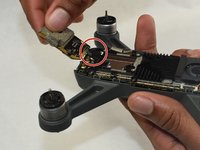
Pick up the GPS module.
-
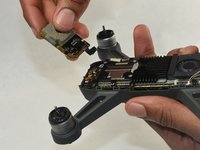
Carefully disconnect the GPS module ribbon cable from the motherboard.
-
Remove the GPS module.
-
-

 Pergunte ao FixBot










To reassemble your device, follow these instructions in reverse order.
Cancelar: não concluí este guia.
3 outras pessoas executaram este guia.

Equipe

UMass Dartmouth, Team S1-G7, Botvin Fall 2019 Membro de UMass Dartmouth, Team S1-G7, Botvin Fall 2019
UMASSD-BOTVIN-F19S1G7
3 Membros
Autoria de 7 guias
5Comentários do guia
How About Spark's Wifi can't find?
GPS module ribbon cable is broken where can i buy?
please if some one have it send it to me
i will pay u
hey, i have a site where you can buy it from.
here, sorry i am 2 years late lol.. https://www.aliexpress.us/item/325680159...
