Ir para o conteúdo principal
Participe da comunidade de reparos - Criar conta

DJI Phantom 4 Advanced Remote Controller Back Panel Replacement

O que você precisa

    1. DJI Phantom 4 Advanced Remote Controller Back Panel Replacement, Back Panel: passo 1, imagem 1 %32
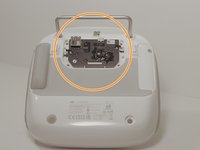
      • Remove the four screws with a Torx T8 screwdriver to access the back con board.

      Pergunte ao FixBot

      Comentar

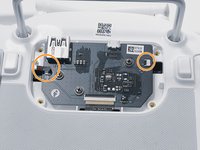
    2. DJI Phantom 4 Advanced Remote Controller Back Panel Replacement: passo 2, imagem 1 %32 DJI Phantom 4 Advanced Remote Controller Back Panel Replacement: passo 2, imagem 2 %32
      • Remove three screws using a Phillips #00 screwdriver.

      Pergunte ao FixBot

      Comentar

    3. DJI Phantom 4 Advanced Remote Controller Back Panel Replacement: passo 3, imagem 1 %32 DJI Phantom 4 Advanced Remote Controller Back Panel Replacement: passo 3, imagem 2 %32
      Ferramenta utilizada neste passo:
      Tweezers
      $4.99
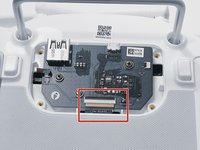
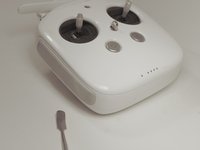
      • With tweezers, gently remove the large con board tab.

      • Use your hands to remove the two small clips. Pull out from the socket, in a horizontal direction.

      Pergunte ao FixBot

      Comentar

    4. DJI Phantom 4 Advanced Remote Controller Back Panel Replacement: passo 4, imagem 1 %32 DJI Phantom 4 Advanced Remote Controller Back Panel Replacement: passo 4, imagem 2 %32
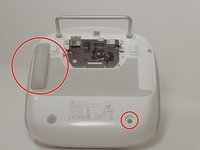
      • Peel off the rubber grips to access the screw holes.

      • Make sure to save your grips and do not to get them stuck to anything, you are going to want to save the adhesive.

      • Remove the back board and set it aside.

      Pergunte ao FixBot

      Comentar

    5. DJI Phantom 4 Advanced Remote Controller Back Panel Replacement: passo 5, imagem 1 %32 DJI Phantom 4 Advanced Remote Controller Back Panel Replacement: passo 5, imagem 2 %32
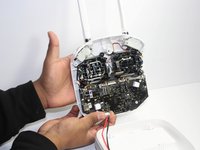
      • Pull apart the back plastic panel.

      • Recommended tool for this would be the metal spudger, but not required.

      • Once the back panel is off, you will have access to the motherboard.

      Pergunte ao FixBot

      Comentar

Conclusão

To reassemble your device, follow these instructions in reverse order.

Cancelar: não concluí este guia.

0Comentários do guia

Comentar

Visualizações:

Últimas 24 horas: 0

Últimos 7 dias: 1

Últimos 30 dias: 26

Ao todo: 1,113