Introdução
This guide will provide the steps for connecting your calculator to your computer.
O que você precisa
-
-
Download the software to allow you to connect your calculator to your computer from the Texas Instrument Website: http://education.ti.com/calculators/down...
 Pergunte ao FixBot
-
-
-
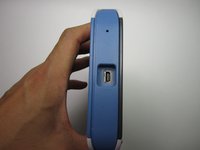
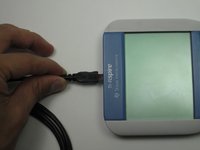
Make sure you have a TI USB cable to connect your calculator and computer
-
The ends of the cable should look like those in this picture
-
-



Cancelar: não concluí este guia.
19 outras pessoas executaram este guia.

Equipe

Cal Poly, Team 7-52, Forte Fall 2012 Membro de Cal Poly, Team 7-52, Forte Fall 2012
CPSU-FORTE-F12S7G52
5 Membros
Autoria de 15 guias
6Comentários do guia
This didn't work for me. According to the ti download page for the software the NSPIRE is not listed as a supported device. It appears that the software for the NSPIRE is not free.
the link is denied,
The link is denied
The link worked, and I can connect! Thanks!!
